What you’d build without Soracom Canal |
Custom VPN infrastructure Public endpoints with firewall rules Complex credential distribution |

Networking Service
Soracom Canal
Private cloud networking service that connects your Soracom devices directly to your AWS VPC using native VPC peering.
Extend your private AWS network all the way to your devices
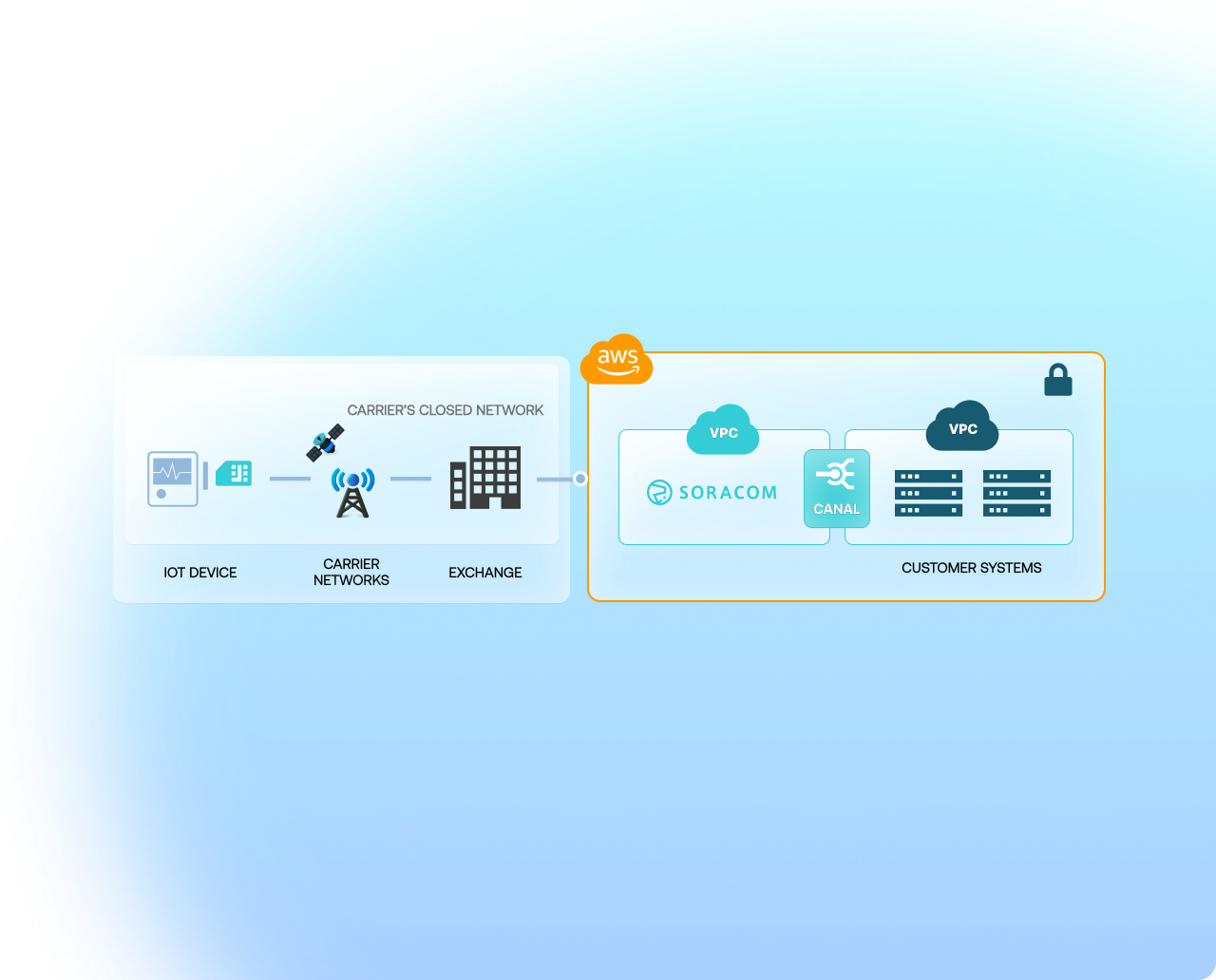
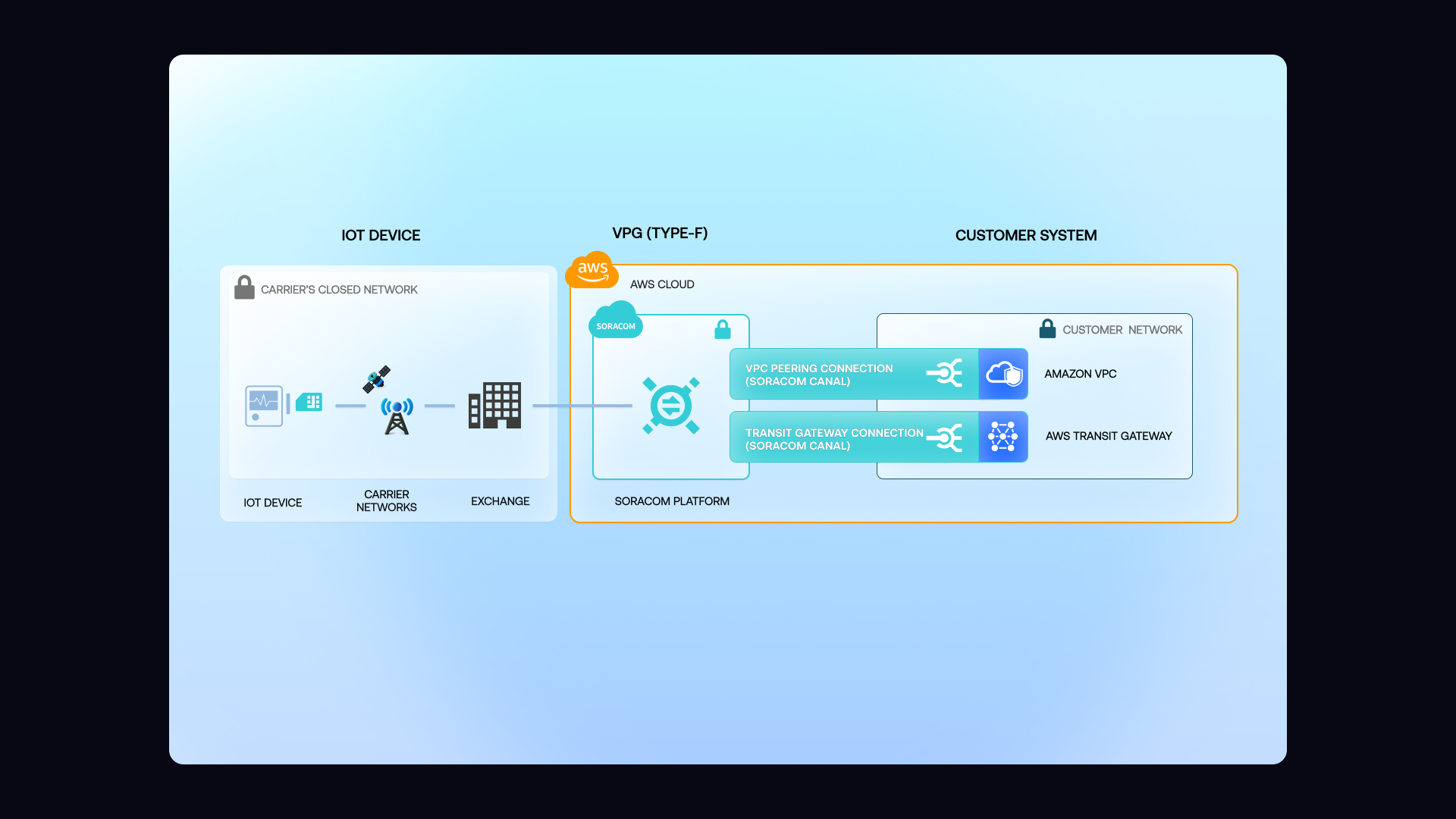
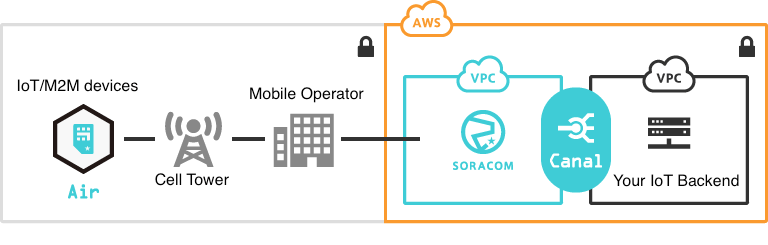
Soracom Canal creates a private, layer 3 IP connection between your Soracom Virtual Private Gateway (VPG) and your AWS Virtual Private Cloud using native AWS VPC peering. This keeps device traffic off the public internet and makes devices accessible using private IPs—just like any other resource inside your AWS environment.
Connect devices to AWS services without exposing anything to the public internet
Soracom Canal links your Soracom VPG directly to your AWS VPC using AWS VPC peering or AWS Transit Gateway. Devices receive private IP addresses, and network traffic flows through an isolated, encrypted path from the device to your backend—no VPN clients, no public endpoints, and no additional network appliances. Canal supports TCP and UDP at the IP layer, allowing devices to communicate with EC2 instances, container workloads, databases, or private AWS endpoints using the same protocols they use today.
Reduce exposure risk
No public IPs or open ports means fewer attack vectors and safer long-term deployments.
Streamline operations
Private networking reduces reliance on custom VPN stacks, certificates, and manual key rotation.
Align with AWS best practices
Built using AWS-native connectivity patterns, Canal fits directly into standard cloud architecture workflows.
How it works
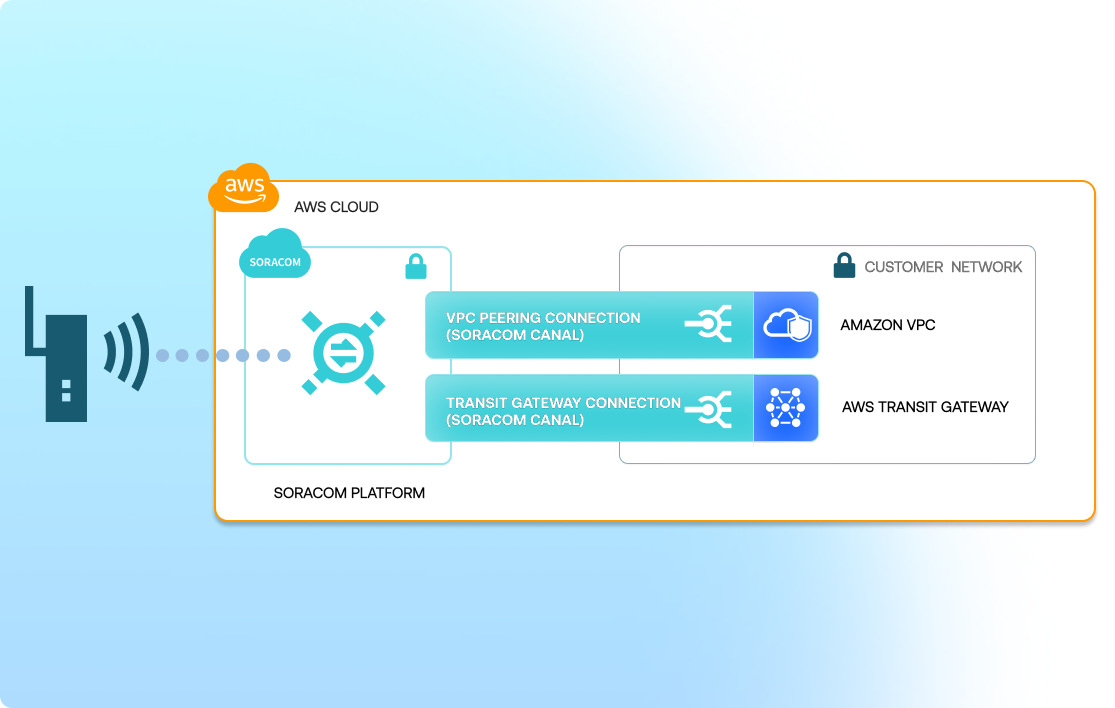
Private, isolated path between devices and AWS
Canal uses AWS VPC peering or Transit Gateway to create a private network connection from your Soracom VPG to your AWS VPC. This extends your private cloud into the cellular network, keeping device traffic fully off the public internet.
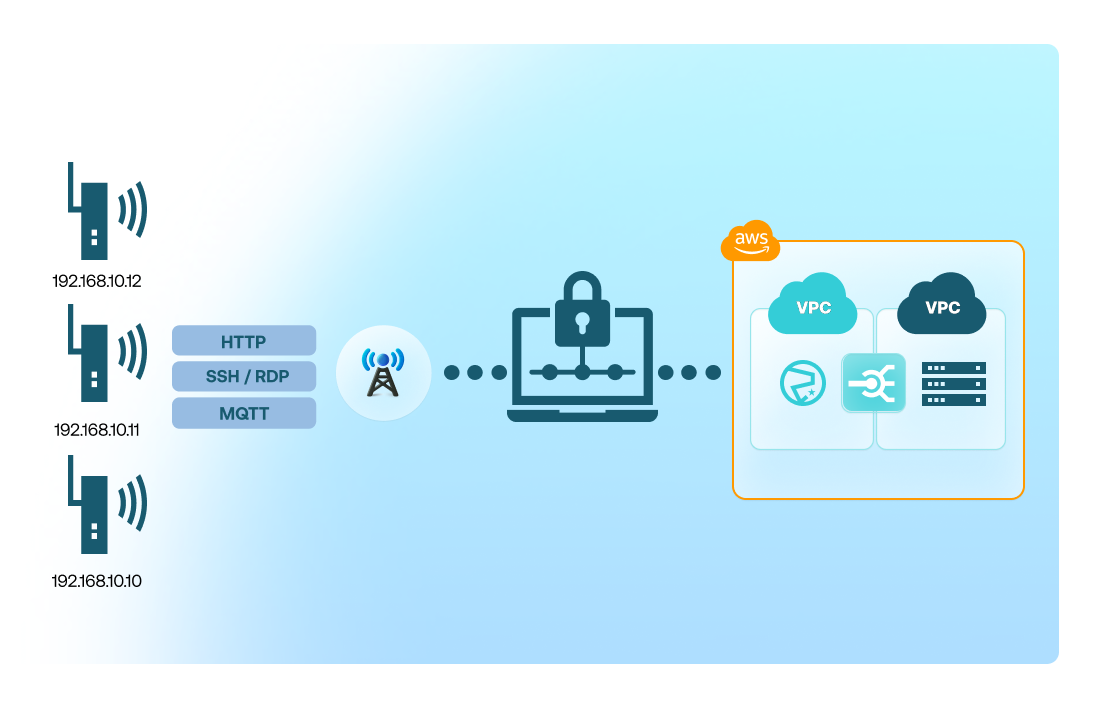
Use familiar TCP/UDP protocols with private IPs
Devices communicate using standard IP protocols, allowing you to use HTTP, MQTT, SSH, RDP, or even proprietary protocols over private IP addressing. Because the connection is private and the cellular link is encrypted, additional TLS overhead is not required for network-level security.
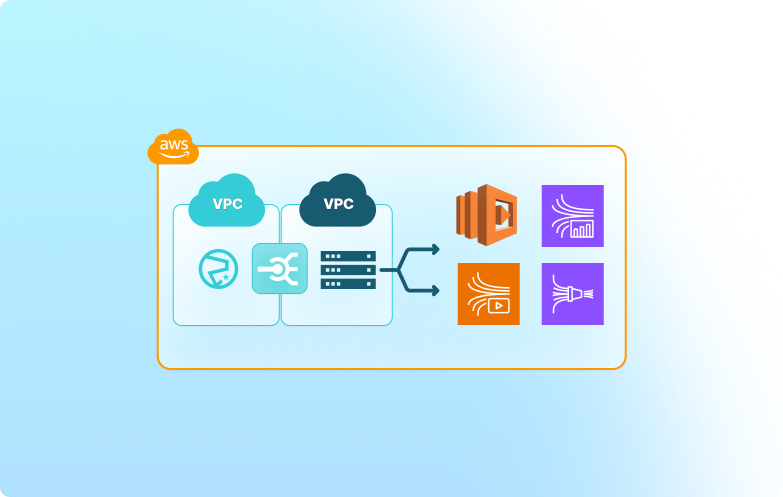
Seamlessly integrate with AWS-native services
Once your VPG is peered with your AWS VPC, devices can reach EC2 instances, containers, API Gateway endpoints inside the VPC, or private AWS services exposed via PrivateLink. This makes Canal an ideal foundation for device management, secure ingestion, and backend processing.
Architecture and implementation
Soracom Canal extends your AWS VPC into the Soracom network through VPC peering or Transit Gateway, creating a private, bidirectional IP route. Canal is commonly used for secure backend access, remote device management, private data ingestion, and private service-to-device communication without exposing public endpoints.
Step 1
Enable Soracom Canal and establish a private IPsec VPN connection
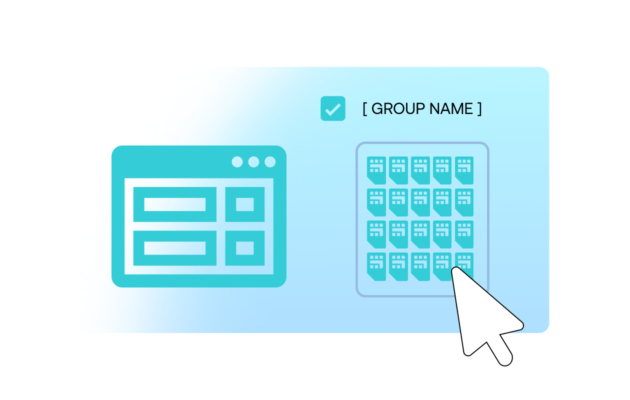
Open the Soracom User Console and navigate to the SIM group where you want to enable private connectivity.
Enable Soracom Canal in the group settings, then configure an IPsec VPN connection between your Soracom Virtual Private Gateway (VPG) and your cloud VPC.
Canal creates a private, encrypted tunnel so device traffic reaches your cloud environment without touching the public Internet.
Setup steps are available in the Soracom Canal documentation.
Step 2
Attach your device SIM group to the VPG to route traffic through the VPN
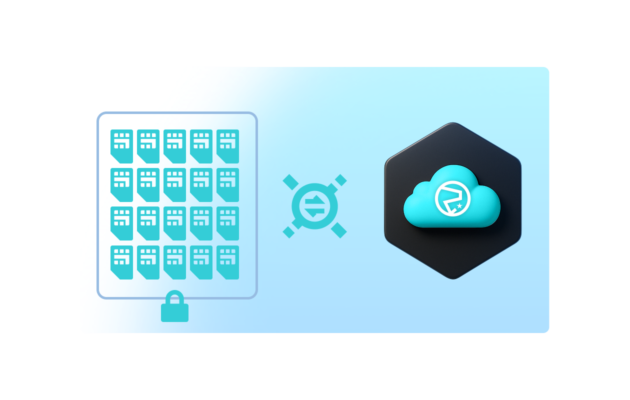
Navigate to the SIM group you want to place inside your private network and attach it to the VPG configured for Canal.
Once attached, all device traffic is routed directly to your VPC through the VPN tunnel, providing private IP addressing and secure end-to-end connectivity.
No additional changes are required on the device—routing is handled entirely within Soracom’s cloud-native core.
Learn more in the VPG assignment guide.
Step 3
Access your devices privately from your cloud environment
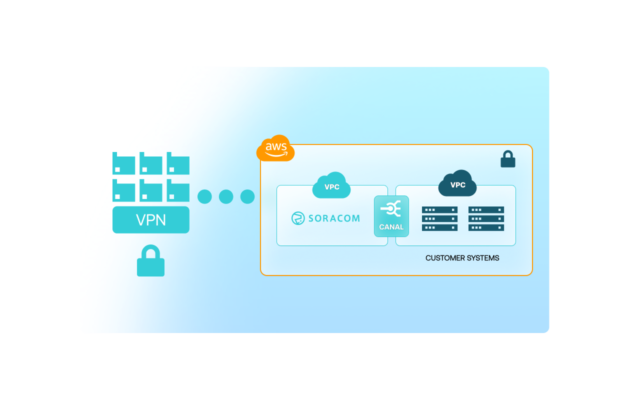
Once the IPsec tunnel is active and your SIM group is attached to the VPG, your cloud resources can communicate with devices using private IP addresses.
This enables secure access for APIs, databases, message brokers, or internal services without exposing devices to the public Internet.
You can also combine Canal with Gate for Layer-2 access or Direct for physical connectivity extensions, depending on your architecture.
Connectivity validation examples are available in the Canal monitoring guide.
How Soracom Canal works with other Soracom services |
Use Canal + Door for multi-cloud networking Use Canal + Direct for high-performance private links Use Canal + Gate for remote device access |

Build private cloud networking with Canal
Create a free Soracom account and connect your first device to a virtual private gateway. With a few clicks, you can peer your VPC and establish a private, secure path from device to AWS services.
Articles about Soracom Canal



Frequently Asked Questions
What is Soracom Canal?
Soracom Canal is a private networking service that connects your Soracom VPG to your AWS VPC using native VPC peering or Transit Gateway.
Which protocols does Canal support?
Canal supports standard TCP and UDP traffic, enabling HTTP, MQTT, SSH, RDP, and proprietary protocols over private IPs.
Can Canal be used with AWS Transit Gateway?
Yes. Canal supports VPC peering and Transit Gateway attachments, making it easy to connect multiple VPCs or regions.
What’s the difference between Canal and Soracom Door?
Canal uses AWS-native VPC peering while Door uses encrypted VPN tunnels for multi-cloud or on-prem connectivity.
Does Canal require a VPN client on the device?
No. The private network is established between the Soracom core and your AWS VPC, so devices use normal cellular connections without VPN software.
Does Canal keep device traffic off the public internet?
Yes. Device data stays within Soracom’s core network and your AWS VPC, never touching public networks.
Can EC2 instances talk back to devices?
Yes. Canal provides bi-directional routing, allowing private access from EC2 instances to IoT devices.
Does Canal work with PrivateLink or internal APIs?
Yes. Once devices are inside your VPC, they can access any private services reachable from that VPC.