What you’d build without Soracom Endorse
|
Embed long-term API keys or certs in firmware
Build or purchase a full IoT PKI infrastructure
Create custom signing servers |

Provisioning Service
Soracom Endorse
Secure device-to-cloud identity service that signs and verifies requests so your backend can trust every device without storing keys on the device.
Give every device a secure, verifiable identity without embedding long-term secrets
Soracom Endorse lets your devices generate short-lived, cryptographically trusted signatures that can be validated by your backend applications. Instead of storing API keys, certificates, or tokens on each device, Endorse uses SIM-based credentials to sign requests, giving you a secure way to validate which device sent what data.
Authenticate devices securely without managing certificates or rotating API keys
With Soracom Endorse, devices generate signed tokens using SIM-based authentication, proving their identity to your backend. These signatures can be validated in your server, cloud function, or microservice using a lightweight verification library. No keys are stored in firmware, no certificate provisioning is required, and rotating signing keys happens in the cloud—instantly applying to your entire fleet. This simplifies authentication and dramatically reduces security exposure for connected devices.
Why use Soracom Endorse for your project?

Trust every request
Prove device identity cryptographically without storing secrets on hardware.
Simplify provisioning
Avoid certificate provisioning, CSR workflows, and per-device PKI management.
Rotate keys safely
Update signing credentials in the cloud with no device firmware changes.
How it works

Use SIM-based authentication to sign device requests
Endorse uses the SIM’s secure identity along with Soracom’s platform to generate cryptographically signed tokens. Devices ask Endorse for a signature, then attach that signature to outbound requests so your backend can verify authenticity.

No secrets or certificates stored on devices
Because signing is performed using SIM credentials in the Soracom platform, devices never store long-lived keys. This eliminates a major attack surface and removes the need to redeploy firmware when keys rotate.
Verify signatures in any cloud or backend
Your application uses a simple verification library to validate signatures. Any backend—AWS Lambda, Azure Functions, API Gateway, Kubernetes services, or custom servers—can trust that requests came from a specific device.
Understand what this simplifies for your team

Verified device identity
Ensure only legitimate devices can interact with backend systems.

Reduce compromise risk
Remove stored keys from firmware and protect against extraction or cloning.

Lower operational burden
Avoid maintaining PKI infrastructure or per-device credential rotation workflows.
Architecture and implementation
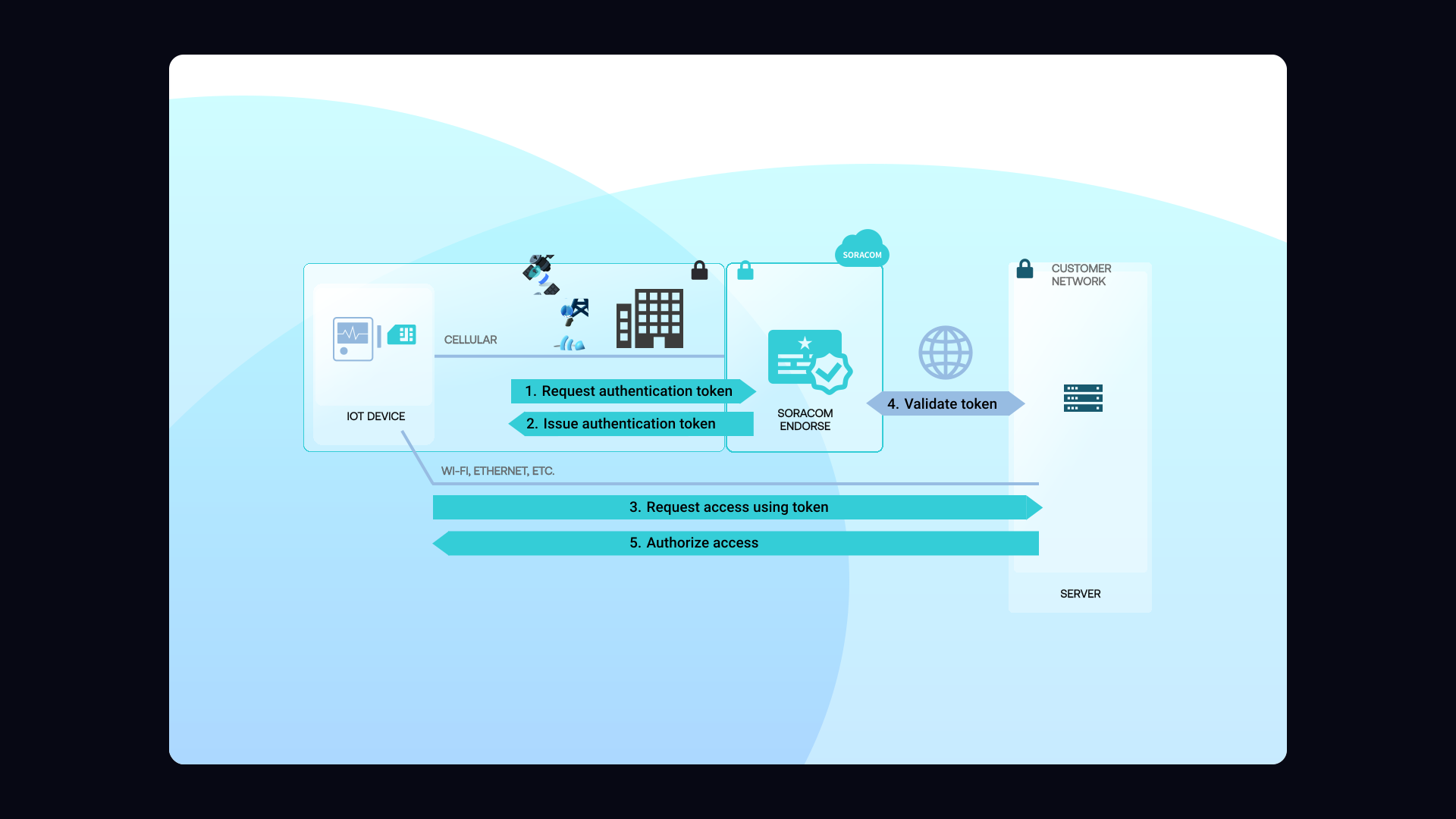
Soracom Endorse operates as a secure signing service powered by SIM-based authentication. A device sends a request to Endorse with data or metadata. Endorse verifies the SIM, generates a cryptographic signature, and returns it. The device includes this signature in its outbound request to your backend. Your backend uses the Endorse verification library to validate the signature and confirm the device’s identity. Because keys never live on the device, Endorse dramatically reduces the attack surface and simplifies secure provisioning.
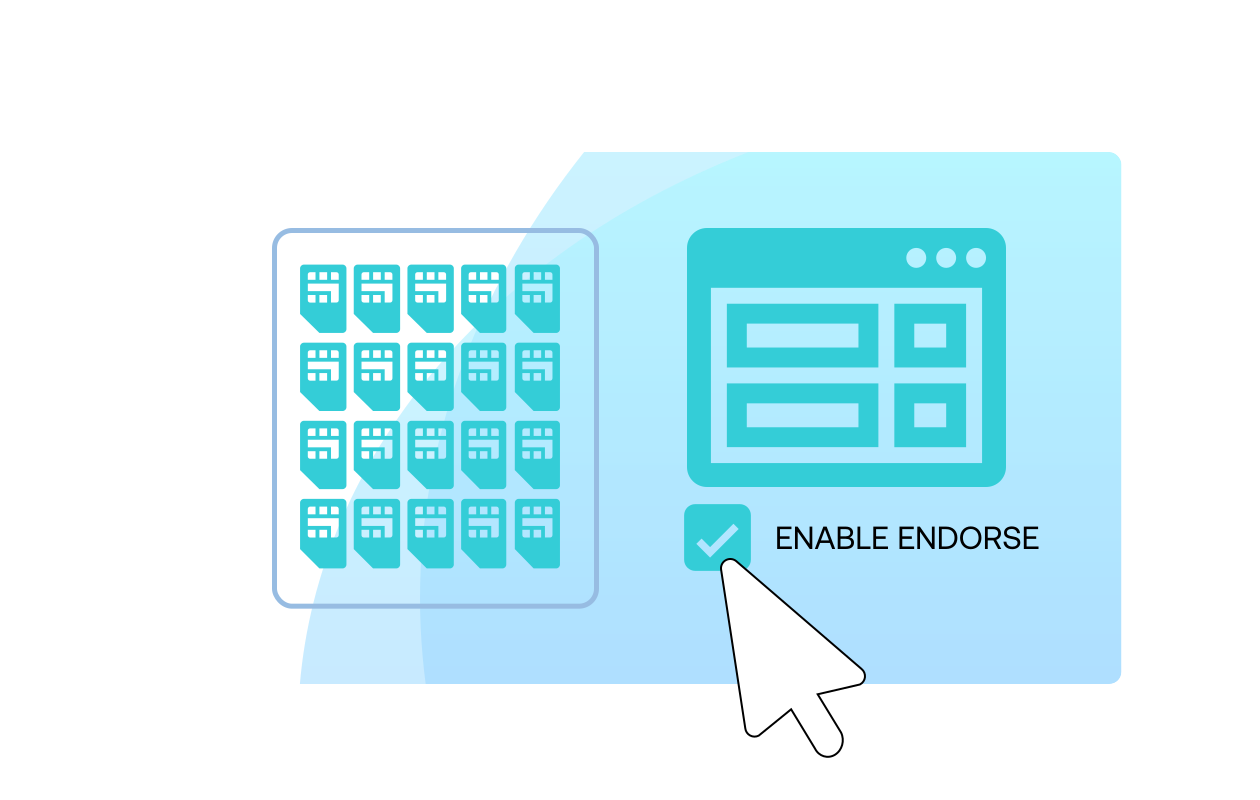
Step 1
Enable Soracom Endorse for your SIM group and choose the authentication mode
Begin by opening the Soracom User Console and navigating to the SIM group where you want to activate client authentication.
Enable Soracom Endorse in the group settings and select the authentication method—either signature-based or token-based, depending on your application needs.
Endorse generates a secure, device-bound identity derived from the SIM, eliminating the need to manage certificates on the device or deploy PKI infrastructure.
For setup steps and best practices, see the Soracom Endorse documentation.
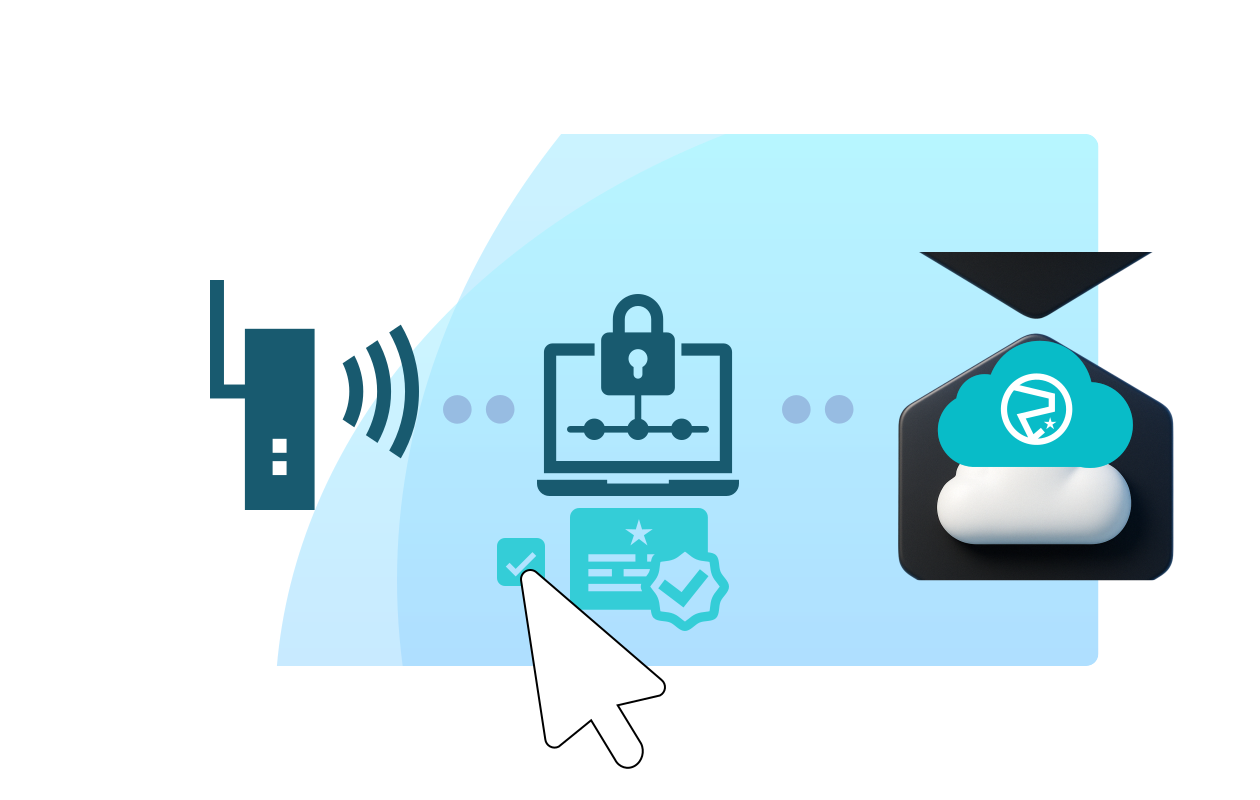
Step 2
Configure your device to request signatures or tokens through the Soracom platform
Update your device to make a simple HTTP request to the Soracom Endorse endpoint using its Soracom Air connection.
The device does not need any certificates or keys—Endorse automatically derives the identity from the SIM and returns a signed payload or authentication token your backend can verify.
This replaces the need for complex key provisioning or secure storage on constrained IoT hardware.
Review device integration patterns in the Device integration guide.
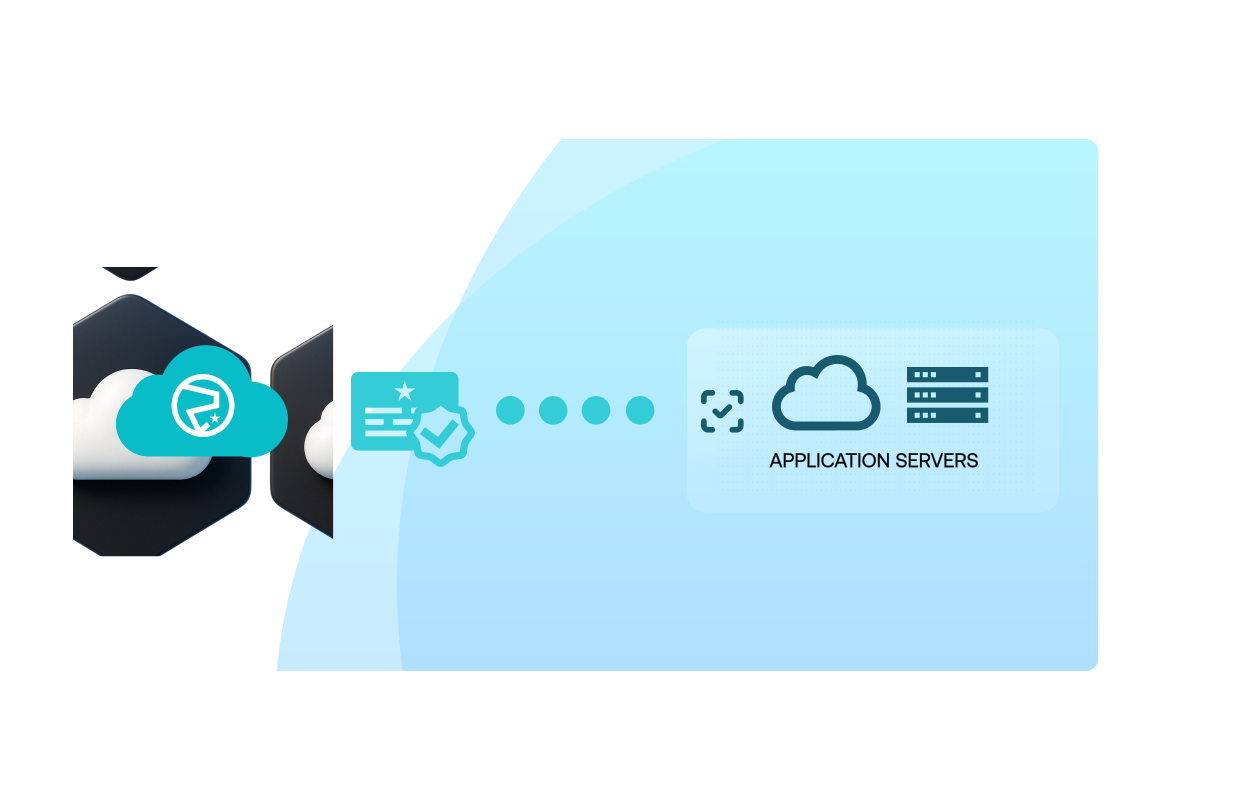
Step 3
Verify signatures or tokens from Endorse in your application backend
Configure your backend service to validate the signature or token returned by Endorse using the public key and verification methods provided by Soracom.
This lets your server confirm that each request truly originated from a specific SIM, preventing spoofing or unauthorized device access.
Once validation is in place, you can apply device-level access control, audit logs, and secure data ingestion without managing per-device credentials.
Learn more in the backend verification guide.
How Soracom Endorse works with other Soracom services
|
Use Endorse + Beam for secure data forwarding
Use Endorse + Funnel/Funk for trusted serverless execution
Use Endorse + Gate for secure remote sessions |

Secure device identity with Soracom Endorse
Create a free Soracom Operator ID and begin signing and verifying device requests using SIM-based authentication—no certificates, no key rotation workflows, no backend infrastructure required.
Frequently Asked Questions
What is Soracom Endorse?
Endorse is a SIM-based device identity and request-signing service that allows your backend systems to verify device authenticity without storing secrets on the device.
How do backend services verify signatures?
Using a lightweight verification library provided by Soracom. It runs in any environment, including AWS Lambda, Azure Functions, Kubernetes, or standalone servers.
Does Endorse work with all Soracom SIMs?
Yes. Endorse is compatible across Soracom Air SIMs and eSIMs.
Can I rotate signing keys without updating devices?
Yes. Key rotation happens in the cloud and applies instantly to all devices.
Do devices need certificates or API keys?
No. All signing material is stored in the Soracom platform and generated on demand.
Can attackers replay signatures?
No. Signatures include timestamps and payload metadata, and your backend can enforce expiration windows.
Is this similar to IoT certificates?
Yes in function, but simpler. Endorse provides cryptographic assurance without managing X.509 certificates or PKI.
Does Endorse support multi-cloud backends?
Absolutely. Verification libraries work with AWS, Azure, Google Cloud, private servers, or hybrid environments.