What you’d build without Soracom Door
|
Custom VPN servers or client software
Public cloud endpoints
Multiple cloud-specific networking stacks |

Networking Service
Soracom Door
Site-to-Site VPN connection between your Soracom devices and your on-prem or cloud environment.
Bring devices into your private network using a secure VPN tunnel
Connect devices privately to any cloud, data center, or on-prem network
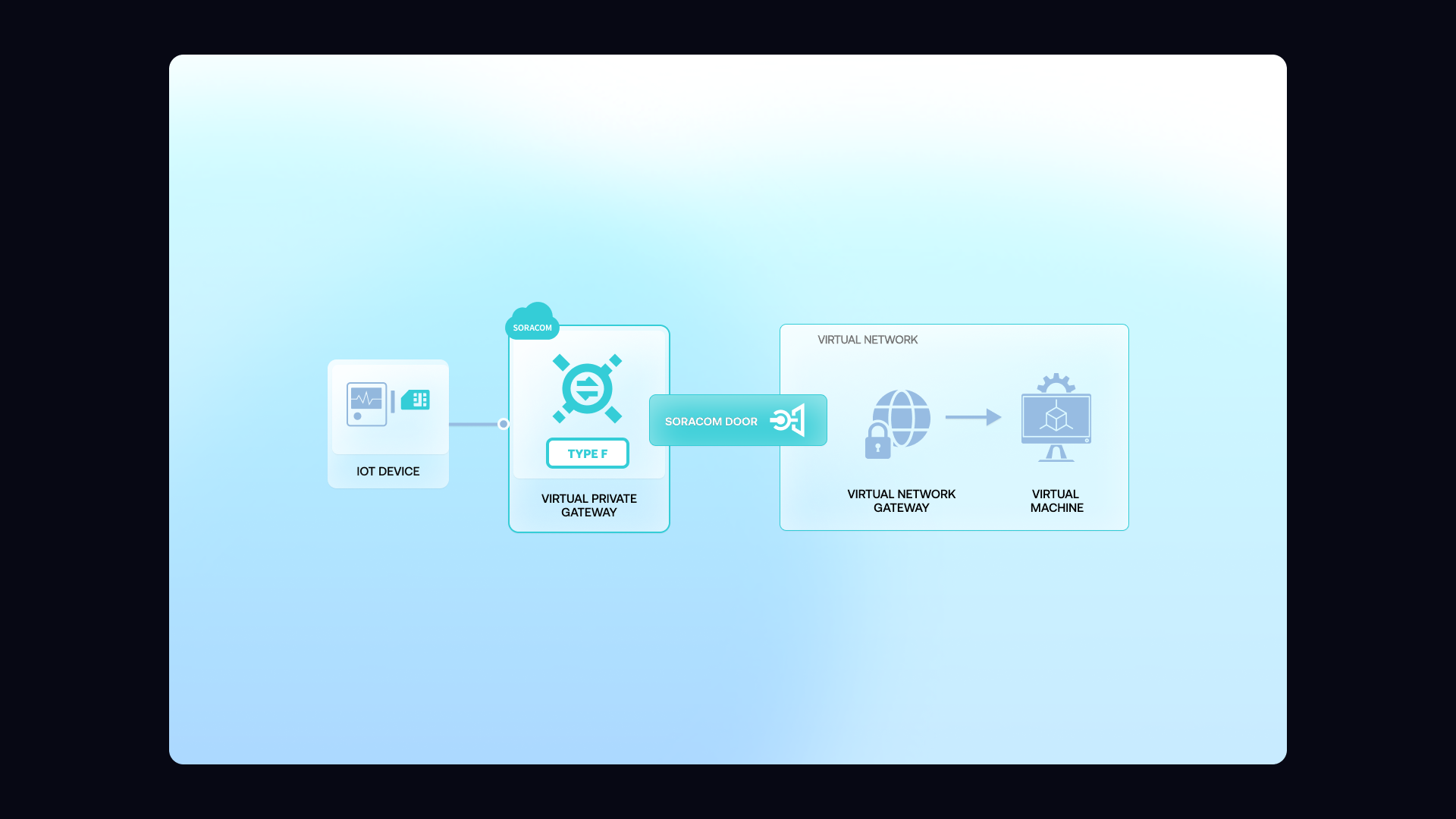
Soracom Door uses industry-standard IPsec Site-to-Site VPN to build a private tunnel from your VPG to your environment. Devices use ordinary cellular connectivity, receive private IPs from the VPG, and communicate with backend servers over a secure, encrypted link. Door works with AWS, Azure, Google Cloud, or on-prem firewalls, providing a flexible option when VPC peering isn’t available or when you need to connect multiple environments securely.
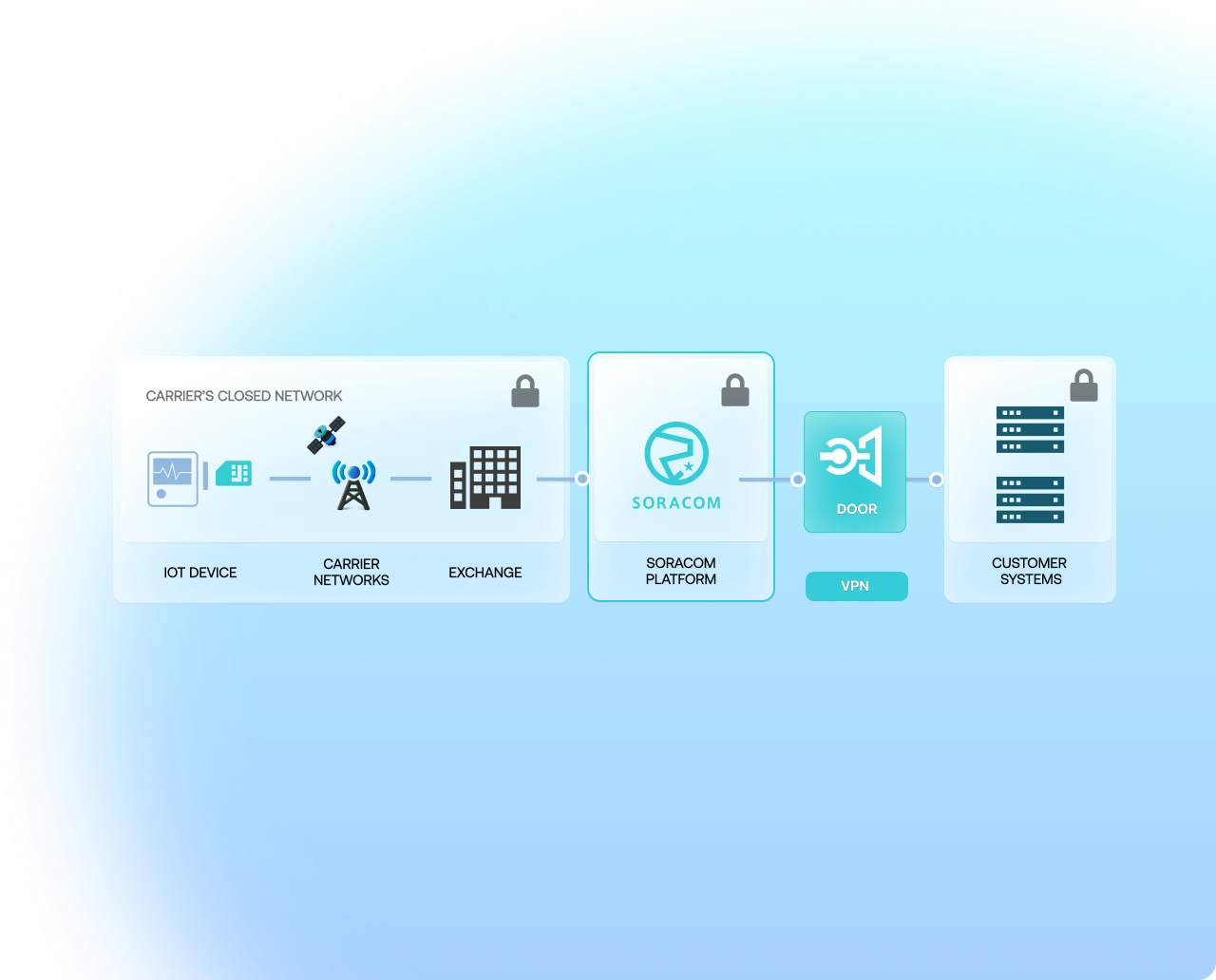
Understand what this simplifies for your team
Protect private systems
Keep internal databases, APIs, and on-prem systems inaccessible from public networks.
Unify hybrid clouds
Connect devices to any environment—AWS, Azure, GCP, or on-prem—through one private tunnel.
Lower integration costs
Use standard IPsec VPN instead of building and maintaining custom networking stacks.
How it works

Industry-standard IPsec Site-to-Site VPN
Door uses standard IPsec VPN to create an encrypted tunnel between your Soracom VPG and your private network. It works with most commercial firewalls, cloud VPNs, and on-prem appliances, making it easy to integrate devices into existing networking environments.

Works with AWS, Azure, Google Cloud, or on-prem firewalls
Door is cloud-agnostic. You can connect your devices to AWS using Site-to-Site VPN, to Azure via Virtual Network Gateways, to Google Cloud via Cloud VPN, or directly to your data center firewall. This flexibility makes Door ideal for hybrid or multi-cloud architectures.

Private IP routing for secure device access
Once the VPN is established, your devices and private servers exchange traffic using private IP addresses. This keeps services off the public internet and enables inbound access for secure device management, command-and-control, and internal APIs.
Why use Soracom Door for your project?
Encrypted private path
Secure your device traffic with IPsec tunnels that never touch the public internet.
Connect any network
Integrate devices with on-prem or multi-cloud environments using standard VPN gateways.
Simplify routing
Treat devices as part of your private IP space without managing client VPN software.
Architecture and implementation
Soracom Door establishes an encrypted IPsec tunnel between your VPG and your private network, enabling private IP routing across the cellular link. Devices connect to the Soracom core using encrypted air interface, receive private IP assignments, and send traffic through the VPG into your VPN tunnel. Door integrates easily with standard firewalls and cloud VPN services, making it a practical option for teams with on-prem systems or multi-cloud architectures. It is commonly used for secure ingestion, remote access, private APIs, and hybrid connectivity patterns.
Step 1
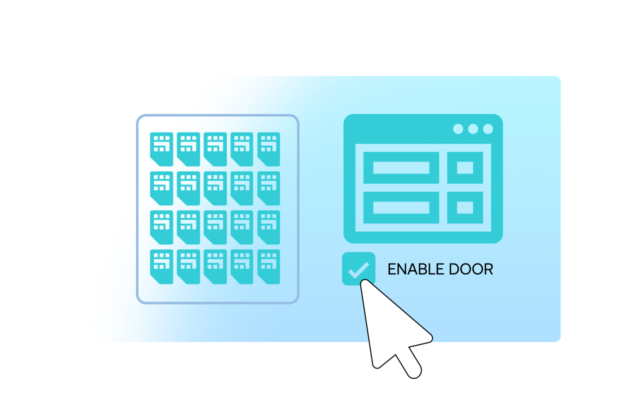
Enable Soracom Door for your SIM group and prepare a site-to-site VPN configuration
Open the Soracom User Console and navigate to the SIM group where you want to establish a secure site-to-site VPN.
Enable Soracom Door in the group settings to begin creating an IPsec VPN tunnel between your Soracom Virtual Private Gateway (VPG) and your on-premises or cloud network gateway.
Door allows devices to communicate with internal systems using private IP addresses, without exposing traffic to the public Internet.
Setup requirements are available in the Soracom Door documentation.
Step 2
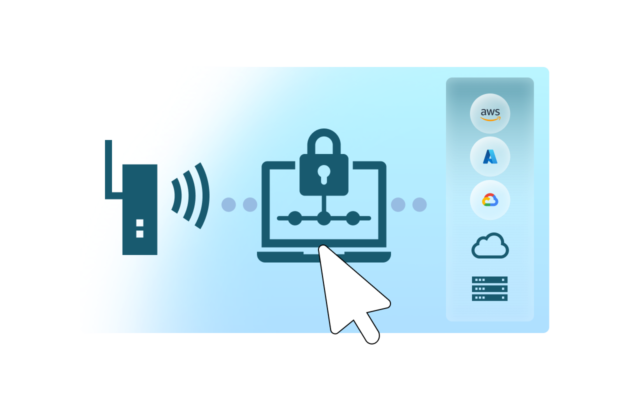
Configure IPsec parameters on your customer gateway to establish the secure tunnel
Use the tunnel parameters generated in the Soracom User Console—such as IKE version, pre-shared key, encryption algorithms, and endpoint IPs—to configure your on-premises or cloud gateway.
Supported gateway types include AWS/VPC VPN, Azure VPN Gateway, Google Cloud VPN, and most standard firewalls or routers.
Once configuration is complete, the gateway and Soracom VPG will negotiate and establish an encrypted site-to-site VPN tunnel for device traffic.
See example configurations in the Door configuration guide.
Step 3
Attach your SIM group to the VPG and begin private communication over the VPN
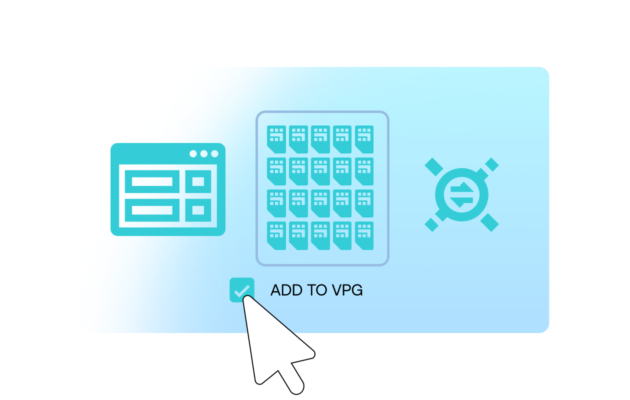
Attach the SIM group to the VPG used for your Soracom Door connection so device traffic is routed through the new VPN tunnel.
Devices can now securely reach internal hosts, APIs, databases, or management systems using private IP addresses—without needing public connectivity or NAT traversal.
You can also pair Door with Gate or Napter to extend remote debugging and secure access workflows.
Connectivity validation steps are outlined in the Door monitoring guide.
How Soracom Door works with other Soracom services
|
Use Door + Canal for hybrid AWS and non-AWS networking
Use Door + Direct for high-performance private links
Use Door + Gate for secure remote access |

Secure your network with Soracom Door
Create a Soracom account and set up a secure Site-to-Site VPN between your devices and your cloud or on-prem network. Begin testing private IP connectivity in minutes with simple console-based setup.
Articles about Soracom Door


Frequently Asked Questions
What is Soracom Door?
Soracom Door is an IPsec Site-to-Site VPN service that securely connects your Soracom devices to your private network or cloud environment.
Do devices need VPN software installed?
No. The VPN is between your private network and Soracom’s VPG. Devices connect normally through cellular networks and use private IP routing.
How is Door different from Soracom Canal?
Canal uses AWS VPC peering for AWS-only environments, while Door uses IPsec VPN to connect to any cloud or on-prem network.
Does Door support multiple tunnels?
Yes. You can configure multiple VPN tunnels to support hybrid or multi-cloud environments.
Which networks does Door support?
Door supports AWS Site-to-Site VPN, Azure Virtual Network Gateway, Google Cloud VPN, and most enterprise firewalls.
Is Door encrypted?
Yes. Door uses IPsec encryption for all traffic passing through the VPN tunnel.
Can I use Door for inbound access to devices?
Yes. Once the IPsec tunnel is established, devices are reachable via private IP for secure remote management.
Does Door require special carrier settings?
No. Door works entirely in the cloud between your VPG and your private network.