What you’d build without Soracom Peek
|
Implement logging or debug firmware
Capture packets using local sniffers
Build custom diagnostic proxies |

Networking Service
Soracom Peek
On-Demand Network Packet Capture
See exactly what your devices are sending and receiving over the network
Peek provides a managed way to capture and inspect network traffic without deploying physical sniffers or in-field tools.
Debug device behavior directly within Soracom’s private network
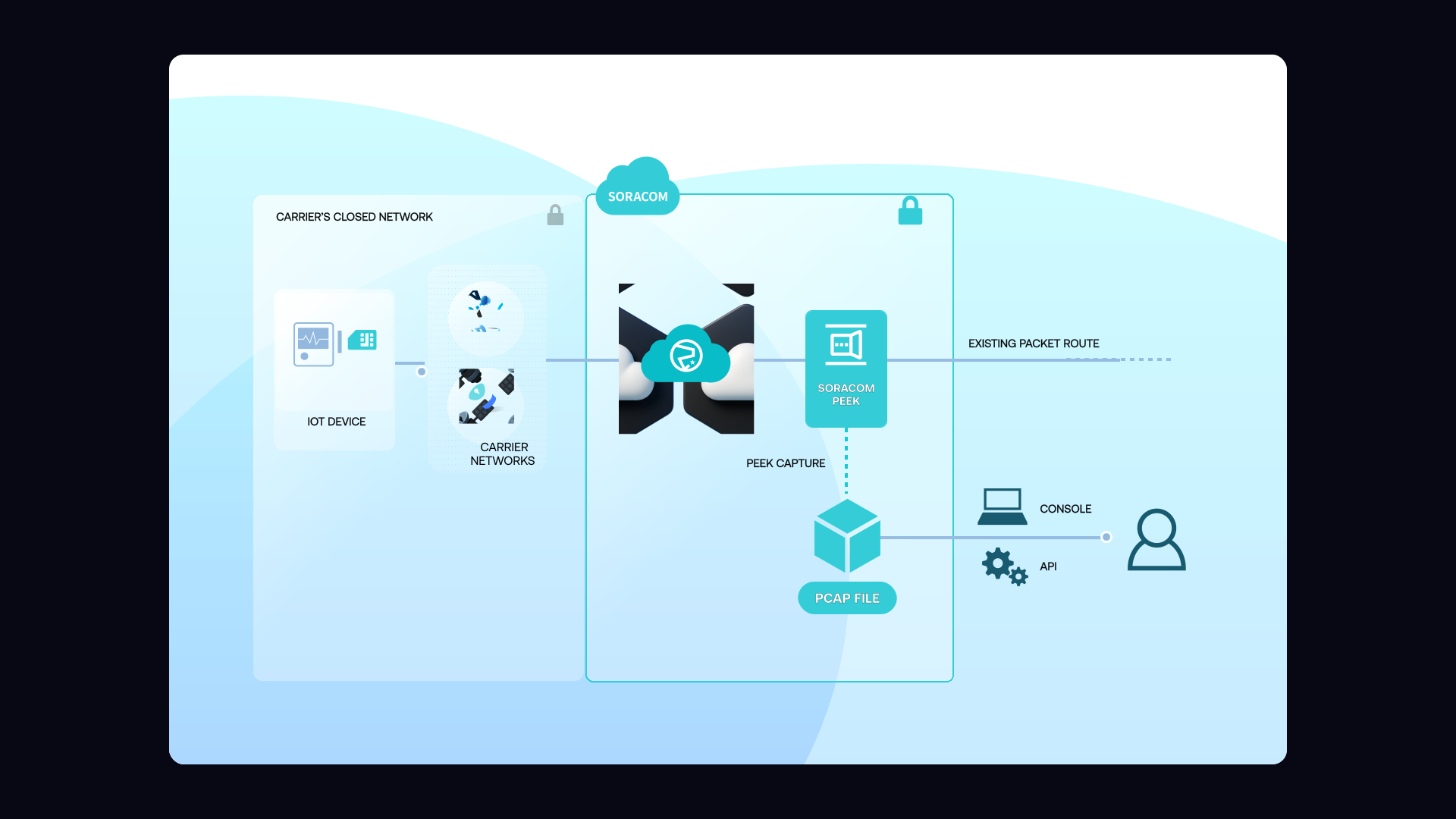
Peek temporarily captures inbound and outbound packets from a selected device and streams them to your browser or tool of choice. Because traffic is captured directly inside the Soracom core, you can confirm payload formats, validate protocol behavior, inspect headers, or troubleshoot abnormalities—all without modifying firmware or inserting debug logic on the device.
Why use Soracom Peek for your project?

Fix issues faster
Debug network problems without shipping new firmware or retrieving devices.

Improve reliability
Ensure devices send correctly formatted, predictable payloads.

Reduce risk
Run secure, temporary captures without exposing device traffic publicly.
How it works
Real-time packet capture
Peek captures traffic as it flows through the Soracom cellular core, giving you a live view of packets—headers, payloads, and metadata included.
No device changes required
Because Peek operates in the network, you don’t need to modify firmware or add debugging logic. Capture sessions are fully passive and require no app-layer changes.
Secure and time-limited
Capture sessions are restricted to a single device and automatically expire after a fixed time. No data is logged permanently unless you choose to save it.
Key takeways for those that use Peek

Diagnose quickly
Spot malformed payloads, connectivity issues, or protocol errors instantly.

Validate firmware
Confirm what devices are actually transmitting without reflashing or adding logging code.

Troubleshoot safely
Capture traffic inside the private Soracom network without exposing data publicly.
Architecture and implementation
Peek runs inside Soracom’s cellular core. When enabled, Soracom mirrors traffic for a selected SIM and streams packets to your browser or API client. Capture is ephemeral, isolated to a single device, and automatically stops after a configured duration. This ensures safe, controlled debugging without modifying applications or revealing traffic to the public internet.
Step 1
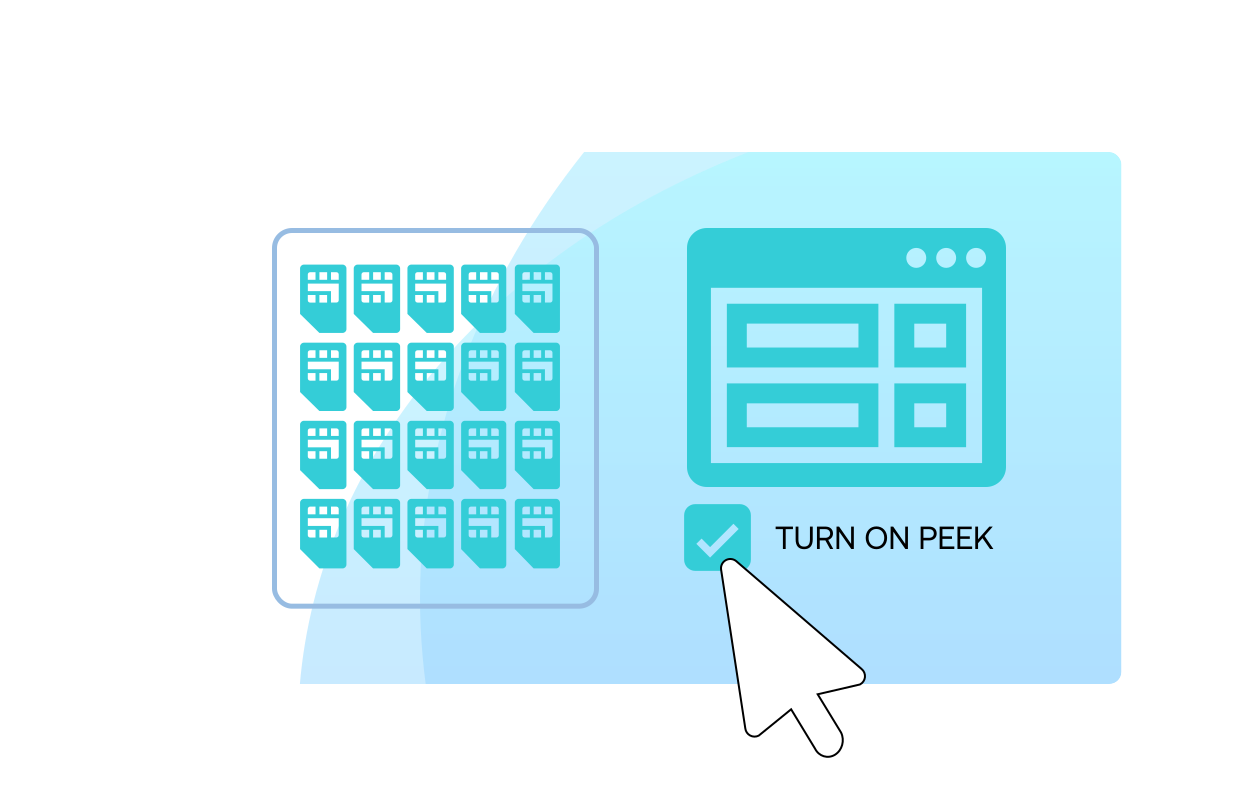
Enable Soracom Peek for your SIM group to start capturing packet data
Open the Soracom User Console and navigate to the SIM group where you want to enable packet inspection.
Turn on Soracom Peek in the group settings to allow temporary packet capture for any device in the group—without modifying firmware or network configuration.
Peek lets you analyze device behavior, debug connectivity issues, and inspect protocol-level data directly from the Soracom platform.
See activation steps in the Soracom Peek documentation.
Step 2
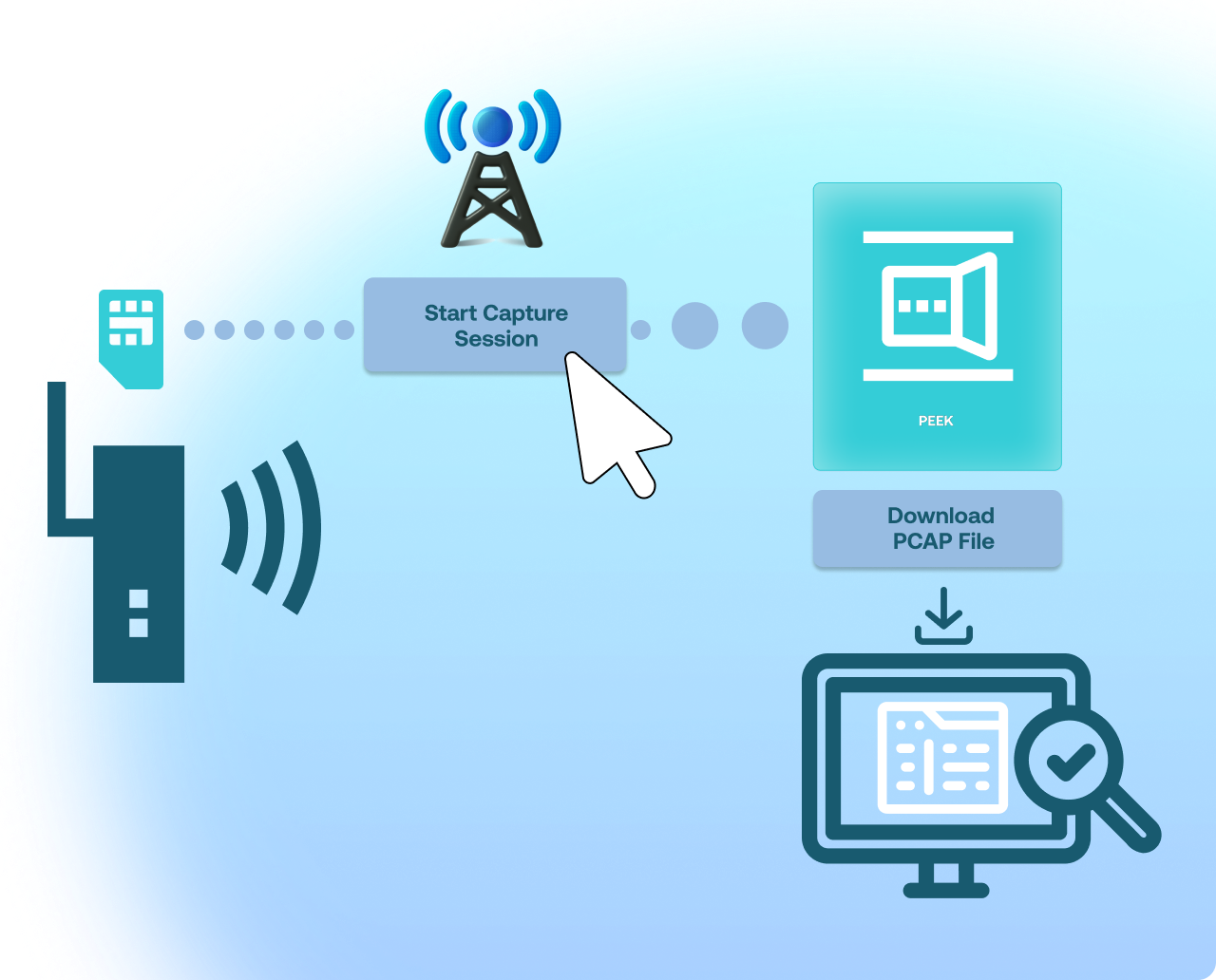
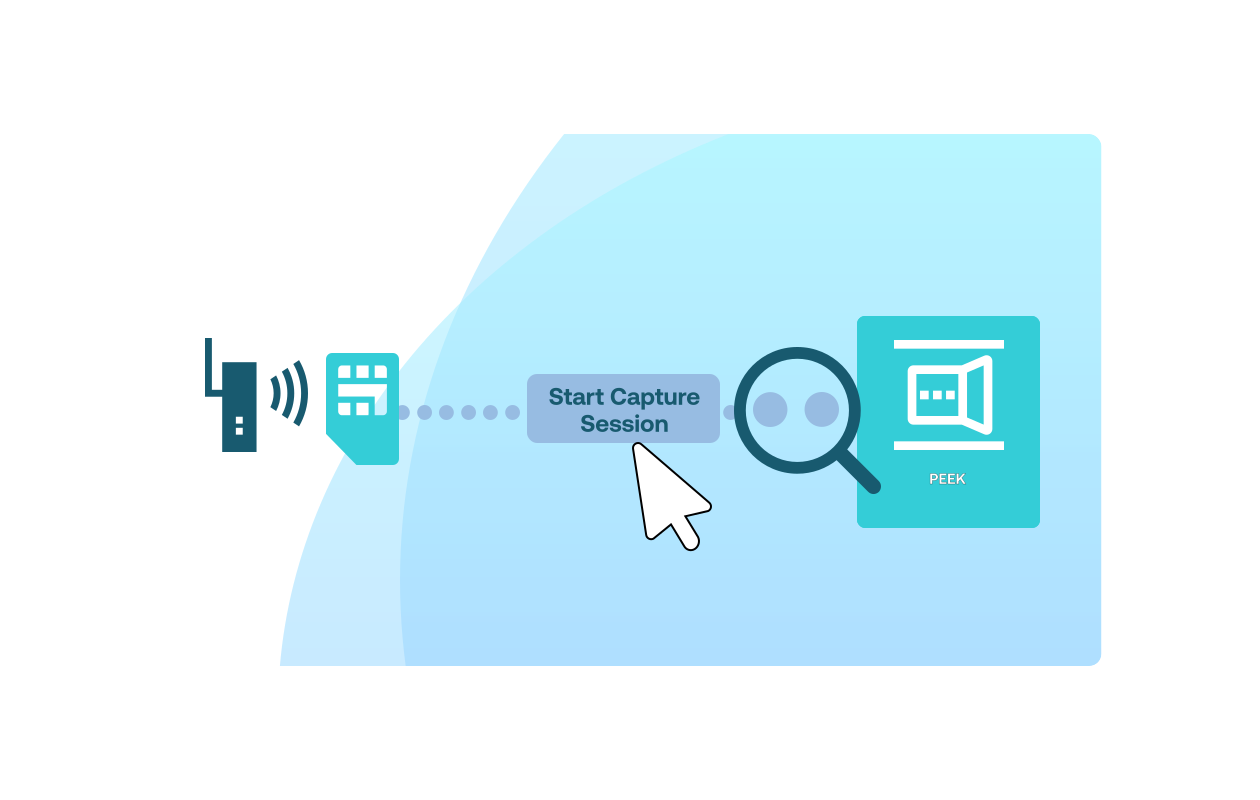
Start a Peek capture session for the target SIM
Open the details page for the SIM you want to inspect and start a new Peek session.
Choose whether you want a full packet capture or header-only capture, depending on your troubleshooting needs.
Peek immediately begins capturing packets from the device’s live traffic stream without interrupting connectivity or requiring any device-side changes.
Learn how to start sessions in the Peek capture guide.
Step 3
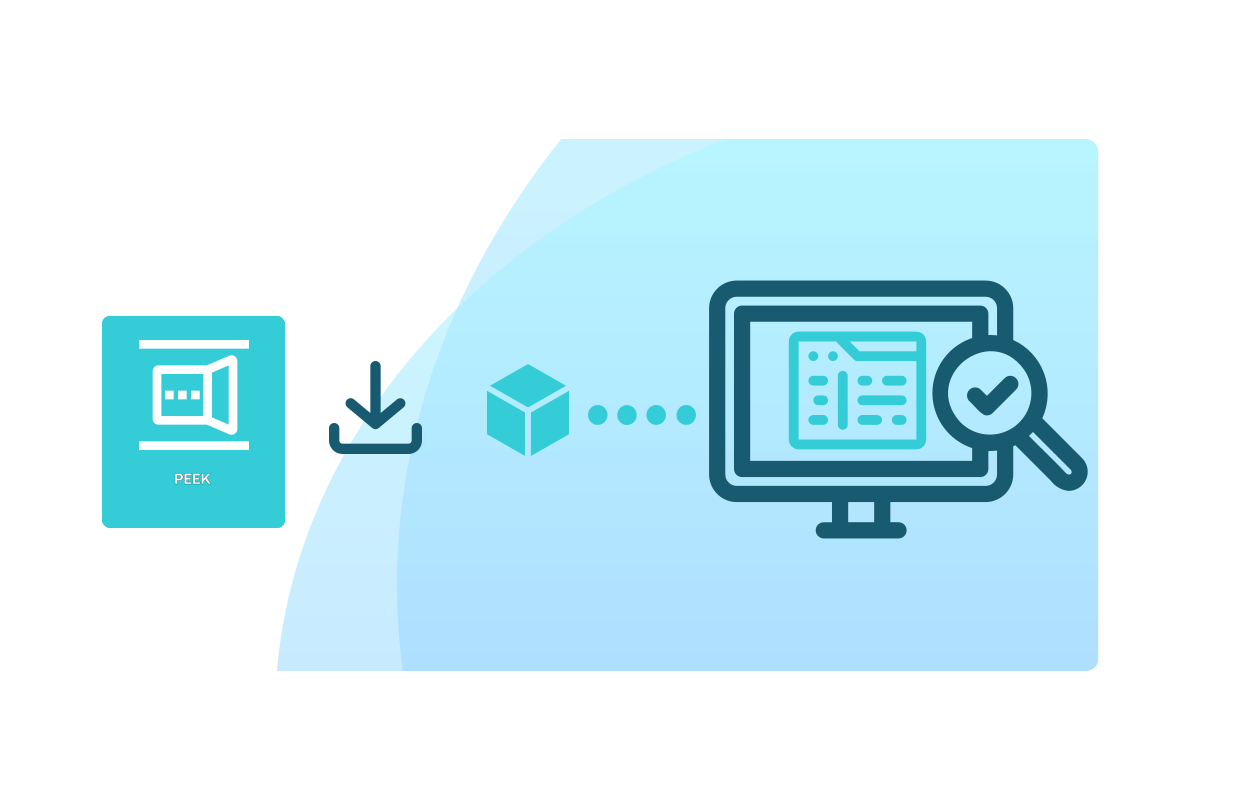
Download and analyze the captured packets using your preferred tools
Once the capture session completes, download the resulting PCAP file directly from the User Console.
Open it in tools such as Wireshark or your preferred packet analyzer to inspect payloads, protocols, timing, handshakes, or connection failures.
Sessions automatically expire to ensure security and prevent long-term data retention.
See analysis options in the Peek analysis documentation.
How Soracom Peek works with other Soracom services
|
Peek + Junction for deeper analysis
Peek + Inventory for device diagnostics
Peek + Harvest/Lagoon for correlation |

Troubleshoot faster with Soracom Peek
Create a free Soracom Operator ID and start capturing live device traffic inside Soracom’s private network.
Articles about Soracom Peek




Frequently Asked Questions
What is Soracom Peek?
A packet inspection tool that captures real-time device traffic inside the Soracom cellular core.
How long do Peek sessions last?
Sessions are time-limited and automatically expire, ensuring safe and temporary access.
What protocols does Peek support?
Any IP traffic—TCP, UDP, HTTP, MQTT, CoAP, custom protocols, and more.
Can I use Peek for security analysis?
Yes. It’s often used for anomaly detection, payload validation, and penetration testing inside private VPG environments.
Does Peek modify device traffic?
No. It only mirrors traffic for inspection and never alters the data stream.
Do I need to install anything on the device?
No. Peek works at the network level and requires zero device changes.
Is captured data stored permanently?
Not unless you download or log it yourself. Peek does not persist capture data.