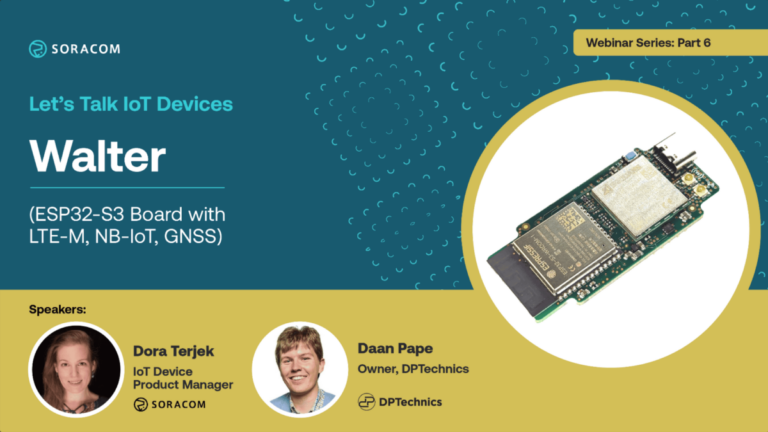
Walter isn’t just a product; it’s your new best friend. An ESP32-S3 board equipped with NB-IoT, LTE-M, and GPS, it’s designed for low power consumption and high efficiency. Whether prototyping or in full production, Walter is your open-source solution for seamless IoT integration.
In this next episode of our “Let’s Talk IoT Devices” series, delve into Walter’s technology through exciting use cases and understand how its features make it ideal for IoT applications:
Whether you’re a business looking to expand into the IoT realm or a developer eager to build your next connected device, Walter is your key to a world of possibilities. Don’t miss this opportunity to learn, engage, and innovate with the experts!
Good morning, and good afternoon, everyone. Welcome to the Let’s talk IoT devices webinar series. Today, we are going to focus on Walter, which is a new ESP32-S3 board. Let’s talk about who we are, and today’s special guest is Don, Don, Popp, papa, who is the actual creative mind behind the Walter board as well as DP Technics. Done, do you mind saying a few words about yourself? Of course, at first, thank you for having me here. So I am the founder of DP Technics and IoT Development company. And my specialty is actually designing the hardware and embedded software design. And together with my team, we create IoT applications in various sectors and also building blocks for the IoT where Walter is one of them. Great. I’m very, very happy to have you here today. And my name is Dora. I am a device product manager working at Soracom. I’ve been working with the IoT and connectivity for over ten years, and I’m really looking forward to to driving this session with you today, Daan. Let’s look at what we have on the agenda. We’re gonna talk a little bit about ESP thirty two s three processors and microcontroller ports, then we are going to deep dive into Walter and its specifications. We are also gonna look at some practical use cases. Let’s look at ESP32-S3 itself because a lot of people know that it’s a low cost, low power microcontroller board, but very few people might remember that adding for instance Wi Fi to an IoT project used to be a very, very costly part whenever you build an IoT product. So when we bring you down a little bit on memory lane, when Espressif Systems came out with the first ESP board back around two thousand fourteen. Those boards cost only three dollars. So they revolutionized the IoT market. ESP thirty two itself is, a very energy efficient board that is capable of handling and working in quite rugged environment. And I think many of us remember Pycom and its rise as well as its fall. And I think, Daan, you have seen an actual gapave seen an actual gap when Pycom disappeared during last year. Can you tell us a little bit about your drivers for creating Walter? Yes. Exactly. So as an IoT development company, we have been creating projects mainly remote sensing projects based on cellular IoT, were also the Wi Fi and Bluetooth component to read out local sensors was very important. So, therefore, we needed a board that had both these local radio technologies, WiFi, and Bluetooth, and the cellular technologies, like LTE, and narrowband IoT. And at the time, the Python board was one of the only small form factor modules that had all of these capabilities into a single board and it was also certified so that we could use it for commercial use. And having made these projects and deployed them successfully, it was, disappointing to see that Pycom went away, but on the other hand, it was an opportunity because that’s how the idea to create Walter was was born. And we actually took on the challenge to create Walter as an updated version of the Pycom g GPy, but, with still compatibility, both hardware compatibility as well as and also software compatibility. And that is actually how the idea to develop Walter started. And this is a perfect bridge over to our next slide where we actually look at what Walter is consisting of. So you mentioned that it has a Wi Fi as well as a ble support What type of module did you bring in and and why? Mhmm. So the original Python had an ESP thirty two But in our upgraded version, we use the ESP thirty two s three. And it’s actually a very, very capable Wi Fi and Bluetooth system on chip that has a very powerful processor, but on the other hand, also focuses on low power. So it has a low power RISC-V processor. It has a lot of security options inside So it’s actually the ideal choice to to run it as the main processor of the Walter board. Great. In terms of a cellular capability, what type of cellular modem did you build in? Again, here we looked at what was in the Pycom, and they used, Sequans modem. And Sequans is actually a European vendor. They are based in Paris, and they make their own chipset. And that is what is really important for us that we use this European chipset and that the actual modem maker is also the designer of the chipset in the module. And besides that, Sequans is already an established player in the field, And their software stack on the modem integrates a lot of protocols, not only the basic ones such as MQTT or HTTP, but also more advanced protocols such as co op or lightweight end tool. So that made us choose the Sequans chips. And also very important for former Pycom users is that although it is the newer version of the original Pycom chipset. It’s the monarch two. It is still compatible. So the AT commands are exactly the same. And it’s capable of handling LTE-M and NB-IoT IoT as well. Yes. Yes. Exactly. So Both these access technologies are present. They are also, narrowband IoT version two. So it’s, and it’s upgradeable to even release seventeen, which is remarkable, and also, not to miss upgrade, in regards to the original Python is that we have a GNSS capability inside of the modem. Chip. Very, very good. When you think about, customers and, target buyers, Do you have mainly builders and hobbyists in mind, or are you also thinking about R and D engineers working on on on different volumes and different projects? Actually, both are possible. So you can use Walter to make a proof of concepts of your product or ID, but what we see in the cellular IoT market is that there are many companies that work in low to medium volume products. I’m thinking, volumes between one thousand and ten thousand pieces a year. And there, these volumes are not enough to make a custom cellular solution because you have, of course, these certification costs you have the antenna tuning costs. So in this kind of medium volumes, you need a good certified module that has a longevity guarantee. And that is a problem that we also strive to solve with Walter. We both have been, working on certifying the module and also, working with the suppliers, Espressif, and Sequans, and other component suppliers to guarantee an availability of ten years. That’s really, really important in IoT that you can rely on a component your product to be available for a longer time because these kind of IoT applications are in the market, not for two or three years, like a cellular handset or something, but they are deployed for ten to fifteen years. Indeed, they see more and more, especially low power wide area use cases exceeding five or even ten years, as you say. Brilliant. Let’s look at the different benefits of Walter on the next slide. And some of it, we have already touched on, like, open source. Pycom used to be a closed source product. Right? Yes. Exactly. Being open source is really important for us. And maybe we’ll zoom in on that now. We’re a bit later, but it is really important that we mentioned open source. And I think it makes the different engineers very, very enthusiastic about Walter as well. C and FCC certification, you mentioned just before the the importance of certification and also the related costs. When you think about the the geography that Walter is going to target, especially initially, what do you have in mind? Well, currently, the hardware is capable to be deployed worldwide. But, of course, you need to have the right certifications. And to start with, we are certifying Walter for use, in Europe with CE certification, in the US with FCC certification and also, New Zealand and Australia through SDOC certification. But, of course, as we are progressing in in this project, and customers have questions to use Walter in another part, of the world. We are really open to that, and the certification methodology that we are using allows us to certify for other parts of the world really easy. So it’s also based on market demand, to see if we are going to certify, for example, IC in Canada or for, the Asia or Africa region. Very, very good to that you are open depending on on where the actual demand will come from. Mhmm. Flexibility and I/O pins, I think we can talk about it, on the next look, two slides where we’re gonna deep dive in the actual physical features. Multiple languages. You already mentioned the support for Arduino ID, MicroPython, and JavaScript, and also as per as per se. We talked about the different connectivity support. And you are very, very proud that the actual manufacturing and design is both done within Belgium. Yes. Yes. We are very proud of that. And it’s really, nice for you to highlight that because we see in the IoT world that given the political situation that it is an important, plus for us to, be able to manufacture in, in Europe. And also the cellular chipset is coming, from a European vendor, and it’s all designed and built here in Belgium. And last but not least, we need to talk about the very small form factor that Walter has. The actual size is fifty five millimeter by about twenty five millimeter when when it comes to the module. Which is very impressive, and I think it opens up a lot of doors to different projects requiring such small form factors. Yeah. Thank you. Okay. This is, the first slide about the different features and, specifications. When we looked at the initial slide about ESP thirty two s three, we have seen that there is a dual core CPU inside, and we touched on, Sequans Monarch version two. I think what’s really good to to maybe ask here or mention here is the actual power consumption. We all know how important power efficiency is, especially for for any type of of low power wide area use case. So how is the power consumption comparing of Walter when we take, for instance, the Pycom device. Mhmm. Mhmm. Well, actually, both the monarch two chipset and the ESP thirty two s three chipset are upgrades from the original Picom. And when looking at power consumption, of course, the time that is active is important, but it’s even more important to look at what the device is consuming when it is in sleep mode. And then we have, focused on getting this sleep current as low as possible And currently, we are hitting value of twenty five, micro amps when in PSM or eDRX mode, and it’s not transmitting. But actually we have invested in, special equipment like the Joulescope to bring exact measurements to the documentation of Walter. Because, as a software developer, you need to zoom in on this power consumption and that’s also, one of the very important things about why we work with Soracom as, PSM and EDRx are so important in this cellular technology. And you need to have good control also from the operator side to get your power consumption as low possible. How do you handle power hungry applications? Well, on Walter, there is also a three point three volt output. This was also present on the original Pycom but it was not software controllable. So the three point three volts to peripheral devices was always present. In Walter, we have made this three point three volt output, Mosfet switchable. So you can control it from software. So that allows you when you have peripherals such as industrial sensors that consume quite a lot of of power when they are doing actual measurements. And, as they are designed to be connected to, for example, the PLC and don’t have a sleep mode, you can still use them by just turning off the power from software. And this is a real, yeah, game changer, such a simple thing, but it a game changer in comparison to the original Python. I totally agree with you, and this is also going to attract, I think, a lot of exciting use cases. Definitely. We haven’t talked yet about, the GNSS, especially about the the GPS availability on Walter. So, there is an integrated, GNSS, GNSS And, I wonder what is the recommended, tracking interval when we talk about tracker use cases that, you would recommend to to any of the audience if they are about to to to build anything that is tracker related with Walter Yes. So the GNSS is actually sharing the radio with the LTE connection. So it’s a single radio that does the LTE and the GNSS. So you cannot use them concurrently. This lowers the price of the chipset, but also lowers, the power consumption. So it’s actually you can use GNSS when you are in PSM mode or when you are not attached to the cellular network. And this makes Walter ideal to do, like, asset tracking or even tracking a vehicle or a cargo container or just just to know where your sensor is deployed. So to speak, it is not so, advisable to use it to do, like, high speed tracking. It’s not a continuous tracking device. You need to take into account that it takes about thirty to sixty seconds to get a fix. But it definitely helps when you have an LTE connection available, then the technology inside the modem is using assisted, GNSS. So it actually downloads all assistance data from the cloud and then uses that data to really shorten the time that the radio needs to listen, and that means lowering the power consumption. And that’s also why we have integrated the LNA. So the low noise amplifier, on the Walter, and that’s, when you see here the the antenna is really a passive antenna. There is no active antenna, and that allows us to, get the power consumption when receiving is only seven milliamps. So really, really, really low. And it it’s it’s about lowering the power consumption of GNSS reception, but also lowering the, refresh rate of of the tracking solution. Very, very impressive. Thank you. Let’s move on. And, this is one of my favorite slides within this because it really shows the potential, possibilities that you can do with Walter. Namely because of its twenty-eight physical pins. Can you tell us a little bit more about what you can do with these different I/O pins. Definitely. And it’s also one of my favorites things about upgrading to the ESP thirty two s three. The multiplexing inside this microcontroller is really giving you all the flexibility you want because you can actually get any peripheral being it I squared c SPI, UART, CAN bus, I²S, you name it. There are a lot of, peripherals in the ESP thirty two, and they can be multiplexed to any pin on Walter. So that allows you to have this backwards compatible compatibility with the original Pycom but it also allows you to really optimize, the routing of the carrier board that you are going to place Walter in. Yeah. Great that you also mentioned the the the pin and footprint compatibility with Pycom. Mhmm. The sky is the limit. Yes. Yes. Exactly. And and so that’s the nice thing about IoT. It’s it’s your imagination and it definitely with this module, you can, there are going to be use cases that we cannot even imagine today. Brilliant. We have already discussed how important it is to have an open source device, and we touched on some of the supported software. Would you like to tell us a little bit more about what made you decide to to keep Walter open source? And what will the future bring on top of the supported software? Mhmm. Yeah. That’s also, again, in comparison with the closed source Pycom solution, that’s actually in our opinion, a limitation of the system. Also when thinking that IoT applications are deployed for ten to fifteen years, it is important for you as a developer or as a company to be able to take the software development in your own hands. And open source allows you to actually do this. So the schematics of Walter are completely open source so that you can deep dive in how the product works and optimize every single bit inside of the software. And on the other hand, our development team can write libraries, and we do support many, software tool chains, like the Espressif IDF, like arduino, like MicroPython, but also in the future Toit is going to be used, and they actually already made a library. And that kind of cooperation and working together between us as a hardware provider and software companies that make these great languages such as Toit, that really shows the power of being open source, and you can just not achieve that by remaining closed source. I fully agree with you, and this is what’s going to make Walter in my opinion into one of the next generation developer boards. By now, we understand that, Walter exists as a standalone solution, but I I also know that, you thought about, an additional device that can add some additional peripherals as an extension board. Can you tell us a little bit more about Walter Fields? Yes. Definitely, Dora. I can. So I have Walter Fields here with me. So, as you said, Walter can be used standalone, but of course as you are developing an application, you will want to create a carrier board, which can do your power management, which allows you to have better connections, with with other sensors and to get you as a developer started right away, that’s why we designed Walter Fields. It’s actually a showcase of all possibilities that Walter can control. And we have integrated, quite an extensive power management which can accept renewable energy sources such as wind energy or solar energy from small panels that only send out three volts up to larger panels that send out thirty six volt, and you can also connect a battery there are multiple chemistries that are supported from, lithium iron phosphate to lithium iron to lead batteries, and single cell or multiple cells, and that’s really important because many IoT applications are only going to use a single cell to lower BNS costs. And on the other hand, we have integrated various sensors on Walter Fields temperature, humidity, barometric pressure, but also a gyroscope, and even, a possibility to install an absolute CO₂ sensor for air quality monitoring. But, of course, there are also a lot of more ruggedized and industrial sensors that you want to connect to. And therefore, we have on Walter fields, RS four eighty five. RS-232 and a CAN bus, CAN bus. So it’s all on this board, and we also thought about storage. You can add an SD card, on the board. So Right. Probably for many applications, it’s too much, but it allows you to click Walter on it, develop your application, do some proof of concepts with customers and take this also open-source design. Start with it, throw away what you don’t need, and it really kickstarts the development of your IoT product. Indeed. Yeah. Yet again, the sky is the limit. For your imagination with Walter Fields too? Yes. Yes. Exactly. And and Walter Fields allows you to be creative without the need to design a hardware first. So you can do a software first approach and optimize the hardware later. And I really love how you bring in the the sustainability and also the, alternative energy source aspects. So well done, Daan. Thank you. In the next section, we are going to jump into three different target applications or use cases where Walter has been already physically tested by different beta testers. The first one is going to cover the tracker use case that we also previously mentioned Can you tell us about the board that you can actually see on this picture? Yes. Definitely. So, Tracker is the easiest use case to do with Walter because you don’t even need, a carrier board. And all the beta testers all over the world when they put up Walter for the first time and it appeared on the demonstration platform. And the use case that we see on the picture here, was a really fun one, because one of our beta testers has installed a few Walters on small fishing boats in Cyprus. And, they’re the the fisheries needed a solution to to track the boats on an easy, an easy way and without the need to install large antennas, onto the vessels. And that’s where also LTE-M and NB-IoT IoT, come to play because, they can have tracking in the area that they are on the sea, even when cell phone is out of range. So normal cat one or cat four is out of range, with just the the the Taoglas antenna that comes with Walter. So and, the the boats that you see here in the picture are actually the ones that were first installed with a Walter demo case. Really, really cool. And I’m especially proud because it’s, Soracom SIM cards. That are powered that have been powering, this use case Yes. Out of the Mediterranean Sea. Great. Thank you for that summary. The next one is going to be also bringing us to to the sea, but, more of a weather station. A remote weather station. And this is where a Walter Fields has been also put in practice. Right? Yes. Exactly. So Here, there was a customer that needed to do, an installation and, with industrial sensors that these were sensors that are installed underwater and they monitor various water parameters, such as conductivity, water temperature, salinity, turbidity, and these sensors, talk through a Modbus connection. So Here, immediately, Walter Fields, was an exact match, for this problem as we could connect these modbus sensors directly to the RS four eighty five port, of Walter Fields, and Walter Fields itself was installed in a a watertight cabinet, in the in the in the measuring station. And also here it was again nice to see that when they installed this, proof of concept, again, there was no cell phone range. So they could not even make a phone call to to to do support, but Walter connected right away, and we even have good signal strength, on the measuring pole. Fantastic. Yeah. Using LTE-M, we actually sent out fifty measuring values, every five minutes. So LTE-M was the, it was a very good solution because we can have near real time data coming from the pool. And you mentioned that, you needed to apply a watertight box. But we also know that you have done this at the North Sea, and we know how rugged the condition there can be. Yeah. So it’s in a in a in a metal case with an external antenna there. But it’s like a small pack antenna. So this also was a good test for us because it showed that Walter can be used with various LTE antennas. Really cool. And the third and last use case we’re gonna look at is about tank level sensors. And I think this is also where we are going to prove that LTE-M is a very powerful, connectivity option, especially when it comes to to down, deep down in the earth’s connectivity. Yes. Exactly. Here, there was a customer that actually had some kind of, monitoring solution with an older, first version narrowband IoT only chipset. And they actually came to us and said we want to monitor the level of diesel tanks, like, domestic diesel tanks for domestic heating, but their success rate of getting connectivity, under a metal cover or two stories below ground. Was really low, like only sixty to sixty five percent. So we said we looked at the design and We saw some issues with the antenna design, and we say, okay, we are going to redo these tests using Walter and with the Taoglas antennas that that come with the Walter development kit. And, we have tested the sensor at about two hundred locations in Belgium, outside in metal cabinets and a thick metal metal lid, underground, two stories underground and, like, concrete buildings, And we actually went up from only sixty percent success rate to ninety eight percent success rate. So, that’s impressive. Yes. So there you see that, we do see there, and it’s expected that narrowband IoT is the winner here. It’s a stationary application, and it has just this tiny bit of extra power that, made this test successful. Again, with the Soracom SIM cards, of course, which support both narrowband IoT and LTE-M. Thank you. Really really cool three use cases. And as we said, we can most probably see very, very new and cool stuff popping up in the near future. Definitely. Shall shall we look at that future and what’s in store for Walter, actually, you are about to launch on the crowd supply website. Right? Yes. Yes. And that’s really exciting for us. Of course, with this new module, it’s all about spreading the word and, showing it to everybody who’s interested that Walter is is here to come. And, as we are an open source module, we are very proud that we were accepted by crowd supply. Which is a Mauser subsidiary, to be crowdfunding Walter, through this platform. Actually, we are already working on the certifications. So nevertheless, the outcome of crowd supply Walter is here to stay as we are already a lot of, interested people, and we are already hearing the first commercial projects with with Walter that are are, in the pipeline. But, launching on the crowd supply, is definitely part of our strategy to telling everybody about Walter, and also it confirms that we are open source because only open source projects are accepted on Crowd Supply. Congrats on being accepted. Thank you. When when is it planned to actually go live? Do you have any any estimate, any timeline estimate? Mhmm. We should go live at mid December. That’s the planning. So we are currently finishing up, certification in California with the CE and FCC. So that’s going full steam ahead, and we are now preparing, the crowdfunding campaign, like, making the information movie and so on and so on. So on the planning now is to have it live somewhere mid December just before Christmas. So it’s an ideal Christmas present for any developer, I think. Indeed. Indeed. And for the time being, you already have some of the commercial packages available and there are a few test units that, can be already shared with some developers. Can you tell us what’s the difference between these three preliminary packages. Mhmm. Yes. Definitely. So the bare package is it’s important here. We really, really did our best to keep the price low because Of course, you can have, like, cellular modems that cost hundreds of hundreds of euros, but that makes many use cases not commercially viable. So the first bare Walter package is it’s just Walter without any antennas. You can use it’s, like, a UFL connector. So you are free to use, any antenna that you want. Of course, taking in regards to game factor and so on. But this is the bare Walter board that you can use on on the carrier. And then we have, being, ten years or guaranteeing ten years of delivery also meant that we needed an antenna prior that could guarantee us an availability of the antennas for ten years. And that’s why we chose, Taoglas as the recommended antennas for Walter. They are compact. They can easily integrate in a housing because they are just stick on, and that is what the connected package, means that you get Walter together with the antennas. And then we have the developer package, and that’s really meant for people who want to kick off an IoT development project with Walter. So you get Walter, you get the antennas, and you get, a Soracom SIM card included, and a prepaid amount. So it’s really the kit that you want, you just plug it in and start developing. And it’s also important to mention that within the the developer package, there is, support included from our engineering team. So when you have a question during development or you want advice on how to design something on the hardware, then it’s included in the developer package. So that’s really the way you want to go when you want to, start working on your, commercial IoT product. And that one to one call can can really mean a big difference, I believe. Yes. In in the success of the commercial package. Especially considering your experience guys with different IoT applications. Mhmm. Yes. Yes. Exactly. Very nice. Here we actually gathered all the different information about Walter. There is a dedicated, product page at quickspot.io, there is a version four data sheet available because Walter went through quite some improvement in the past year. You have a dedicated GitHub. And in case someone is interested in creating, their own case for for Walter, they can take a look at the 3D print that your team has put together as an inspiration. Yeah. Exactly. It’s a small case that you can use. Put Walter as a standalone tracker inside. So, it’s just fun fun to print. And also, I want to say exactly we are on GitHub. So we do welcome, any input, like, create an issue if you have a question or if you want to do a pull request, it’s actually, a work in progress, and we really are open for input from others to improve our libraries, on the GitHub page. It’s something that we think is also very important as also in the software, we have, taken a lot of time to optimize it, but, of course, with software, it can always be improved. The power of open source. Right? Exactly. Really cool. And, towards the end, we actually left two different slides. One is to give a brief overview of DP Technics. So if you don’t mind saying a few words about your company done, Definitely. So DP Technics is established in two thousand seventeen, and we are an IOT development company. And that means that for our customers, we work from an idea on paper up to a finished product and also the whole road behind that. That’s in many cases. It’s forgotten, but actually the development is twenty to twenty five percent of your IoT trajectory, and the maintenance software updates, and so on is seventy five percent after. And to make IoT available for small companies and SMEs. We also develop, what we call IoT building blocks. And Walter is one of the building blocks, but we also have a Linux system on module, and we also have the blue cherry dot I o IoT platform. Which is a completely in house, developed platform that we supply to customers if they want to connect devices. And yes, that’s actually what we do: engineering, and we have expertise in many fields. That’s one of the most fun things about running this company is that we learn, we are in smart lighting, HVAC, marine industry, agriculture, automotive. So we can bring a lot of experience to the table for IoT projects. Great to hear. Sorry. My fingers were too quick. Yes. Indeed, you have a lot of different experience from a lot of the different areas. And we are very, very happy to power Walter with, Soracom connectivity. And now I’m going to press the next button. And those of you who who do not know us, Soracom, global connectivity and IoT platform service provider. We are based out of Japan. We are headquartered in Tokyo, and, we also have some regional headquarters in Seattle in the US, as well as in in London, in Europe. The, powering over five to six million IoT devices today. And, we offer a pay-as-you-go model, but also we also cover monthly subscriptions. If you are interested in in learning more about Soracom, please come and visit soracom.io And under Soracom Partners, there is also a dedicated page that we have dedicated for our partners. And DP Technics has been recently added to that soracom partner space. We are very proud that, you guys are part of our our ecosystem. And, I am very much looking forward to to seeing Walter revolutionize the field of of different development boards. Thank you very much. We’re also delighted to have become a partner of Soracom as the platform is so extensive and has a lot of options that you just don’t find with others like, the the virtual private APN is like a really, interesting one for Walter and Yes. We are really happy with, Soracom. And test it out already all over the world as you if you take a look at the Walter demo page, you will see that our beta testers have tested from Europe to Africa to the US over the single SIM card. So How nice can it become? Great to hear. Really good to hear that it’s been working. And it’s time to look at, the the different, Q and A. There are a lot of lot of different questions. Daan. I think this is gonna be for you. Mhmm. Okay. Just a second. No. I’m I’m skipping that. Actually, there is there is a submitted question here, from Mike asking if Walter can be used with any other SIM provider than Soracom. And, what I see is that there is a nano SIM slot on Walter. And yes, it can be used by any type of carrier. Please confirm, Daan. Yes. Absolutely true. So Walter is not simlocked. We have the the nano sim card slot at the back of Walter. It supports plastic sims from any provider. So, yes, that’s definitely Then there is another one from Gary, and Gary is asking when m q t t will be available. On Walter. Mhmm. MQTT is actually in beta test, but I need to nuance this a bit, because, you can, of course, use mqtt directly, from the AT commands in the modem. But we do know or you should know for cellular IoT that mqtt and or any, TCP based protocol in combination with narrowband IoT, it’s it’s not a good choice. So, therefore, we have in the modem a library from Walter, and we have implemented a CoAP to MQTT bridge. And this is actually in beta test so that you can use MQTT transparently. It’s really easy. Just publish, subscribe, And also on the cloud side, just publish and subscribe to, the the blue cherry broker. And in the in the back end, in the modem library, it’s actually sending these messages through, CoAP. So that’s definitely, available. And something that we can help with when you choose the developer package. Thank you. Another one landing, on your table done, can you send web requests directly from the device? Like POST and GET requests. It’s from Mike. Yes. Yes. Definitely, Mike. That’s, supported in, in the modem library directly. We have no protocol translation for that. So also bear in mind that you best use LTE-M, to do that, as with narrowband, I would say no TLS or TCP based connection is guaranteed to work. We’ll probably work. It’s not your best option, but a normal HTTP post is definitely supported already in the open source, version, both in the micro Python as in the arduino, version. And I see in the chat that also, Kaspar from Toit, is present here in the chats and also in toit. It’s easy to do HTTP requests. Mike is also asking how do we stay up to date with updates and releases on Walter. My initial answer will be check GitHub constantly, but you might have a better answer done. Yeah. So we actually, GitHub is, of course, if you want to be notified of, pushes into the the repositories, then you can, of course, follow GitHub. But I also want to mention that on quick spot, that you can subscribe to our newsletter. We are not going to spam you. We send about one to two newsletters every month to keep you up to date, not only about the software part, but also about how it’s going with the certifications, how production is going, what beta tests that we are doing. So it gives you a general, look about the Walter project and where we are, with the project. Thank you. I can see two more unanswered questions that we can very quickly take Hank is asking that when GNSS is unreachable, can you actually fetch location info from the cell towers directly? Yes. This is possible, of course. You can use the modem to know about, which provider you are connecting but also to which cell tower ID that you are connecting to. Then, of course, you will need an external service to translate this, to a location. It will not be as accurate as an actual GNSS fix, but it will give you a general idea of where you are in the world. Cool. And, I think this is gonna be the last one for today. Does the BLE module support coded PHY. So that one, I will need to look up. I think yes, but I would need to verify and the ESP thirty two is three data sheets. So we’re gonna get back to Stewart on that. Thanks for the questions, George. Great. I think we have, covered pretty much everyone’s questions In case there is anything left for you, please feel free to reach out to us via LinkedIn. That’s, one of the options, but you are also going to receive the handout of this presentation that also includes our contact details and email addresses. I think with that, we can Both thank you for your time and, wish you all a wonderful rest of your day. I hope, I can see you at, some of the upcoming webinars. Thank you once again, and thank you, Daan, so much for joining us today. My pleasure. It was really nice being here and interacting with the audience. So thank you again for having this session with us. Thank you for coming. Take care, everyone.
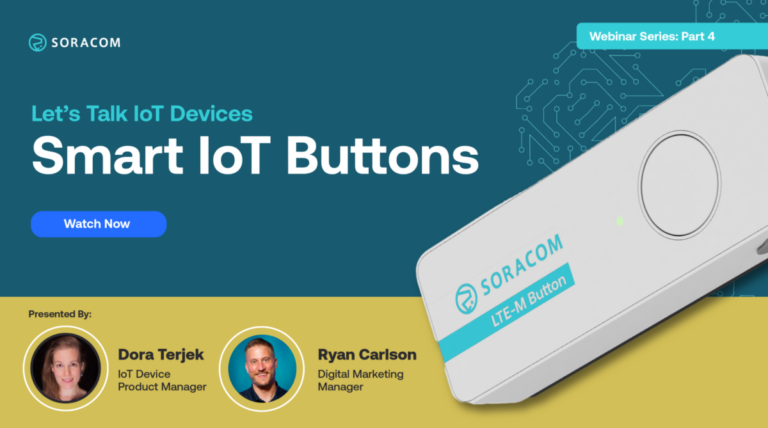
Smart buttons are among the simplest IoT devices, and yet their limitless potential for customization means they can pack quite a punch.
With the push of a button, end users can order products and services, start or stop a task, generate an alert, provide feedback, and so much more.
During the webinar, Soracom IoT Device Product Manager Dora Terjek will be discussing the power and potential of smart buttons, including our latest product, the Soracom LTE-M Button. This smart button boasts built-in connectivity to make custom automation quick and easy, right out of the box.
Key talking points include:
Alright, we’ve got everyone here. Go ahead and share my screen. Hello. Hello. Welcome, everyone. Oh, my goodness. Look at that. It’s our pictures and everything. Alright, so a couple of things. This is a little bit of housekeeping for everyone here. It looks like we’ve got a fair number of people in the room already for the live conversation. I just wanna go over a couple of housekeeping logistics. Number one, the number one question we always get asked is, is this being recorded? The answer is absolutely. The second thing is, will I get a copy of this recording? And the answer is yes, you can look to your email once we finish the post production. We’ll get you a link to this webinar so you can share it with others. If people just don’t believe what you actually heard was true. Actually, I don’t think that’s gonna be the case at all. The last one is we would love to get your questions. There is a chat panel, you can send it privately just to the host or publicly to everyone else. We encourage you to have open discourse throughout this conversation, you can talk amongst one another, but also you can ask questions of us. We are saving plenty of time for the end of this discussion to answer any questions that you have. So we’ll be moving on to the actual formal portal, the formal portion of this webinar. Thank you everyone for joining us for our Let’s Talk IoT Devices webinar series. This is the fourth part and this is Smart IoT Buttons. And today we’ve got Dora, an IoT Device product manager at SORACOM. And I’m Ryan, a longtime product developer who turned marketing and I do marketing here at SORACOM. So we’re very excited to discuss this topic. The things that we’re gonna be talking about today are the early buttons, what’s available in the market, how to choose different types of connectivity beyond just cost and coverage. Then we’ll be getting into the specifics of the LTE M button that Soracom has put out into the world. And then we’ll go through some use cases. These will actually be where the rubber hits the road, and we can have some real world examples of what some of the architecture would look like, and how some of these things get put together. And of course, your questions. And we’re looking forward to getting any that you might have. Feel free to ask them throughout as we can fit them in line if they are an appropriate question to be asking at that time. Quick thing about Soracom. Soracom is a IoT cellular connectivity company that is built for IoT applications. Over twenty five thousand businesses, over five and a half million connections. Back in twenty fifteen, some founders said, why is it that it’s so hard to get cellular devices connected to the cloud? And they went ahead and did that by reproducing and virtualizing cellular technology on AWS’s infrastructure. So eliminating a whole bunch of the back end hardware. So just like when we used to see websites, when we had a server closet in our back room and hosted our own website, telcos still do that today with their big racks of hardware and Soracom has found a way to make IoT accessible to everyone. So if you want to learn more, check out more at soracom. Be happy to entertain any conversations, put you in touch with a solutions architect if that’s something you’d like. Moving on, Dora, we’re gonna talk about the evolution of just buttons in products. Yeah. And would you have said or thought that we didn’t even have buttons available one hundred and fifty years ago, Ryan? I would. They appeared. We had chickens. That’s what we had. Yes. Actually, the first everyday product with a button that appeared was around eighteen ninety. And that was the flashlight. Then about twenty years later, we got the doorbells. Until then, people were just simply knocking on the door. And then with radio buttons, remote controls, which actually give people the control over powering and controlling the different machines. We got also automation panels as the industry certainly evolved. And you might remember your first Nintendo game console back in the 80s and 90s that also gave buttons some instrument of play. Then with the appearance of the internet back in the 1990s, we actually got some shapeless buttons that didn’t actually look like buttons. So, you could click on anything from text to icons so they could be used as clickable links. Then with the appearance of the iPhone back in the two thousand, we got some surface buttons that are kind of a mix of virtual and physical buttons, and they give a single tactile experience. And back in the twenty ten, we started to see the appearance of different smart buttons or IoT buttons. They started off in the home automation, but we could also see them spreading around within the industrial areas. I remember seeing the tide buttons and the Amazon buttons go out into very small test markets, and hearing about, you know, an entirely different way of detail, like untethering some of these experiences where it was so app driven, everything turned into an app. And we started realizing that either handing out thousand dollar pieces of hardware, or requiring people to bring your own device in order to accomplish a untethered task became unfeasible. But what happened to the buttons themselves? Dora, why don’t we have Tide buttons anymore? So what happened with Dash was the following. They were created back in two thousand fifteen. And as you were saying, they gave a quite cool, untethered experience because you could spread them around your home and you could use it to replenish different goods, be it pet food, be it detergent, and different household items. And when Amazon Alexa came along, Amazon thought that the button needs to give way to the actual voice controlled order automation. So that was the end of of the Amazon Dash Button. And it left quite some gap, not only within consumers, but it started to get some traction also within industrial applications. And that’s when we from Soracom started to look at the first IoT buttons back in Japan in our home country. So this is where Amazon is famous for cannibalizing their own product lines in order to build relevance. Now this is right, this is true, to build relevance into the smart home assistant. So the buttons, like I remember seeing news stories about like developers that were using them in dev kits, and they’re like, why can’t get them anymore? So that kind of gave way like Amazon created a whole new product category. You know, without even Yeah, that’s right. Their whole back end was actually customized for this order replenishment. It was a very, very cool thing. Yes, please move ahead. Not a problem. I you know, I think about as a consumer and someone who has always followed technology, like how the form over function is changed over time, right? Like we talked about evolution. So first we had wired, then we had our early infrareds where grandpa would talk about the Genie. But even today, you’ve got a lot of devices that still run off of a infrared signal. Radio frequency is all over the place. When then Bluetooth started becoming more and more relevant, but more in home or when you had an application, ZigBee is what most of us have in a lot of our smart home applications. With the prevalence of Wi Fi in almost any home, it made it easier for consumer goods to target things like Wi Fi, but it makes sense given that there’s a video signal over a high bandwidth. I can’t understand a world in which I can’t stand out on a curb and just summon a vehicle Jetson style using a smartphone. But as we said before, there’s that thousand dollar piece of hardware, we can’t just distribute those. And so we may wanna have other opportunities to leverage a similar distributed network or larger network using a button. We have a lot of different types of buttons on the market. And so why don’t you go ahead and kind of lay out the two main camps that we have access to today? Right, and what you see on this slide is the division between b to c and more b to b applications. B to c personal and smartphone focused buttons are on the left hand side that are mainly based on WiFi, Bluetooth, ZigBee. So more near field communication type of technologies. Flick is a button that many of you must have heard about is a great use case for a smart button. And why I love it is because they not only have a consumer version, but they also recently launched a b to b version. And then I also put an example from an IKEA button with which you can control a lot of things in your home, be it smart blinds, be it ambient lighting, be it your coffee machine, or even your air purifier. So, lot of these use cases from the left left hand side target smart home applications and smart home related use cases. On the right hand side, what you have is more low power wide area network. They’re having a battery lasting for years and having a supported distance that’s longer than just a few meters is more important. So, this is the more b to b area. And many of the different technologies and different smartphones are supported by Sigfox, LoRa, or LTE M and narrowband IoT. This is also where our device and our Soracom LTE M button comes also into the picture. Yeah, this is very yes. This is where I’ve seen a lot of applications like smart agricultural applications versus smart home. You know, in both of these cases, we’re having to deploy an infrastructure at my home, it’s my Google Mesh network with the LPWAN, you know, it’s a series of specialized routers up on a pole or, you know, getting them in all of the right places. But in both cases, we’re still having to build, deploy and manage these networks where we want our devices to be. And then on like the smart ag side, like a lot of the LoRaWAN and LPWAN are lower bandwidth as well. So it’s, you’re not gonna be pushing a ring doorbell levels of data through that. So, you know, you mentioned that, you know, Soracom is addressing a particular gap. And, you know, we discussed a lot about, you know, where that fits, and it’s that what exists today, you’re responsible for building and managing the networks that the devices that run on. But we all happen to have devices that we carry every day that works on a network that isn’t ours, right? And so, that’s right. Let’s go ahead and talk about the gaps that you saw as a product manager, when you were looking to build a button. You know, we’re a telco connectivity company that made hardware. So clearly there needs to be some good reasons why we would go and develop more hardware. Oh, yes. And what is inside of our button is actually an MFF two or embedded SIM card that’s often referred as an eSIM that’s running on LTE M. So, there is no need to build or maintain or even control the LTE M network since it’s falling back on the LTE infrastructure or 4G infrastructure of wherever you are. What is also really really cool with our button is that it has a cloud based support. So you can actually use different webhooks to different cloud services, such as Amazon Web Services, Microsoft Azure, or even IBM Cloud. And there are also some custom made API libraries that you can get up and running and then use the button. For different use cases. So if I had an application, right? If I had an application of my own, and I had my own API library, I would be able to have this button at the platform level, trigger some of my own API calls as well, right? That’s right. And trigger different functions, different actions. Sounds pretty simple. And then you mentioned that there’s the embedded eSIM, a technology that most people are becoming more and more familiar with, which is the opportunity to have a small SIM already built right onto the circuit board. But it’s also smarter than that. There’s no Jason Bourne moment where you’re pulling out the SIM, snapping it in half and putting a new one into your device. Here you get the opportunity to have over the air updates. So just like there’s a commercial or consumer grade eSIM in our pocket devices, commercial grade eSIMs allow for carriers like Soracom to push new regional profiles, new carrier support, the ability to move that button into new regions as things like the Cat M1 or LTE M spectrum is adopted. So we’ll get into some of the global adoption of that frequency a little bit later. Is there anything else in particular that you wanted to cover here? Do we move on to some of the different industries? We can move on. All right. Let’s move on. Oh, but this is right here, this is a lot of data that we’re not gonna cover in-depth. But it is, know, Dora, walk us through where it’s not just cost and coverage that you’d be using to decide which smart button is right since what we built is filling a gap, and it’s not a one size fits all, you know, what should their considerations be? So, I would say that every type of different technology supports a specific use case. And as you say, there is no one size that fits all. Depending on on the actual range that you are looking at to cover, depending on the throughput, there will be a specific choice for you to make when you choose your your smart button. We were talking about smart homes earlier where you would like to kick start, for instance, the lighting or music in your home when you enter. Then you would definitely be relying on more WiFi or Bluetooth based solutions because you would like to control things as soon as you enter the home and you are just a few meters from your from your home gateway. While if you if you would like to use your device in an unlicensed spectrum, you would be looking at Sigfox and LoRa where the throughput is relatively small. But in return, you get a very, very wide range. LTE-M and narrowband IoT run on licensed technologies. So there is less risk for actual data packet loss. And they also support the relatively long term use cases with minimal power consumption. All right, let’s talk about some of the different industry benefits for smart buttons themselves. So we’ve just got a small glimpse here as just far as some of the main industries that we’re seeing an uptick or trend in the use of moving things off of a smartphone, and moving it into a smart button. So talk to me a little bit about what it is that you’ve been seeing from the product management side as you were looking into the creation of a button that could literally go anywhere and do just about anything. What is it that you’re seeing? Absolutely. The sky is the limit in terms of imagination and different use cases. And what you see here is six selected areas where we see our customers actually deploying different buttons. We can go from from left to right. And the first one is personal safety that can be especially relevant for lone workers. And for them, with the push of the button, they can initiate an emergency call. They can use a smart button as a panic button. They can use it for a security alert. And you can program the different button click types with different actions. One click can trigger the call of a number. Another click can trigger sharing your location. And for instance, an extra long click can can trigger a loudspeaker somewhere close by. When it comes to retail or e commerce, the button is mainly used to ask for assistance. Imagine that you are in a store and you are waiting to be served. If you don’t see anyone around, you just click the button and someone is going to get notified and come to you and serve you. So, this is to enhance customer experience. Transportation is one big area. One of the examples, again, more consumer based one is to call a taxi. We’re going to have later on one more detailed example about that. So let me talk through that use case a bit later in a few minutes. Office and facility management. In this case, you can request maintenance, you can request cleaning, you can restock supplies in a restroom, for instance. So there again, there are plenty of opportunities where you can put a smart button in use. What I’m hearing here on as far as like why, you know, there’s different smart buttons. If you don’t have access to the on-site network, you know, a job site might not have any existing network. The retail situation, it could be that it’s more challenging to get onto the store’s network, given all of the challenges around as a vendor, putting your device onto a larger store’s network because of point of sale. And then the same thing is with the office and facility management. I could imagine as service technicians, you know, you’ve got your large expensive printer copier, and having that little button right on the side. So you’re putting the device on call, and hitting it will notify that there’s either a problem or that a service technician should be able to come out and get something without going on the network. And those machines, you know, they’ll move from site to site sometimes. It doesn’t have to be a copier, So I’m trying to think through like, what is we’re looking at all of these different industries? Are you on the move? Is the service on the move? Are you fixed to a specific location? Transportation is the easy one, but what do you see in the industrial automation, and then some of the healthcare applications? What you can do there is to report dysfunction, and we can stick with an industrial printer, for instance. If it malfunctions, all you need to do is to walk to the machine, and then press the button once you see that it’s not working. As you said, you can request maintenance or the refill of of paper or any type of material. That brings us in in the industrial automation area. So I do know that some some office products or even some of the facilities will use cloud based services of some kind, where now they don’t have the physical device. I could see where the button could even be used to reset some sort of cloud service, or remotely rebooting some sort of server, or clearing a cache. I mean, something as simple as what normally would have to be done logging into a system if that device is recognized, since it has a SIM, it’s got hardware security validation, it can be authenticated. And so it could perform an action that normally you’d need layers of security and access through like a cloud server of some kind. Right? Yep. Yep. That’s right. So the the the number of potential things when you were not when we’re not just having a a button affect another physical device, but it’s also could be affecting digital processes, Totally. Making you think a little bit more, like, where’s the friction within a process? So go ahead and continue. I know you’ve got a little more notes that you’ve made out on some of these other areas. Yeah. Well, the health care and the elderly assistance, which is the last part on this slide is bringing us back a little bit to personal safety. Like a smart button can be used again for emergency calls in case someone falls or as a panic button as well. So it’s a little bit related to the very first one. Yeah. But this is a quite wide range, as you said, a quite wide wide range of different applications. And later on, we’re gonna have a kind of summary slide with even more of a collection for different use cases. Yeah, everyone. Yeah, we will be putting out a larger document with a whole We’ve got long lists of different ideas that we are having as we’re thinking through how this could be affected. But there is one theme I think that’s in common here that we want everyone to walk away with is that when you look at hardware, like these smart buttons that are on the market today, whether that’s a flick or a Soracom cellular based button, that these are great stand ins, they’re really flexible for standing in for a proof of concept. Because the form factor that we have today may not be what you need, but your first ten, fifty, one hundred for pilots, for even just doing that business viability test and proof of concept, this is a great opportunity to find that product market fit. And then you get to go into the full design, and then certification process to build out your own smart based button technology. So let’s go through some of the advantages that people in a world where smart buttons are a thing, what is it that they’re finding by implementing some of this, these untethered experiences? So let’s go ahead and start off with improved efficiency. Exactly. We collected five different benefits that we we put together with smart buttons. And when it comes to improved efficiency, the main thing that one should remember is that you can actually automate a lot of different repetitive tasks. And yeah, basically avoid them. And if you go to a picking facility, like Amazon warehouse, you know, they use things like a pick to light type situation where it’s using a series of wireless buttons to more efficiently know where you’re going or what you’re doing, or I’ve completed a task, and then having that traceability. So that ties very closely into streamlined workflows. Definitely. And this is where you perform exactly that specific task or a specific function, and you end up creating a more streamlined workflow via this. Yeah. I think I think about eliminating the need to take out a phone, launch the app, have it see actually see your your face or your thumbprint, it, and then go in, go oh, I went ahead Spotify open, go over to the the the application, and then find the button where you can just have that one authenticated button, just do the thing in line. We’re coming full circle, right? But in a lot of these workflows, where we went to a touchscreen type interface and going back to the BlackBerry of interactions, physical button. So when a button no longer has to be just a single use case, now talk about the customization. Exactly. This is where you can actually automate based on a your own specific need. Like, if you would like to to use the button for order replacement, or for replenishing different parts for a smart machinery, or to monitor your inventory levels, that’s where you put a smart button in place and then use. So the button is just for the developers out there. It’s just an event driven thing. And it starts any number of digital, a cascade of functions, cloud calls, logic functions, machine learning, whatever it might be. So, you know, as far as making cost effective automation, I’d like to hear a little bit more about that. This is basically to make sure that more complex automation is done in a much more affordable level. And I wouldn’t stop with actual developers, but I would definitely look at bringing it into more b to b scenarios as well. Because one of the main drivers of IoT is to actually, become more efficient and to save some dollars. Well, it’s convenience, at the end of the day. I mean, convenience should turn into efficiency, which, you know, through automation saves money and dot dot dot profit, right? Step three, profit. So yeah, the business case makes a lot of sense. But when we make it full circle back to convenience, that still does come down to improved user experience, right? Oh, definitely. Yes. And we were talking about scheduling maintenance appointments and making sure that your user experience become much, much smoother just by calling a shop assistant to you, for instance. I want Yeah. So as you say, we go full circles. I wonder how many times you’d be able to use even the button because fraud is such a problem in digital workflows. If it’s simply, instead of having to do two factor authentication, even if it was, you know, if you’re at a service desk, and they’re like, you know, you’ve got all these online automation things, you’re scheduling an appointment with your maintenance technician, and you’re authorizing that, you know, like some sort of you’re linking accounts or something like that, it could be like, and I am a physical human, click, I’m hitting the button. It rather than there being a chance for fraud or having to have all the extra moving parts for two factor, that you could actually verify having that human step in the middle to supplement a series of steps between maybe a service advisor and an end user. Yep. Those different actions. So we made a button that fills certain use cases. What’s kind of neat is one of our founders, Kenta Yasakawa, I remember him talking about, and he kept talking about, he’s like, yep, we’re gonna make a magic button. And like, what do you mean? And he’s like, I really want to give people the ability to experience our connectivity platform, but help get them to dreaming faster, and leveraging the platform sooner by giving them a button that just kickstarts some of these early projects. And sometimes you might have that button press might replicate a complex machine starting and doing a whole lot of other things, when really you’re just building out the reporting, or you’re trying to build out the digital workflows, and rather than actually wiring up the actual machine, you’re like, and the machine technically ran. And so hearing him talk about this button as a stand in, was actually kind of neat to hear about that vision and how you and the rest of the team have brought this to life. So you clearly did a lot of requirements gathering. So talk to me about the specifics of, and the reasons behind why you did certain things with the hardware design of this button? We already told about the embedded SIM card inside of the button that is looking actually like this. And you can compare the size with a Sharpie. I’m coming a little, little bit closer, so it’s less blurry. Sorry about the blurring effect. Anyways, so there is an embedded SIM card that’s running on on the LTE-M network. This is not news to you already. What we have also inside is a double a battery that is replaceable and can be even rechargeable. So the device actually conforms with some sustainability aspects. The unit is capable of detecting three different types of clicks. You can trigger a single click, a double click, and even a long click, which you need to press the button for longer than two seconds. And then you can actually trigger multiple actions depending on the click type. We also have a three point five millimeter jack input or jack audio input where you can put inside different sensors, like a reed switch or a temperature sensor. And based on the temperature measurements, for instance, you can trigger additional actions within the cloud. There is a built in antenna as well. And that’s how the LTE-M network is being reached and how the data is actually sent. Yeah, it conforms with IP54. So, it’s dust and moisture protected. And it also has multiple light functions. It has a green light that can flash or blink straight. It also has an orange and the red function, and there are different actions associated with each and every click and each and every color. Are the are the colors of the button or the colors of the light programmable based off of, like, what you’re doing? No. They are static. Okay. For instance, the green flashing means that the device is actually searching for a network. And when it starts simply statically blinking or when there is a long blink, that means that that’s when the data is actually being sent to the LTE network. Though they are not programmable. That’s all in the cloud. It’s very easy for instance. Right. And then actually, I think you said you mentioned that earlier is that the device is meant to operate just as an input device with several different input states. As far as the sensor that you hook up to it, you’d mentioned, does it take those readings and pass that on? Or is it using the sensor to trigger an actual event? You can do all of these. So, what happens when you do a button click is that through the LTE network, you send the actual data to a unified endpoint within the Soracom user console or Soracom platform. That’s where you can also connect, for instance, an AWS function and have the data triggering some additional functions like sending an email, sending an SMS, or whatever you would like to program in the back end. I think you’ve got an example for this. Yeah, we’re gonna have a lot of examples coming in a bit as well. And it’s working very, very well. What I would like to add still is that there are some additional, value added services within the Soracom platform, such as, Soracom Harvest and Soracom Lagoon, where you can actually store the data coming in from your smart button. That’s the harvest functionality. And within Lagoon, you can even visualize that data. So it all comes together really, really well. And my understanding of that is if you don’t already have an AWS instance set up, or a place to set up to send the data, you can choose to store the clicks and the actual accumulated data on Soracom’s platform, which is built on top of AWS. So it’s actually the same functionality, it’s just built into that account. So the data is in one place, and then it’s using a visualization tool to build out customizable representations of data. And which service is that that that use that’s similar to? We are having a service called harvest that is storing the actual data. And then Lagoon is the visualization. That’s correct. Okay, cool. Well, let’s move on. You know, we’ve put the button out into the world, and there was a lot of people that thought this was a really needed device as far as filling a specific need. And you know what, we’ll let you inform your own opinions, and not just trust what some other people did because although my favorite one was the Amazon Dash Button on steroids, that was a cool nod from Stacy and IoT podcast. So let’s get a closer look at some of the specifics. And if this is a deeper dive than you were hoping for, and you’re listening to the recording, go ahead and chapter advance. Otherwise, we’re moving into the use cases shortly. Yeah, and here you can see a lot of details that we already talked about. I’m not gonna go in details about the weight or dimensions of the button, but what’s important is the actual bands that the unit is supporting. And what’s good to know is that there is a global module inside of the device that lets it connect from pretty much globally anywhere. So you can see the list of the different bands and or current target countries cover the European Union as well as the UK, the US, and also some Asian countries where we have LTE-M coverage. And what you’re saying, though, is that these bands are supported globally, but it’s not necessarily true that CAT M1 is online in all of these countries. But these bands are future proofing Yeah, definitely. And I think many of you know is that Cat M1 or LTE-M is a relatively new network technology. It’s being continuously rolled out across the globe. You’re gonna be able to see a map or a network topology later on in the deck where we actually show you where Soracom has supported LTE-M networks. Yeah. Feel free to gaze through those later on. And one last thing that I would bring up on this slide is the option for white labeling the button. Obviously, the current button has a Soracom branding on it. But if someone would like to have their own logo appearing on the unit, we can cater for that need as well. Just come and talk to us about it. Alright. Use cases, I actually think these are pretty cool. Let’s go ahead and start with transportation. Yeah. Let’s look at transportation. And this is where you have, for instance, a person who has just finished his meal at the restaurant. Let’s assume that his phone is that he cannot call an Uber. And instead he notices that there is a sort of button attached to the reception table of the restaurant. And there is a little sign under it saying call the taxi. And what’s gonna happen when this person presses the the the Soracom button is that it’s going to trigger or Soracom funk function. Now funk is is an adapter service, and it’s basically sending data from a device directly to a cloud service. And it simplifies basically the logic that is on the device, and it’s reducing the the different resource compositions. And it’s allowing the data to be sent through different protocols, be TCP, UDP, HTTP, SMS, you name it. And in this case, in this use case example, what we see is that func is triggering a Lambda function that goes directly to another AWS feature called simple email services that lands directly with one of the taxi drivers who then comes and picks up the person. This is the chain of actions that’s happening in the background. So you may be a local transportation service who goes to the restaurants and puts in your own little kiosk with the button inside. And rather than waiting for people to go, hey, I need a ride. It just calls someone to that just like a concierge getting on the phone and calling a taxi cab on behalf of someone. That’s right. Yeah. All right. Next up, supply chain. Yes, that brings us more into the logistical side of actions. And this is when someone is operating an industrial machine in one of the smart factories. And as you see, via a button click, you can trigger Soracom Beam, which is a proxy server built into our Soracom platform that forwards data from a device to an endpoint. And basically, proxying with Beam allows the user to offload any kind of encryption workload to the cloud. And then you can control the endpoint for multiple devices in the groups. And by pressing the button, the actual end action is to order, for instance, spare parts, or additional raw material to to the line to the line of manufacturing. So what I find interesting about this is that especially in supply chain, so many facilities don’t actually own the products that are on premise. It’s a third party or distributor or a vendor, where their job is to keep those parts at a certain threshold. And so having a third party button on a premise, and that doesn’t have access to the current network, And why would you use cellular is, you know, I’ve got a background in the car wash world where you’ve got distributors that keep parts, supplies, chemicals. And so having the ability to bind a specific button to say, I need someone to come out and take care of this reduces the number of truck rolls. It starts getting into some of that, like kind of a stepping stone towards the preventative world. Right? Like, can’t censor everything. Some cases, you still need a human in the loop to address that we’re low on something or something needs help. So I could see where that is with the need to order something, especially if it’s gonna be an off-site group. Alright, maintenance programs. I think we’re actually touched a little bit on this That’s correct. Exactly. And you can see that here again, one of the workers sends data via Soracom funk. You might remember that funk handles the data in the cloud without setting up all those complex server environments. And then in this use case, we are triggering function. So we are connecting to Microsoft Azure. You can, for instance, track your machinery better and make the the your workplace much more efficient. You can activate other machines securely in case you are working on one type of factory line, and you would like to start the next one once you have finished on the previous one and you need some kind of automation, you could trigger that with a with a button click. And again, in case you are a lone worker in in in one of those factory sites, you can call to a different station at the push of a of a button, for instance. These are the the actual use cases here. All right. And now on to some of the other use cases that you’ve identified. I think this is more for a visual aid than anything else. Was there anything particular you wanted to pass on? I think we can leave it on. And actually, as it says on the slide, the applications, the different use cases are visually endless. You can put the Soracom smart button in use for any type of application, be it b to c or b to b related. This is really just a collection of the different use cases that we have seen or heard about from all over the industry. All right. So as far as taking some next steps, this is where I want to show this is where Soracom has LTE coverage across the globe. But then when, as Dora said, the LTE or the Cat M1 coverage is only supported in certain areas. It’s not quite a global rollout yet, but it’s happening in each country. So here in the yellow, you can see these are regions in which the CAT M1 is supported right now. And I imagine that every six months or so, there will be updates to this type of coverage map. But this is where if you’re buying a button and you want it to work, you’ll want it to be in one of these regions if you’re gonna wanna be working right out of the gate. Last but not least, there are a number of places where you can get your own button. You can always go to soracom. Into your console, if you’re an existing customer. If you’re new to this whole world, head over to Mauser Electronics and order it up and have a button in less than forty-eight hours. It’s pretty impressive setup that they’ve got. And then Calchip is one of our other partners that they carry a whole wide variety of other off-the-shelf, pre configured smart applications that are meant for doing early prototyping and it’s already kind of bundled together. And you can get all of your connectivity devices and even add a button into that mix for throwing something together. So recommend checking those places out if you’d like to get one. So we’re gonna move to the question and answer. And I’m excited because there’s actually a really good question in there from Norman asking about the Soracom smart button with the different click functions on whether it could be incorporated into some sort of smart button app on a smartphone. You is there anything that you could do digitally or virtually to replicate some of those same smart button feature features? And it’s so interesting, Norman, that you bring this up because in one of our internal hackathons a couple of years ago this was actually realized. And as I understand we created such a smart app such as smart button app. I cannot answer why we did not actually publish it. I think it might have to do with the fact that it takes quite some maintenance to roll an app out and make sure that it’s going to live for a while. And yes, we we are not specialized in app development within Soracom. But I know that this was actually, yeah, put to life. And we have got a git repository with some of those projects that for people that want to Tinker could be available. So but it’s your level of sophistication as far as managing and maintaining an ongoing app. That is a good question, though. As far as, like, could you build it in? And my understanding is that all of the same functions though that the button could perform are also supported by an API. So if you wanted to build in the functionality and virtually simulate button functions. That’s something that you could make your own calls on if you have an existing app or a web application or a mobile application. So you could build that functionality and in a virtualized version, and you’re just pointing to a unified endpoint. So you don’t have to manage IPs or any of those pieces, it should be managed right in the Soracom console. You can create a virtual SIM as well. So you can simulate any cellular enabled device that’s using the Soracom’s ARC service. And you can check out the developer documentation on that, and that uses WireGuard. So if you’ve got yourself all Linux or Unix device, you can pull down WireGuard and that device could actually see actual cellular devices, and they would all show up on the same device network. So you can create your own intranet of things, and do some cool development with that as well. So when the number of possibilities for finding new solutions, you know, it really is almost endless on the number of ways. So great question. Thank you for asking that one. We actually Yeah, we can do that. And when we are talking about developer docs, we have a brilliant site describing some of these use cases we have shown you under the Soracom developer documents. I can actually link it in a minute, but we can also send it out, I think, together with the handout. We could include it as an additional slide into this material later on. Yeah. And Dave asked Feel free. About the GitHub that that we were discussing whether we can share that out. Yeah. Let’s check, Ryan, whether whether it’s on our public GitHub or on the the Soracom internal GitHub. We have two different versions. The the actual smart button app. But what I can do right away is to link here the developer documents and how to start up the Soracom LTE-M button related development. Yeah. So Dave, I’m making a note here about that because we have a very, very large active maker community in Japan. And a lot of these projects do have public facing Git repositories for a lot of these projects that people are building. So I’ll go ahead and look into that. I know we’re currently translating a lot of the Japanese blogs as well, where they feature a lot of these external facing things. So if we’ve got a public facing one for you, I’ll go ahead and see that we get that in a follow-up out to attendees. Cool. There is an additional question coming in about what module is inside of the button. It’s a Sequans Monarch that’s inside. And I can see under the handouts already the downloadable format of the slide deck. Alright. So go ahead and check out the handouts tab, and you can get a copy of the presentation that we just shared. And if there is any other questions, we will give you thirty more seconds. If not, this has been a pleasure taking time talking about smart buttons and some of the decisions that we’ve made on the product team. And what else we’ve evaluated as we’ve been kind of going through this journey of making buttons do things through the cloud. In a world where buttons are smarter than you. Okay, well, that’s not true either. Alright, everyone. Thank you so much. This has been a pleasure, and take care. Thank you so much.
Smart advertising screens are becoming the new standard for modern smart cities. Equipped with cameras and sensors, advertisers can customize and refresh content on the fly, while engaging and targeting audiences like never before.
Join Soracom, Edge Impulse, and Seeed Studio to learn how to build privacy-friendly advertising panels including:
✅ Training a machine learning model to detect faces in real-time.
✅ Running web applications locally on the Seeed reComputer, powered by NVIDIA’s Jetson platform.
✅ Enabling AIoT by connecting any device to the cloud over cellular with Soracom’s Onyx LTE modem.
✅ Counting people and measuring the time of exposure.
✅ Automatically refreshing the displays while deploying “on-device anonymization” techniques using edge machine learning.
All right welcome everyone I am super happy to be here with you today. So the topic of today will be privacy friendly advertising panel and we will be talking about on device anonymization. So advertising screens installed in public spaces equipped with cameras and other sensors are becoming more and more popular. They offer new ways of interacting with the panel while gathering useful metrics for advertisers. They allow them to count the number of passages made in front of the panel, measure the time of exposure, and automatically change the advertising screen based on the number of people that are passing by. However, many passersby do not wish to be filmed in public spaces, which is completely understandable. So this is why several companies have started to work on on device anonymization techniques using edge machine learning. So for this workshop, Sead Studios, Horicom and Edge Impulse have partnered to build this tutorial and to show you how to build a privacy friendly advertising panel, including how to train a neural network using Edge Impulse, how to build a web application locally running on the Seeed’s recomputer Jetson, and then how to forward the inference results including the blur or the anonymized image using Soracom. To get started with, I will pass on the mic to Helene. Helene is the Global Marketing Manager focusing on AGI and partnership at Seeed Studio. Thanks, Elaine, for being here and I’ll let you start. Yeah, yeah, thank you, thank you, Louis. I’m so happy to join this session with Louis and Nicholas to talk about building up this privacy friendly advertisement panel. I think that is, this is a very good opportunity to boost the sales for the retailers. And that will be like, like, bring up the Google Ads to the on-site of the retailer stores. Yeah. And also, let me share the screen to this and and this session also using our recomputer object Jetson. So actually, the recomputer Jetson series is the whole product line to build up with NVIDIA, Jetson SOMs, with the Jetson. Nano, ZDNNX, and also the RNNX, the production module, and see and also with the seeds, the enclosure, the housing, and also our the carrier boards. So on the top of the AI performance by the RNNx, we’re still working on that. It’s to release very soon. So that is going to deliver up to the one hundred tops, the AI, the performance. And also, you can choose the nano, the severe nano to tolerate to the different needs. So a computer that is the small the edge box can fit into everywhere, the carrier board, size, actually, right now is they’re nearly the same as the NVIDIA, the official dev kit of the nano and the NGOX. And also, which is more special, that is preinstall the Jetpack, which means that it’s more ready for the development and also the deployment that supports the Jetson, the software, and the leading AI framework, and also the Edge Impulse. Because the Edge Impulse is fully support the embedded Jetson, you can directly add on a microphone and the camera to and also seamlessly to build up a customer and a reliable model at the Edge Impulse Studio. And especially, Louis going to show the example, like building up the formal model that’s quite fast and good inferencing at the edge. And also the recomputer that comes with a rich set of the IOs with the gigabyte Ethernet, USB three. So today, Louis is to show us it’s a ten twenty. It comes with the full USB three and also the M. TwoKE to powering the five gs or Bluetooth or the other communication modules, and also the M. Two key M on the back, and it can extend the storage with SSD. And also the four d ping, the GPIO to extend more possibilities. And furthermore, Seeed also will provide further the customization on there that you can pre configure the software and also the hardware, the IO customization, the service. Yeah. So on the right, there is also a webinar I have worked walked through the NVIDIA, the GTC, the March GTC this year. That is presented by the cooler screen. That is just they enable the customer a personalized advertisement at the grocery store in front of the cooler. So I think when we talk about the retail industry applications or the applications related to the face detection, actually, for the privacy, it’s always the priority we are thinking about. And also the connectivity, the security, that is all the main points that our customers are caring about when they want to bring the whole device pre installed the AI to edge. So I’m quite excited about this session. And also the the SORACOM LTE, and they provide the secure and reliable, the twenty fourseven connectivity. Yeah. So I will give my screen to Louis and to explain, to Nicholas, and Louis and to go further on this step by step demo. Awesome, thanks a lot Elaine. Then we are now with Nicolas DeVo and Nicolas Lesconique. I think Nicolas Lesconique you are going to say a few words. So Nicolas DeVo is a key account manager at SORACOM and Nicolas Lesconnec is a strategic partnership manager at SORACOM as well and we have actually shared a lot of things together with Nicolas. We used to work together about six years ago now, we’re getting older, when we were working at Sigfox, an IoT company. Nicolas was actually my first manager when I was working at Sigfox and he’s been a great manager and I’m really grateful that we are working on this use case together again. Thanks Nicolas and I’m passing on the mic to you. Thanks Louis. Yes, so I knew Louis when he was a kid back then and very happy to be here today for this webinar with our partners Edge Impulse and Seeed. So to give you a few words about who we are and what we provide at Soracom in the context of this session, Basically, our role is to provide connectivity and connectivity services. So today’s session will mostly focus on helping you create something. That’s not what we do. What we do is once you found, you detected events, you extracted the relevant information you want to upload to your cloud systems, we enable you to connect and to transmit those data efficiently. So basically what we provide. So connectivity with full MVNO capability, platform services mostly upstream, be it at the networking level, application level with device management, provisioning, cloud functions if you need to compute your data on the fly and some interface services that we’ll see at the end of today’s demo, mainly making sure that you are able very quickly to store and visualize the data that you are extracting from your application. So basically, once you found something clever or insightful that you may manage to extract from the environment, let’s say by example using C Studio hardware and edge support software solution, we will enable you to transmit that efficiently and do something with those data on your cloud applications. Don’t worry, I don’t have too many slides, Louis. I’ll do it fast. So basically you have your things, whatever communication they will use. So you may have noticed the SIM card in my previous slide. So we provide cellular connectivity, be it three gs when available, LTE, LTM, NB IoT, depending on the network availability all over the world. But we also provide Sigfox connectivity and broadband connectivity for anything using IP based protocol so that you can forward into the same data ingestion pipeline and use the same Soracom tools, store them together use our visualization tool that you’ll see a bit later on. And maybe a couple of words. So today is about privacy friendly advertising. That’s not exactly what I’m showing here. But in some applications beyond privacy, what you’ll need at the network level is making sure that you have private exchanges and that your data or your customer data does not go through the public internet. And that’s part of what we can easily provide to customers, the ability to build fully private connections from device to cloud and the other way around, making sure that your application is first privacy friendly but your data is also properly secured along the way and providing you top notch security from device to cloud. So that’s it about Soracom. Of course, if you want to learn more about the details on connectivity services, which are not the focus of today’s session, or are willing to become a partner or a customer of Soracom, be more than happy to have a direct chat with you. So we’ve got my contact details here and otherwise you can just use the discussion window that you have with you. Thanks and looking forward to the session, Louis. Thank you. Thanks a lot, Nicolas. All right. So I will get the screen share. You need to unshare your screen first, I think, Nicolas. And it should be okay now, right? Great. Yeah. Can I do that? Oh, I don’t. Okay. I’m the only one who okay. Let me stop and try to reshare. Okay, I think that should work. Yep, we can see your screen now Louis. Okay, great, thanks. All right, so for the agenda of today I will first go through different image processing approaches, because when we need to anonymize the image we need to go through a computer vision approach. Then I will show you based on the one we’ve chosen which is called FOMO which stands for Faster Objects, More Objects will go through that in a minute, how you can build your own machine learning model. It’s a custom one, meaning you build it from scratch. Then I will show you how to extract the machine learning model that we built in the cloud and to take it and build an application that runs on the edge device, in our case on the Seeed’s recomputer Jetson, and then I will show you how to forward the metrics with SORACOM including one people counter and the anonymized image. So we are going to use three tools, mostly Edge Impulse Studio, then the Seeed’s recomputer to host a web page, and finally we are going to use a set of tools provided by SORACOM to forward the inference. I’ve got only one slide about Edge Impulse, who we are. The goal of Edge Impulse is to go to market faster for you to build embedded machine learning solutions and we cover everything from the data collection to the impulse design. The impulse is a bit of a mix between the digital signal processing and the machine learning blocks and when you mix that together you can build efficient embedded machine learning models. We also provide tools for you to test the machine learning models and a wide variety of solutions to deploy them on edge devices whether they are MCU based like ARMv7 like the Jetson and other solutions. And then keep in mind that a machine learning loop, machine learning op, it’s always a loop so you go over and you iterate over time and this is how your machine learning model gets better. So different image processing approaches. The first and the most classical one is image classification. In that case, the model tried to answer a question which is here in that case, is there a face or not in the image? Here it’s a binary classifier, one of the most common use cases is it a dog or a cat. So it provides interesting information but in our case you can only not send the picture which contains a person or a face. This is not great for our use case. So that’s image classification. Then we have object detection using bounding boxes. This should be perfect because it provides both, if there is a face, the number of faces and especially the size of it. However, these models are extremely slow on edge devices. And then we have another approach which is object detection using centroids and here the question the model is trying to answer is are there faces in the image and where they are. So we don’t really care about the size in this case. We noticed with several customers that the size of the object in the image is not always as important as it seems to be in the first place. And what’s behind this kind of model is FOMO. It’s a brand new approach that we developed internally, especially Matt Kelsey, he’s based in Australia, he’s an ex Googler and he’s super brilliant, he’s smart. So he came up with one idea. He wanted to be able to detect objects on MCUs. Detect objects on MCUs is super hard so it will obviously work on a Jetson based computer. So what’s basically behind the technique? I’m not going to spend too much time on the architecture because it can be quite complex, but we take the MobileNetV2 based architecture and we’re going to use a pre trained transfer learning, so we will keep some of the weights. So in our case we cut the MobileNet’s V2 architecture, keeping only the first weights, and we’re going to retrain the latest layers using our own data that we collected. So again, what’s the technique behind that is not the topic of that session but just for your understanding, when we take an image we actually divide it by eight and we obtain a grid or a feature map and at the moment the division by eight is by default, you will be able to modify that in the future. So we obtain a thirty by thirty grid of eight pixel each and then we run a class prediction like the image classification for each cell. Let me take you with an example. Here you have a receptive field, so a cell, and then we will classify that. So is it either a background, a ball, a dog, or a toy? That’s basically the idea. So the math behind that, again I’m going to take another example, it’s probably going to be a bit clearer. Here it’s a grayscale image, a 96×96, so we obtain a 12×12 feature map of eight pixels each. What we wanted to do is to keep the interoperability with other models, so we keep using the bounding box to label our images. So here on each region of interest, so the screws, we can draw bounding boxes and then during the training we will only train on the centroid, so only on the cell that is pointed with the red dot. And we obtain a probability of class for each of the cell and we apply some post processing to get rid of the cells that are too close to each other which could lead to the same objects. Note that this can lead to one limitation, that the object that you’re trying to detect, for example in our case our faces, should not be too close to each other, otherwise they could be considered as only one and the one with the higher probability will be kept. So the difference between the two, the bounding boxes using MobileNetV2 SSD FPN and FOMO, one is super fast. FOMO is great for doing real time preprocessing. Both work with bounding box as a labeling method. One has a limitation, it only allows three twenty by three twenty input size, so images. The other, the only limitation, is that the image needs to be square, it can be any size. The MobileNet V2SSD FPN uses only RGB where on firmware you can use grayscale plus RGB. The output is bounding box on the one side which is nice because you can get the size of the objects whereas on the other one it’s only using centroid so you only get the location of the objects. One can run on MCU and the other cannot both support GPUs. And why I have chosen FOMO for our project is also because MobileNetV2 SSD, although it works great with the Jetson, with the recomputer from Seeed, The only thing is it tends to be way better at detecting objects that takes a large portion of the screen. So for example, if you want to put your camera far away from the advertising panel, it will have trouble to detect small objects or smaller faces And it also uses higher compute resources so you cannot process as many frames per second as you would like. We are about, I think for the Jetson recomputer, something around one or two frames second whereas using FOMO we achieve something like thirty five or forty frames per second which is extremely fast. This is just an example that’s on the Raspberry Pi, that’s basically it. So if you want to learn more about FOMO feel free to go on edgeimpulse dot com slash FOMO and then I will go directly to the demo because that’s the thing that is going to interest us. So I built the tutorial, it’s hosted on github so github dot com slash edgeimpulse slash workshopprivacyfriendlyadvertisingpanel. I’m actually going to copy paste the link directly in the chat so it’s going to be easier for everyone if I can. Where is that Chat. And here you have all the tutorial that we created for you. So let’s first dive into topic. So that’s the recomputer Jetson that we’re going to use. I love the form factor, it’s great, it’s really well designed. When you open the box, open a brilliant piece of hardware and then on the left you can see the Soracom Dongle which provides LTE connectivity. It has a SIM card in it, the Soracom SIM card. That’s it. So that’s what we are going to use as the edge device connected to a screen and also attach an external USB camera. I don’t have any link or whatever USB camera can work. The first step will be to build your machine learning model using Edge Impulse. To do so, I invite you to create an account on Impulse. Studio. Edgeimpulse dot com and once you’re in it, will actually start with a blank project and create a new project so that I will show you how to get started and build a machine learning project from scratch. The only thing is that I will need definitely more images than what I can record in just a small session, so I will then switch to another project which is fully trained but for the first part I will guide you through how to do that live. I create a new project and when you’re at can you see properly or you want me to zoom a bit my screen? I know sometimes it’s easier. Okay. I think that it’s good, better for your eyes. So when you create a new project, you have a small wizard explaining to you or guiding you through which kind of project you want to create. In my case, I want an image project and I want to classify multiple objects which is called object detection. I’m going to select that and yes I know what I’m doing, hide this wizard, that’s great. So the first step is to collect some data. You cannot start a machine learning project without any data because the machine learning model will learn on the data. So first you can navigate to the data acquisition tab and you have several options to collect some data. You can use your mobile phone directly by showing you a QR code so you can flash the QR code and connect your phone. Does this work? Edge Impulse and my phone should be connected, to get started and then with my phone I can collect different images like that and probably will be arriving Yeah that’s neat. So that’s one first image that I can collect and I can also collect, well you can gather data from basically any source. If you’ve got some data sets already available in your S3 buckets you can import that as well and you can use your computer to collect some data, give access to the camera and then I can do the same. Okay now I’ve got some pictures, so definitely not enough to create a project, but I have my first images. So I will need to label my data because at the moment I’ve only got images and I don’t have any information about the location of the face, so we provide tools as well to help you to label your images. So here in that case I will draw a bounding box around my face. I can set the label and I can pass on to the next image. Do it like that. This process can be really tedious, so we have different tools to help you. You can track objects between frames or you can classify that using YOLOv5. The only problem with YOLOv5 is that the dataset contains, well, labels contain a label person but not face, so I won’t be able to use that to label those faces. So again on this project I’m just labeling a few images of my face for the model to work good on a wide variety of persons. It’s really important that you have a diverse and ethical dataset, meaning you should have the same number of male versus female of white people versus black and other ethnic save labels, that’s really important if you want to have a production model that goes live. Then once you have your data set labeled, here in my case I’ve only got five items so it’s definitely not enough, those data are put in the training sets. You can also put some data in the test sets which are not going to be used to train the model, but we are going to use that later to test the accuracy of our model. Now I’m just going to quit that project and go back to the other one that I created for you, is called Fomo Bigger Dataset on this one. So I’ve used a subset of the FFHQ dataset which is provided by Flickr, it’s an open source dataset that we can use, and if you go in the data acquisition you can see the different faces that I have. I also collected some faces of my colleagues to do so. So this dataset is a mix of open source dataset and pictures that I collected myself. So once you have like, at the moment I’ve got four hundred items in my training data set and I’ve got something like one hundred items in my test data set. Now that I’ve got enough data that I can move to the create impulse tab, this tab is super important, it will create your machine learning pipeline for you. So for this case I’m going to use a ninety six by ninety six images, so all the images that I’ve got in my data acquisition tab are going to be shrinked before passing that to the pre processing. In this case the pre processing is not super complicated because I will keep the RGB images. Then you can also select a wide variety of pre processing and here it’s only the one available for images but if you’re working with other kinds of machine learning models we have different things for audio, spectral analysis if you’re trying to recognize movements, spectrogram again for audio and different things. And you can also use only the raw data, meaning in our case only the pixels if you wish. I’m going to stick with the image one. And then I’m going to use an object detection model that I’ve selected at the first step when I created the project and I can save my impulse. Once your impulse is saved, it means your pipeline is created, you can navigate to the next tab which is the image one. In that case it’s going to be the pre processing. So it takes the raw features, so those are the pixels of the image, and it will pre process the pixels so it will be easier for the neural network to ingest and to learn on. So here I’m pretty sure it’s just doing a kind of a normalization on the pixels. I can check with one image, can check with another one, it goes from here to here. And I can save the parameters and I can generate the features. So when you generate the features it will extract or convert all the pixels to the normalized array that the neural network will be fed with and you have some information about the on device performances and also the processing time and the max resource consumption, in that case the RAM. Great, so here I’ve got only one class, I’ve got only interfaces, but if you have got several, it’s a good idea to just check at the feature explorer just to see if you can start to distinguish some clusters. If so, it usually means that the neural network will likely learn efficiently. Once done, you can navigate to the Object Detection tab and that’s the machine learning part. So you can set the number of training cycles, the learning rates which are the hyper parameters for your machine learning model. You can set the validation size. So when you have your training data set, you will need some data to establish the weights and you will need to test those data on a validation test, which is different from the test data set. The test dataset is kept apart during the whole training process. This one, the validation set, will be used to just adjust the weights of your neural network. Do we want to use that augmentation? Yes, that depends on the use case but in our case that’s preferable. And then we have several options in the object detection use case. Either the MobileNet v two SSD FPN light that I talked to you about before, which will provide the size of the object, or only the FOMO. We have two alphas here, I think I’ve used the one with the higher alpha, that’s not a big deal, one will be probably a bit less accurate but will be also a bit more lightweight. So then you can click on Start training, it will take a few minutes, and after that you will obtain an F1 score. Well, F1 score is a good metric, it’s probably not the best one, but in our case that’s enough. So we have two versions of the model that is being created for you, one quantized version and one unoptimized. So the quantized uses int8s and the unoptimized uses float32. I know that the Seeed’s recomputer Jetson is way too powerful to use only quantize so I can use the unoptimized one. That’s great because it provides a better F1 score. So here if I have a quick look at the confusion matrix, the background is almost always properly recognized and the faces I’ve got an accuracy of eighty four point six percent based on my data set that I trained it with. So I consider that for workshop and for first proof of concept is more than enough to continue. I can make sure that my model is good enough, so I can click on ‘classify all’ so it will run the inference across my test dataset. And with that I can make sure that the model has not been over trained. So here I’ve got a lower accuracy, so an accuracy of seventy three point five. It’s not great but again for a small data set containing four hundred images I consider that’s good enough for what I want to do. Then you can version your project, you can make it public if you want. This project is public so if you want to have a look at it you can open the public version. I will copy paste as well it’s on the chat so you can sure if you can see the messages I’m copy pasting in the chat. Let me know if not. This project is public, you can clone it and get started from there. Can do that. So once I’ve done that I can navigate to the deployments and we have several options to deploy your machine learning model on edge devices. Most of the people use the C plus plus library when it comes to deployment on MCUs and on our case we are going to use the Linux boards. So for that you need to install on your Linux machine a command line interface so it’s Edge Impulse CLI for Linux. It will automatically detect which kind of architecture are you using and then how to download the thing. So that’s what we are going to do. I’m not going to switch right now on the Seeed’s recomputer, I’m just going to show you how to do that, how to use the CLI interface MacBook Pro here. I’m not sure you can see my terminal, I will just unshare my screen and share it again. Maybe if you have a few questions I can take some of those right now before moving to the next part. So feel free to ask questions either in the chat or in the Q and A. No questions so far? Okay well I’m just going to continue. Share screen and can I share my entire screen? I don’t think I can. So I will do that in two steps. I hope you can see my terminal. I’m just going to zoom a bit. So to download the Edge Impulse model from your let me see the workshop. Workspace workshop. So Okay. You need to use the CLI command line interface, so Edge Impulse Linux runner, and then you can well, I’m just going to do that and clean it. It will ask me for my credentials. So Louis English demo. Great. And this one is the one that I want. I can use this one and it will create a web application. So this one at the moment is only running on my MacBook Pro, it’s exactly the same procedure if you want to run it on the Seeed’s recomputer Jetson. As you can see, obviously my Mac is super fast, but you can detect my face easily. There’s a few, like here for example, sometimes my fingers are recognized on the face, that’s funny. Maybe some of the images in the training set are people having their hands around the face, happens. You just need to have more data to make it more accurate. So that’s oh no, sorry again, you cannot see my screen. Yeah, I was about to say to you, Louis, when you show us your console, we cannot see the bounding boxes. Yeah, I cannot share my whole Chrome. Can you see Yeah. Okay. Awesome. Yeah. It’s fine now. It’s good. Okay. So, yeah, that’s my face, the model that has been trained. It’s completely running, so at the moment, locally, but still on on my MacBook Pro. Said that some of my fingers are recognized as a face, so that’s a false positive. I said that it’s probably because some of the pictures in the dataset I’ve been trained, like when we drew bounding boxes around the face, you might have had a hand, so it recognized some of the fingers as a face. That’s not a big deal if you want to get over it, you just need to have more pictures in your dataset. And how many concurrent objects can you detect on a single frame? So on a ninety six by ninety six, as we divide the height and the width by eight, you can only have a twelve by twelve max which is one hundred and forty four if I’m not mistaken. That’s it. Thanks. Firstly, I think we have a limitation in our SDK for the C plus plus deployments because most of the targets, like the MCUs, won’t be able to support those. So I think we need up to ten fifteen objects, but this can be this can be changed if you have a more powerful thing. Not that at the moment, I’ve got only got my face. Could have, for example, my face plus a dog face, a cat face, which can be two or three different labels. Actually, can have a car, a truck, and a person for example or a bicycle and those can run at the same time. Okay great thank you. Alright, so let me just go back on the tutorial. Preprocessing, mentioned that I’ve explained to you. And this is what I’ve just shown you with my terminal Edge Impulse Linux Runner. Clean, You log in your account and it will automatically download the Edge Impulse model for you, will automatically detect which kind of architecture you have. So in the Jetson, I think it’s an ARMv7 architecture in the Seeed’s recomputer. And yeah this is what I’ve shown you. On this screenshot I was using grayscale images, I noticed that the RGB one worked better so I decided to switch it for the project. And then I’m just going to give you a heads up on how you can integrate this model using our Python SDK to create an application from scratch. To do so you can have a look at the github dot com slash edgeimpulse, I think it’s Linux Python SDK. So this repository contains several examples on how you can do that. On images, I’ve mostly reused most of the probably classified. Py for the project And I want to go through the custom code that we wrote for you, which is the application. Py. It only contains like two hundred lines of code so as you can see the application is really easy. It also includes a small web page that you can find in the template, so index. Html. That will be the rendering for this image with index with background. It’s not super complicated, so it has either a title, this is a background, so an image, this is a live stream. So I’m live streaming different advertisements and here you have another live stream which is the camera feed after the post processing. So it first detects the face and then I’m going to show you how to blur the face on the small application. Py. So it has been written in Python. Note that we have also SDK for Node. Js, think for Go, well we have several depending on what language you’re familiar with, feel free to use them. So what’s interesting in the code, so I’m not going to go through all the lines of code, I’m just going to explain to you how you can retrieve the model that you downloaded through Edge Impulse. So this is the model file that you pass as an argument, then you initiate the Edge Impulse runner, you just declare your you initialize your camera and then you pass the image, so the frame of your camera, into the classifier. This we don’t care because we are not using classification but we are using object detection and that’s actually all the pre processing is done here. So we just set a buffer to count the people, set the inference speed which is displayed as well on the web page. And then for each bounding boxes, for each object that has been detected, we check the values. If the value here is above zero, so we don’t take any For example, if you’re having too many false positives, you can set the threshold to be a bit higher and then we just add the count people, we increase the counter, and the mask is actually done here. We take the image, we create a mask and then we blur the mask and then we reapply that to the image and that’s the image that is going to be displayed. It’s also the image that is going to be forwarded using so great, just enable the flag if you want to use Soracom then create a function send the inference and then send the image. We are going to see that in a minute. Send the inference. Yeah okay I’m just stopping that for a sec and I’m going to introduce I’m going to show you after on the Jetson website but I need to unplug my camera so I’m going to do that after otherwise you won’t have the return on the video. And how to send the inference results with SORACOM? So when you order the USB dongle, this one is called the Onyx LTE USB dongle, it’s provided with a SIM card. So usually when you order one, you have an account set for you and you will find your sim card directly on your account. I’m going to go to console. Soracom dot com Just open a new this one. I won’t be able to. Okay. Let me do that. Console dot sora com dot if I’m not mistaken. Oh great, the credentials are already saved. When you order a SIM card usually you already have one SIM card that is associated with your account. Feel free to correct me both or Nicolas if I’m wrong. I don’t think I had to activate it myself except maybe sending or connecting it to my laptop. You may have got some premium onboarding process, Louis. Okay. Anyway, is usually pretty smooth and fast, so no need to elaborate too much on that. Okay, great to know. So we are going to use three things from SORACOM. First is the data connectivity and the messages, so just like the internet connection that we are going to use. And then we are going to use Soracom harvest Soracom harvest files. No, harvest data and harvest files. And to enable those, you can go to your account and then you can go to the groups, edge impulse group that I created before, and you can enable both the Soracom harvest and Soracom files. So the Soracom harvest data will just enable you to collect some objects. In my case it’s just a people counter, so basically an object that I pass in the code, which is here. The object is count people and count people. This is only what I am going to retrieve and the Soracom harvest file is the blur images. And you need to enable that as well. You have a few configurations to set in here, it’s all written in the tutorial. And once this is set, you can navigate and go to the data storage and visualization and you can check the data, which none of those are present here. Let me auto refresh and I’m going to open up just the recomputer Jetson which is behind me, just need a second to do that. Unfortunately I will need to unplug my camera so that it can work. I just need one second. I know it’s not the smoothest. Okay. Let me do that. Luis, for your information, you did not select any resource in the top left drop down menu, so we might not see the incoming data that way. Oh, correct. Okay. Thank you. So that’s this SIM card. And here they are. And here we are. Okay. I can open the ninety two point let me just check that one point one six. And this is the application that is running on the Jetson. So you can see my back. Okay, that’s me. When you recognize two person, you just display another ad. And that’s me. We’re here. So we have we have a few false positive, which is not is not a big deal. So now you saw that what is happening? You can still see me. Oh, here we have got an issue. Okay. That’s not a problem. Sorry, Louis, a quick question. This amount of false positive, you think it’s mainly due to the quality of the trained model? Yeah, definitely. For example, I’ve just set up the screen behind me, so I haven’t tested the model before the workshop with this location. What is good with Edge Impulse is that you can create custom models, for example, you can adapt the model based on where you want to put your advertising screen. So if you want to put it in the street, can retrain only one model, so take a general model but retrain it with that background and that street or that camera angle so you will know it will work good in that condition. If you want to work or to create a model that is super general, in that case you will need much more data than only four hundred images or at least some data that are more values than the one I’ve used. Actually, you start video? Oh yeah, I forgot that my laptop had a camera as well. So that’s great, now the model is still running so I’m always forwarding the people counter, so the number of persons detected, I am forwarding that every ten seconds and the frames I’m sending them once every minute so that’s good. And once I’ve got the information coming in, Soracom Harvest, I’m going to use one of their tools which is great, it’s Soracom Lagoon, basically it’s a Grafana but already plugged with what you can receive. I’m going to go to my account and oh yes, I’ve got that. Oh no. Let me just I need to find the password. Okay. I’m just going to I I believe you cannot see my screen now. We can see you on the Lagoon login page at the moment. Okay. Yeah. We’ve got another. Sorry. Yeah. So Lagoon being a dashboarding tool that can be used by all the members than the one accessing the console. It has the different credentials. So maybe you only have one store in the browser at the moment. Might be quicker to do a password reset, so that’s another point. Think I Cool. No. What I will do is just unshare my screen and share it again with the right page. Which one are you seeing right now? Still Soracom Lagoon login page. Oh yeah, that one, login. Here we go. Okay so now it’s not seeing anyone, let me just go back and try to show my face. Hopefully, it arrived here. Oh, it may need to refresh. Three minutes. Okay. So that’s the demo effect. I’m not sure why it’s not forwarding the results. Let me try that again. The more we’ve seen impacts it probably has to do with that. So now that all the pre processing is done directly on the Jetson I’m going to stop sharing and then share again. Yeah, we saw on the chart that there were objects coming Yeah, yeah, yeah. We saw the chart going up to two and then getting back to zero. Just going to share again that screen, it’s the one that you can see. Also the way I train the model is I’ve made sure to be as far as possible, well, not as far as possible, but at least one to two meters away from the camera. So if I’m too close to the camera or too far away, the model has not been trained in those conditions. So that’s probably why you have false positive and indeed I haven’t tested configuration with the new setup on my back. Sorry, Louis, another question. For the purpose of the demonstration, has the model been trained on detecting your face or would it detect any human face, whatever the age, gender, ethnicity or whatever? So let me go back to this one, so the FFHQ, that’s also including all the kinds of the face, Yeah exactly, This one is really good because it’s pretty various. I’ve only taken a subset because this one contains millions of images, so I’ve only taken a subset of it. And I’ve added some more images of my face so it’s better at recognizing my face and the faces of some of my colleagues, that’s David Tischler, some other colleagues Omar and Nabil. So obviously our company is not the most diverse one as any tech companies I would say but at least on those ones. I also tried with my newborn kid, it works well you can recognize him pretty well. Yeah that’s the images. I tried to only use images that looks like one point five or two meters away from the cameras. But obviously, this is for demo purpose. Otherwise, I’m pretty sure for advertising cam, you need to have a camera which is way further, so the faces will be way smaller. But you can use some bigger images. I want to check Lagoon again, okay so it came back, I’m going to stop sharing and share again, share screen, this one, sorry for the back and forth, so yeah you can see that every x seconds we’ve got some new data coming in and I wanted to have the I’m not showing my face. Okay. So it’s it’s not showing my my face which is blurred, but it’s actually exactly the same as the one you’ve seen, like, with the with the gray with the green realm which is blurred. This is really nice because by doing so, you can use those anonymized images and take one step further the post processing. For example, if you want to understand how long the people have been in front of the screen or how they interacted with it, did they stay for a while, did they looked about the advertising screen? That’s things that you can do. Same for if you want to analyze in the supermarkets the consumer behavior and you want to do that but you don’t want to collect the faces, you want to have anonymized images, you can apply the same techniques and apply that to video surveillance or dedicated images. There are different techniques that exist to blur or to do on device anonymization. At the moment, most of the technique is done in the cloud. So I’ve seen a lot of videos of anonymization techniques, but by doing so on the device, it really brings the privacy one step further because the image cannot be retrieved in any way any application or any other AI algorithms. That’s it for me for today, for this workshop. I hope you enjoyed it and I would be really happy to answer any questions that you might have. Yeah, feel free to shout. Nico, you had quite a few questions. Do you have any others that I can get I gave it all during the presentation. Alright. Well, have a question, Louis. I I wanna know, is that possible to, like, for when we’re building the the advertisement, can we like detecting the, just differentiate the people like from the, maybe the age or the different group of people to setting up the different, the personalized advertisement, but at the same time that is also the blur interface that’s possible to round the just like the setting of the round the different models? Yeah that’s a really good question indeed we can do that. The only thing is I know that it has been this kind of technique has been criticized a bit by the public lately, how to differentiate even emotions. Microsoft had some great algorithm quite a long time ago and I think they decided to just stop it because it was being criticized in some way, so I didn’t want it to go in that direction. I think you need to think twice about what you want to do before doing so and make sure it respects I’m not really sure if you want to display, for example, with the kids an advertisement of toys versus adults, an advertisement of a toothbrush. I’m pretty sure it’s not a big deal but if you’re mistaken about a kid and an adult then you need to think of what’s the consequences of it. This example is pretty easy, but same for gender identification. Don’t want to enter in that state, we need to think ethically about what we want to do. Yeah cool, yes and also like for the the tenants and for the registers we also posted on our social, We will also give away one the reComputer J1010 that is powered by the Jetson Nano, but that is start from the one hundred ninety nine dollars and it comes with the three US, two, the USB two, and one, the USB three. And yeah, this we’re going to give away that after this webinar. Oh, that’s great. And now that I finished the demo, I’m actually going to unplug it and show it to you. I really love the form factor of the Jetsons on the computer. Yeah. It’s looking like that. And, yeah, I love it. It has every connectivity except maybe Wi Fi. Actually, you can just, if you add on the Wi Fi module, can enable that. So when you press the button at the bottom and you’re gonna open the box and see. Oh, yeah. That’s yeah. And you can easily open it. Just push the magnet. I think it’s green where you can you can open it. Just a a magnet. Yes, correct, exactly. Anyway, yeah, it’s a great product. I think I will leave it on setup over there and test different things on it. If you want to install and make it ready to be compatible with Edge Impulse, we have a documentation web page under the community board, feel free to have a look, it’s all explained how to do so, how to set up the recomputer from We’ve done that work a few months ago with LM. Yes and also we have another example for detecting the helmet detection for some of the construction, the scenarios, yeah, also using that impulse. Great. Well, if there is no other questions, I wish you a very good day, evening, or probably night for you as well. Elaine, what time is it on your side? It’s midnight exactly midnight yeah thanks for being stayed up late for us and I wish you a very good day and very good night bye bye everyone it was a pleasure to have you