What you’d build without Soracom Gate |
Maintain your own VPN clients on every device Assign public static IPs and manage firewall rules Build custom NAT traversal or port forwarding logic |

Networking Service
Soracom Gate
Private Layer-2 networking service that links your devices and backend systems into a single virtual LAN for secure, bidirectional communication.
Create a private, secure LAN between your devices and backend systems
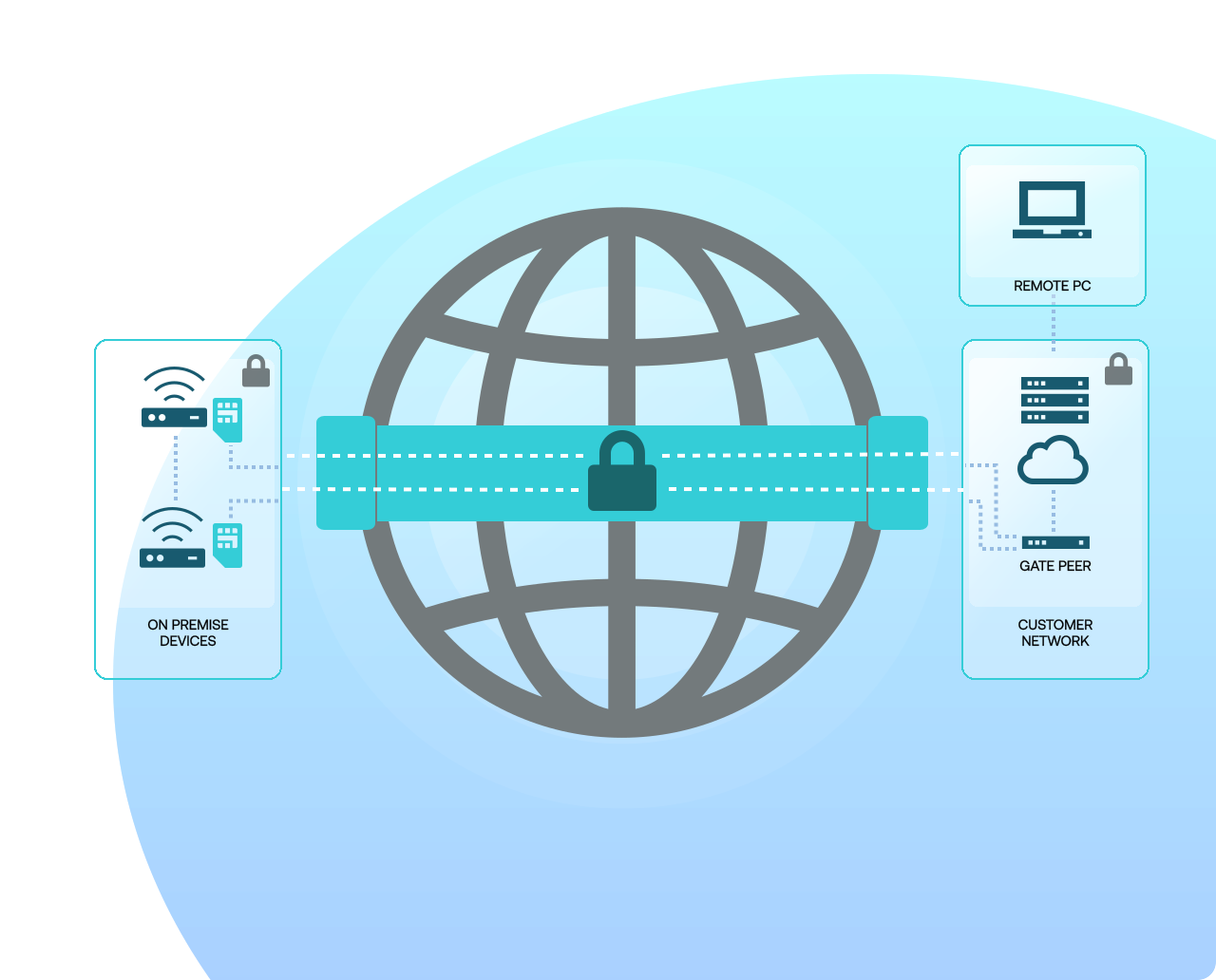
Soracom Gate extends a virtual Layer-2 network across your devices and your cloud or on-prem environment using a Virtual Private Gateway (VPG). This lets devices communicate privately with each other and with your backend—no public IPs, VPN clients, or custom tunneling software required.
Access and manage devices privately without exposing them to the public internet
Gate creates a secure L2 tunnel between your devices and a Virtual Private Gateway (VPG). Devices receive private IP addresses and can communicate directly with servers, other devices, or monitoring tools over this enclosed network. This lets you SSH into devices, transfer files, update firmware, or support peer-to-peer communication—all without assigning public IPs or opening inbound firewall rules.
Why use Soracom Gate for your project?
Reduce exposure
No public IPs or inbound firewalls mean far fewer attack surfaces.

Simplify maintenance
Private SSH/RDP access makes updates and debugging far easier across large fleets.

Support complex architectures
Enable hybrid robotics, sensor clusters, or P2P applications without extra infrastructure.
How it works
Private Layer-2 networking for devices
Gate uses a Layer-2 tunneling protocol to create a secure bridge between your devices and a Soracom VPG. Devices behave as if they’re on the same private LAN as your backend systems, enabling direct communication with no public exposure.
Bidirectional access for real device management
Because devices live inside a private network, you can SSH, RDP, ping, or tunnel into them without needing public IPs. Build secure maintenance workflows that don’t depend on open inbound ports or awkward NAT traversal.
Peer-to-peer communication across your fleet
Gate allows devices in the same VPG to communicate directly with each other. This supports mesh-style architecture, direct streaming, sensor-to-sensor communication, and on-device coordination without cloud roundtrips.
Understand what this simplifies for your team

Verified device identity
Ensure only legitimate devices can interact with backend systems.

Reduced compromise risk
Remove stored keys from firmware and protect against extraction or cloning.

Lower operational burden
Avoid maintaining PKI infrastructure or per-device credential rotation workflows.
Architecture and implementation
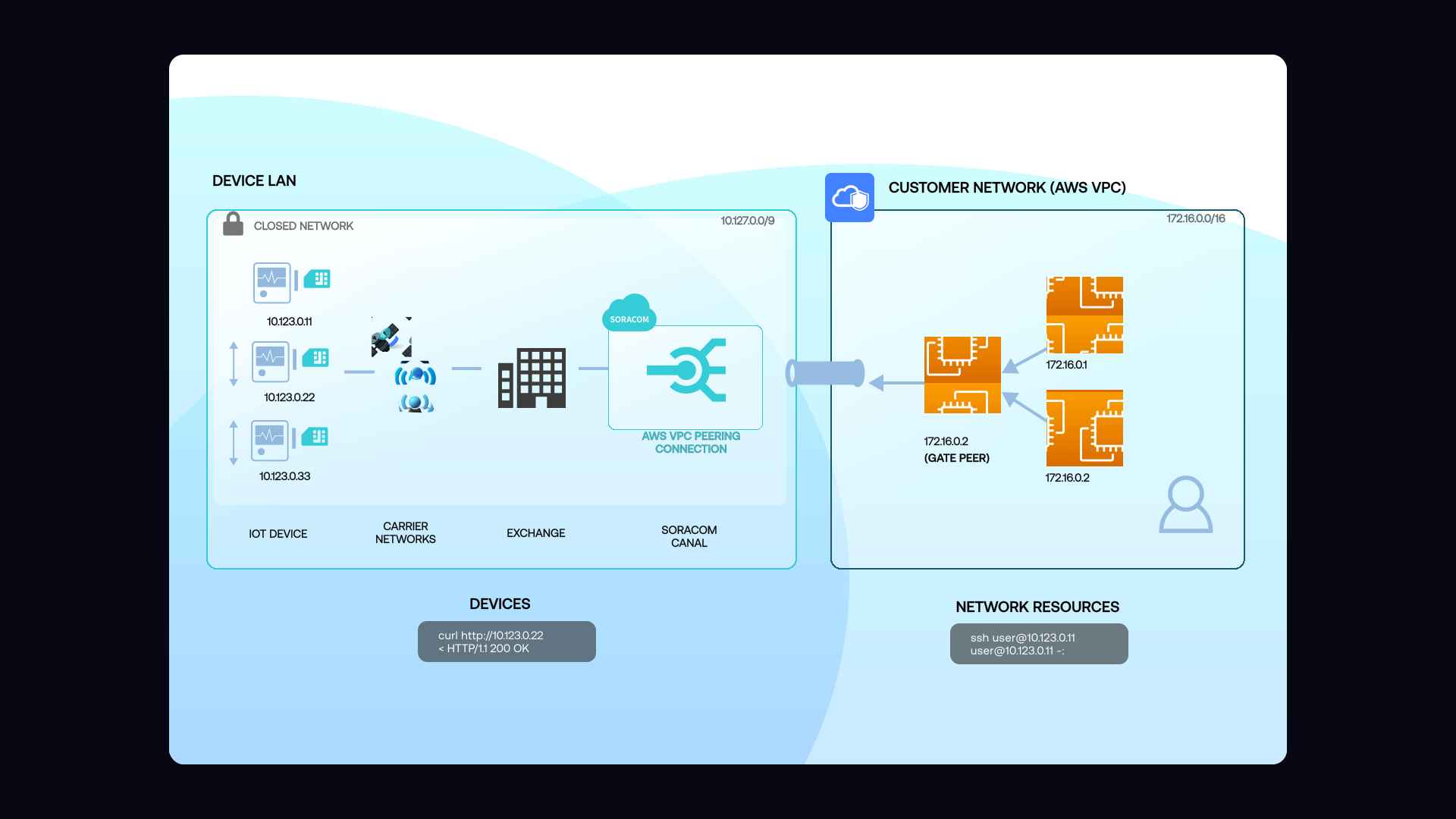
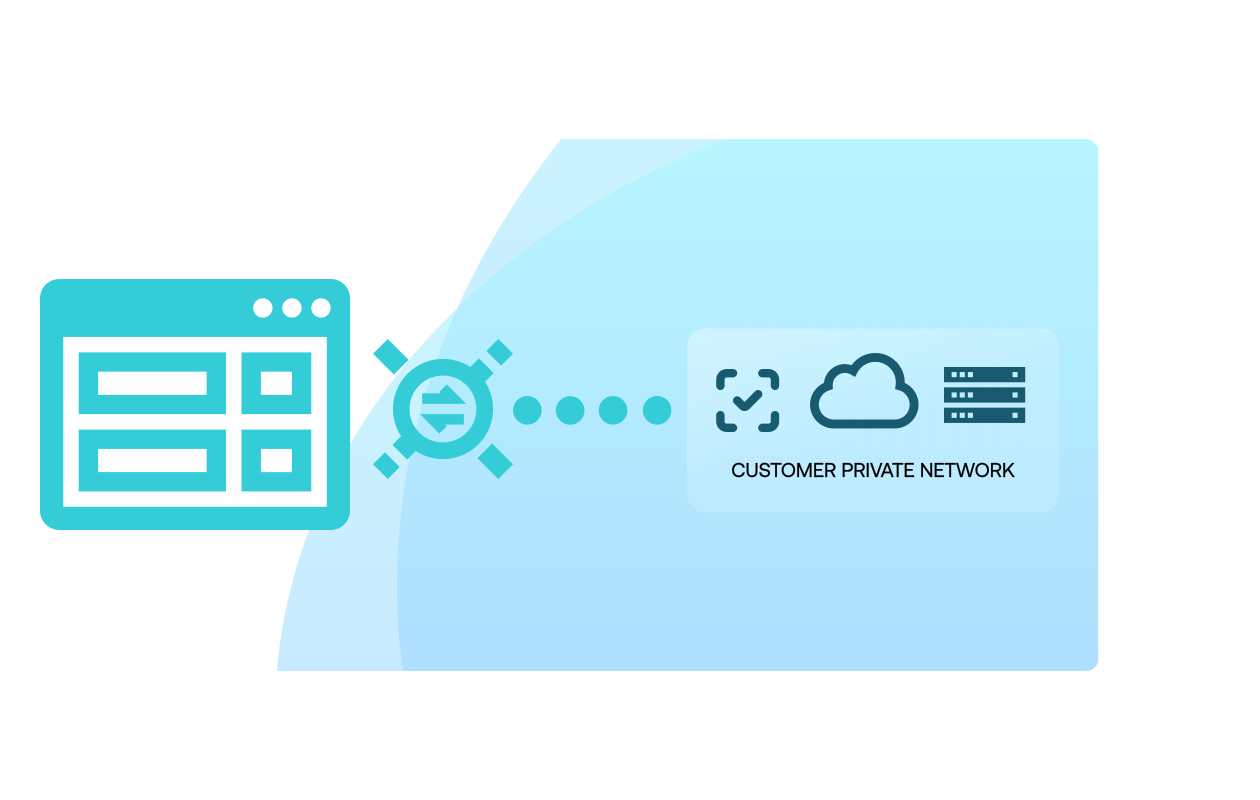
Soracom Gate creates a Layer-2 bridge between your devices and a Virtual Private Gateway (VPG). Devices attached to a Gate-enabled VPG receive private IP addresses and can communicate across the same broadcast domain. Your backend connects using a lightweight L2TPv3 client, placing your servers directly inside the same network. This architecture supports private access, device-to-device communication, and secure maintenance workflows without exposing any component to the public internet.
Step 1
Configure a Virtual Private Gateway for your private network
<strong>Begin by creating or selecting a Virtual Private Gateway (VPG) in the Soracom User Console.</strong><br>
Gate requires an active VPG to provide Layer-2 connectivity between your devices and your private network environment.<br><br>
Configure VPG settings according to your routing needs, such as DHCP ranges, static routes, or cloud peering targets.<br>
See the VPG setup steps in the <a href=”https://developers.soracom.io/en/docs/gate/setup/” target=”_blank”>Soracom Gate documentation</a>.
Step 2
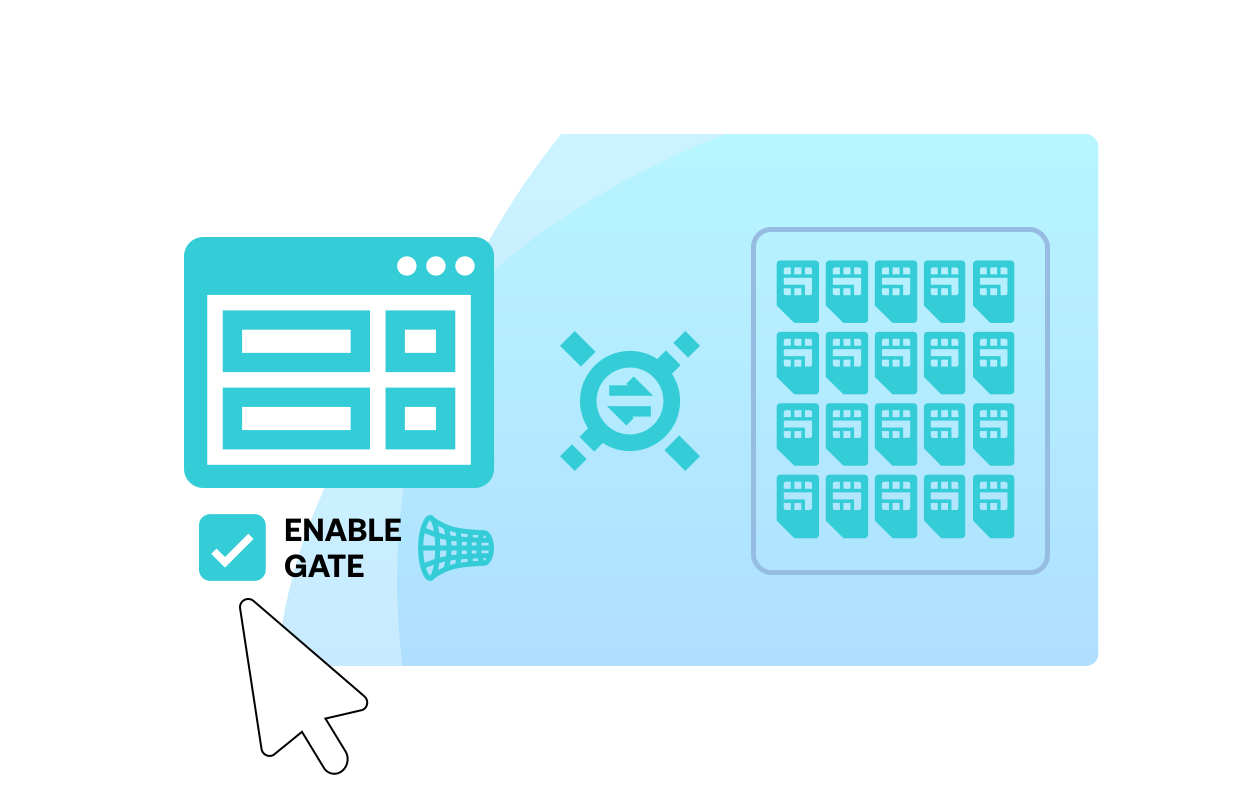
Attach your SIM group to the VPG and enable Soracom Gate
Once your VPG is ready, go to your SIM group settings and attach the group to the VPG.<br>
This assigns all devices in the group to your private network space.<br><br>
Next, enable <strong>Soracom Gate</strong> for the group. Gate creates a secure Layer-2 tunnel between your private host machine and the Soracom VPG, allowing devices to operate as if they were on the same LAN.<br>
Learn more about attaching device groups in the <a href=”https://developers.soracom.io/en/docs/gate/configure/” target=”_blank”>Gate configuration guide</a>.
Step 3
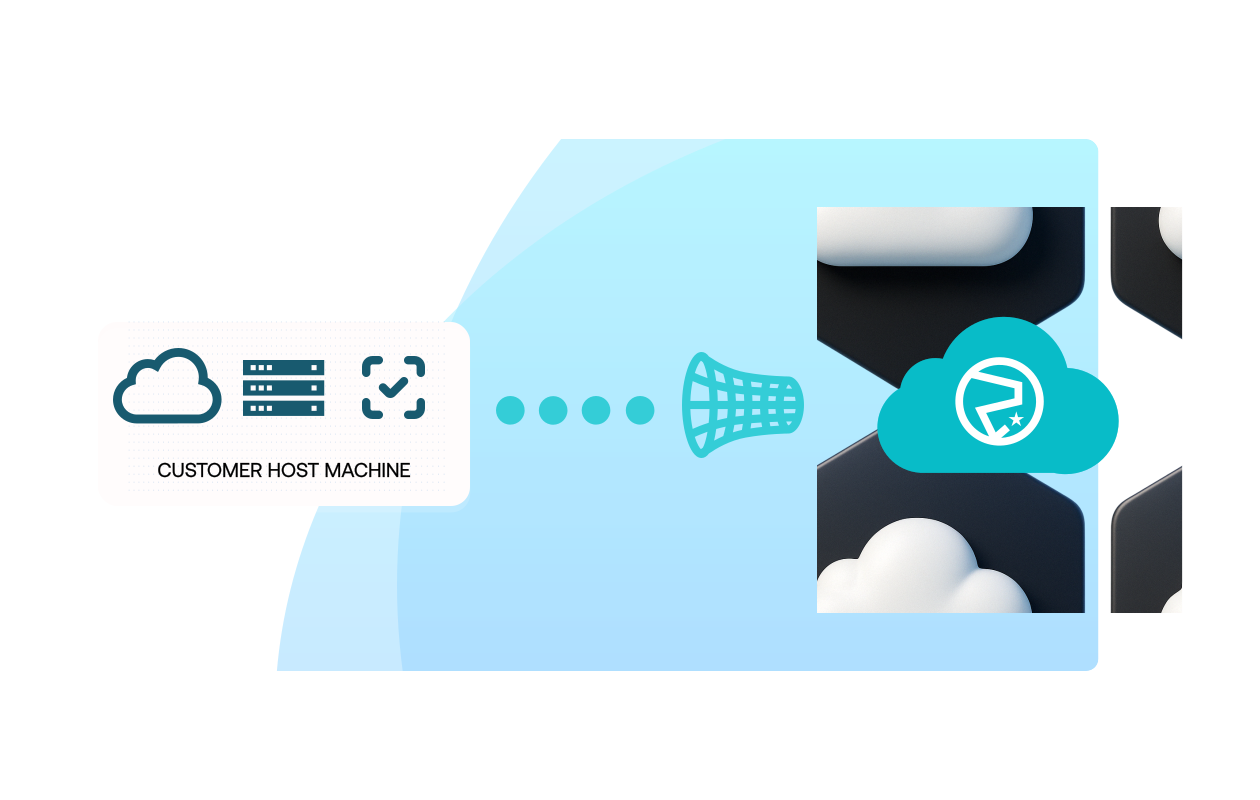
Connect your host machine and begin private Layer-2 access
Install the Soracom Gate client on your host machine and connect it to the VPG to establish a secure, encrypted Layer-2 tunnel.<br>
Your host will receive an IP address inside the same virtual network as your devices, enabling direct access for debugging, updates, or peer-to-peer communication.<br><br>
This provides full bi-directional access without exposing devices to the public Internet or requiring a global IP address.<br>
Review connection options in the <a href=”https://developers.soracom.io/en/docs/gate/accessing-devices/” target=”_blank”>Accessing devices with Gate</a> guide.
How Soracom Endorse works with other Soracom services
|
Use Endorse + Beam for secure data forwarding
Use Endorse + Funnel/Funk for trusted serverless execution
Use Endorse + Gate for secure remote sessions |
Articles about Soracom Gate





Secure device identity with Soracom Gate
Create a free Soracom account and connect your devices to a Virtual Private Gateway. Gate makes private device access, peer-to-peer communication, and remote diagnostics easy—no public IPs or VPN software required.
Frequently Asked Questions
What is Soracom Gate?
Gate is a Layer-2 private networking service that links your devices and backend systems into the same secure virtual LAN.
Can I access devices remotely?
Yes. Gate supports private SSH, RDP, ping, and other management tools.
Can devices talk to each other?
Yes. Gate enables secure peer-to-peer communication across devices inside the same VPG.
Does Gate encrypt traffic?
The device-to-core cellular link is encrypted, and Gate’s L2TPv3 tunnel runs inside the trusted VPG environment.
Do devices need public IP addresses?
No. Devices receive private IPs and do not require any direct public exposure.
What backend environments can connect?
Any system that supports L2TPv3—cloud instances, servers, VMs, or on-prem appliances.
How is Gate different from Soracom Canal or Door?
Gate provides L2 networking; Canal and Door provide L3 private routing. They are often used together.
Does Gate add latency?
Gate operates at the network layer and adds negligible overhead.