What you’d need to build without Soracom Arc
|
Build and maintain your own secure VPN client on every device
Create a backend to map non-cellular devices to identities
Rebuild cloud and network integrations for hybrid fleets |

Soracom Arc
Secure link service to Soracom for devices on any IP network
Connect to Soracom over any network
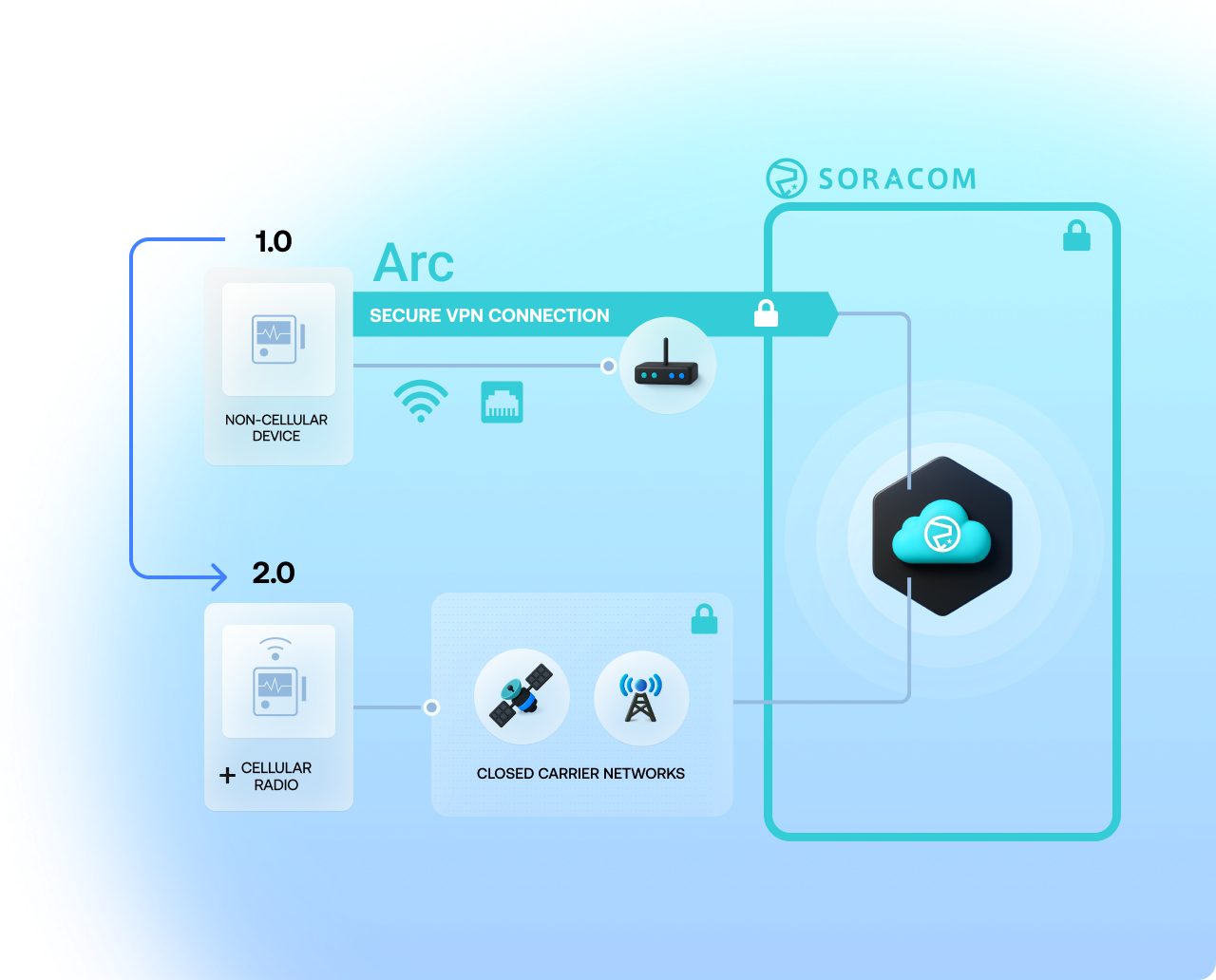
Soracom Arc creates a secure, encrypted link between non-cellular networks (like Wi-Fi or Ethernet) and the Soracom platform. It enables devices without cellular modules to connect to the Soracom network, unifying your connectivity strategy across multiple access types.
Build on Wi-Fi or Ethernet, then expand globally with cellular
Arc establishes an encrypted WireGuard® tunnel from each device to Soracom and represents that device with a Virtual SIM (vSIM). That means the same identity, policies, security controls, and platform integrations you use for cellular also apply to your IP-connected devices, so you can start on local networks today and scale to cellular when you’re ready—without redesigning your architecture.
Why use Soracom Arc for your project?
Prototyping on Wi-Fi or Ethernet
Use Arc to connect devices over existing Internet links (Wi-Fi/Ethernet) for rapid development before switching to cellular—eliminating the need for SIMs or modems during proof-of-concept.
Mixed Connectivity Fleets
Manage Wi-Fi, Ethernet, satellite, and cellular devices under one architecture—Arc lets non-cellular devices join the Soracom platform and share policies, routing and identity with cellular units.
Secure Connectivity & Fail-over
Establish a WireGuard® tunnel to Soracom over any Internet connection, so devices remain secure and enable offline backup or seamless fail-over between Wi-Fi and cellular.
How it works
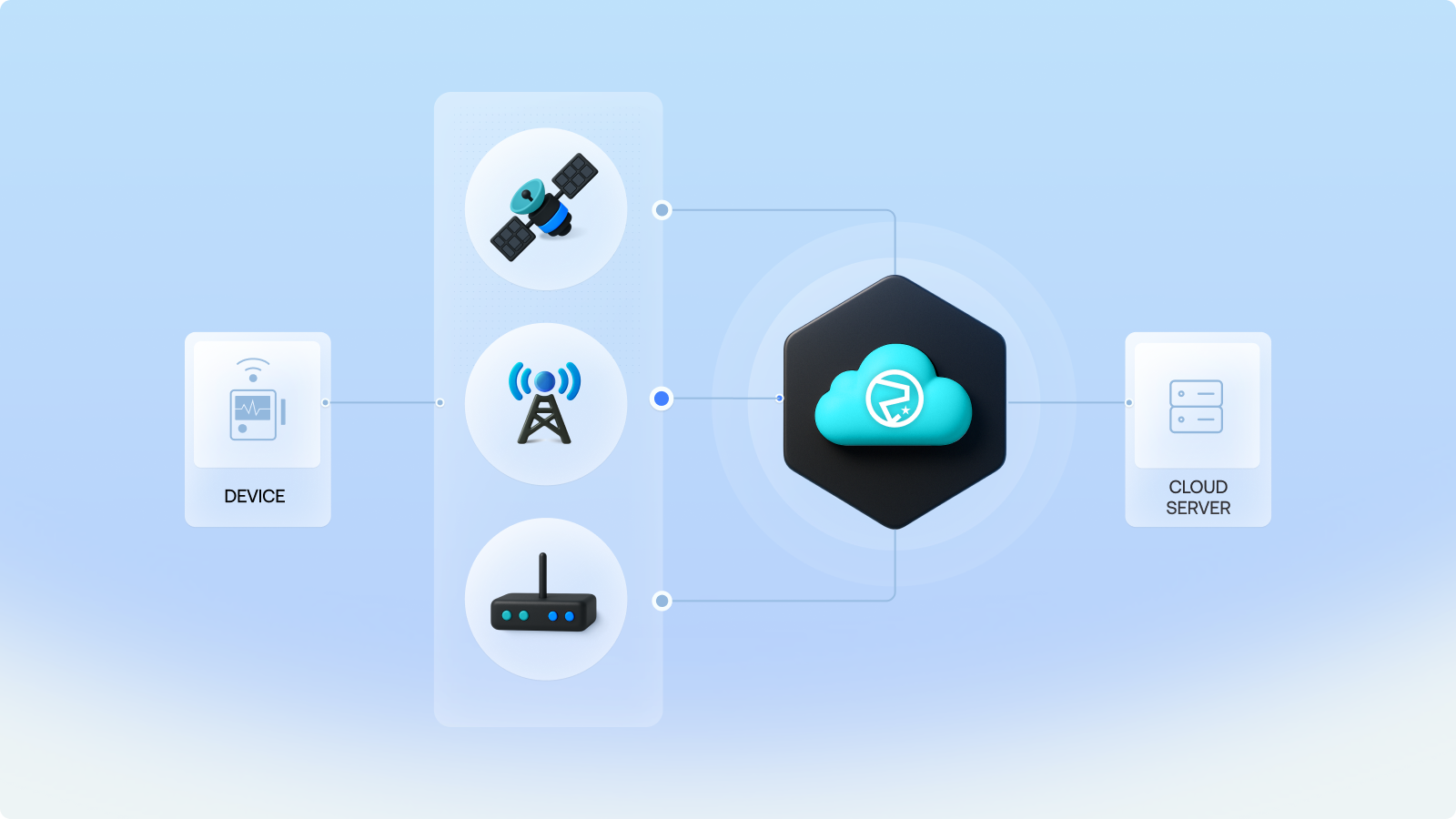
Universal connectivity via any Internet link
Arc lets devices connect to the Soracom network over Wi-Fi, Ethernet or satellite by creating a secure WireGuard® tunnel—bringing non-cellular devices into the Soracom ecosystem.
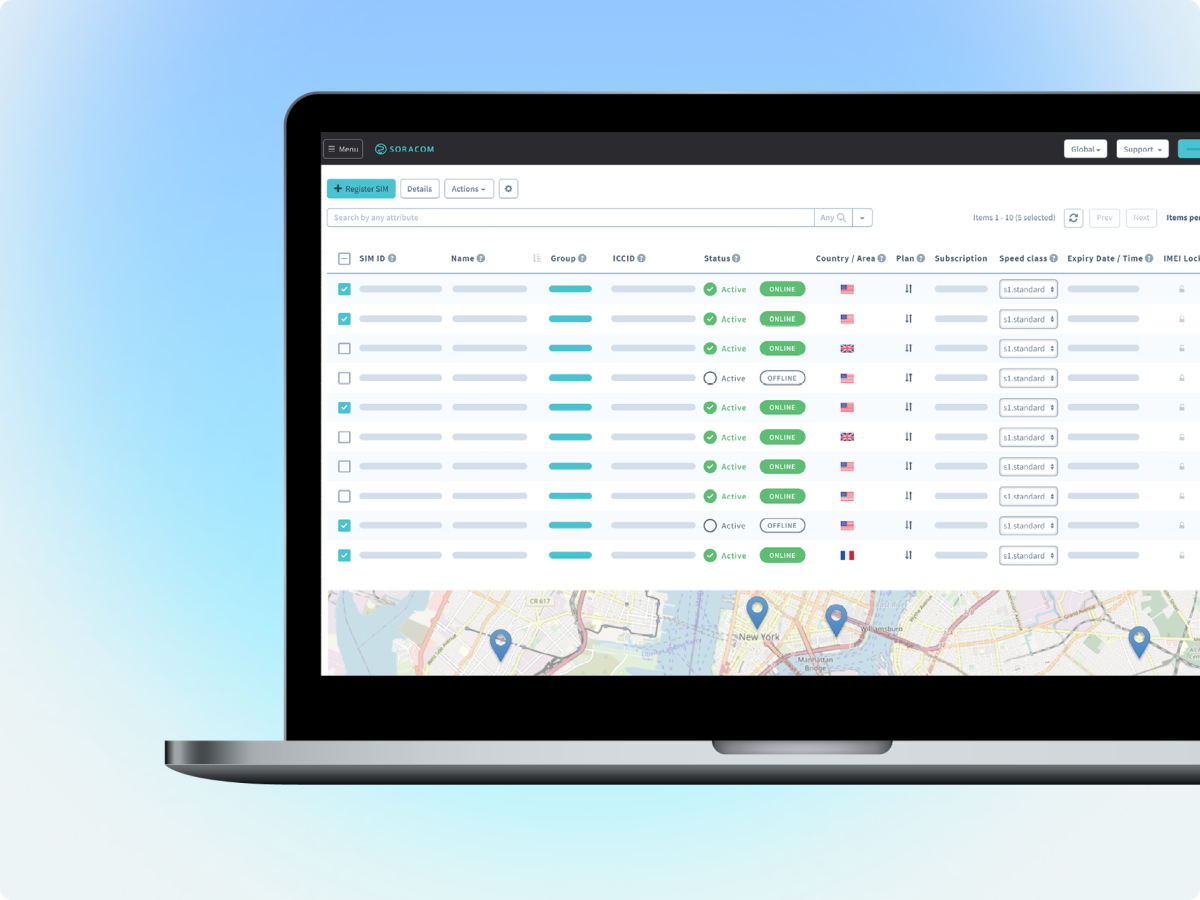
Virtual SIM wrapper makes non-cellular look like cellular
Arc uses Virtual SIMs so your device gets an IMSI and appears as a regular Soracom SIM session, enabling you to reuse existing policies, groups, routing and integrations.
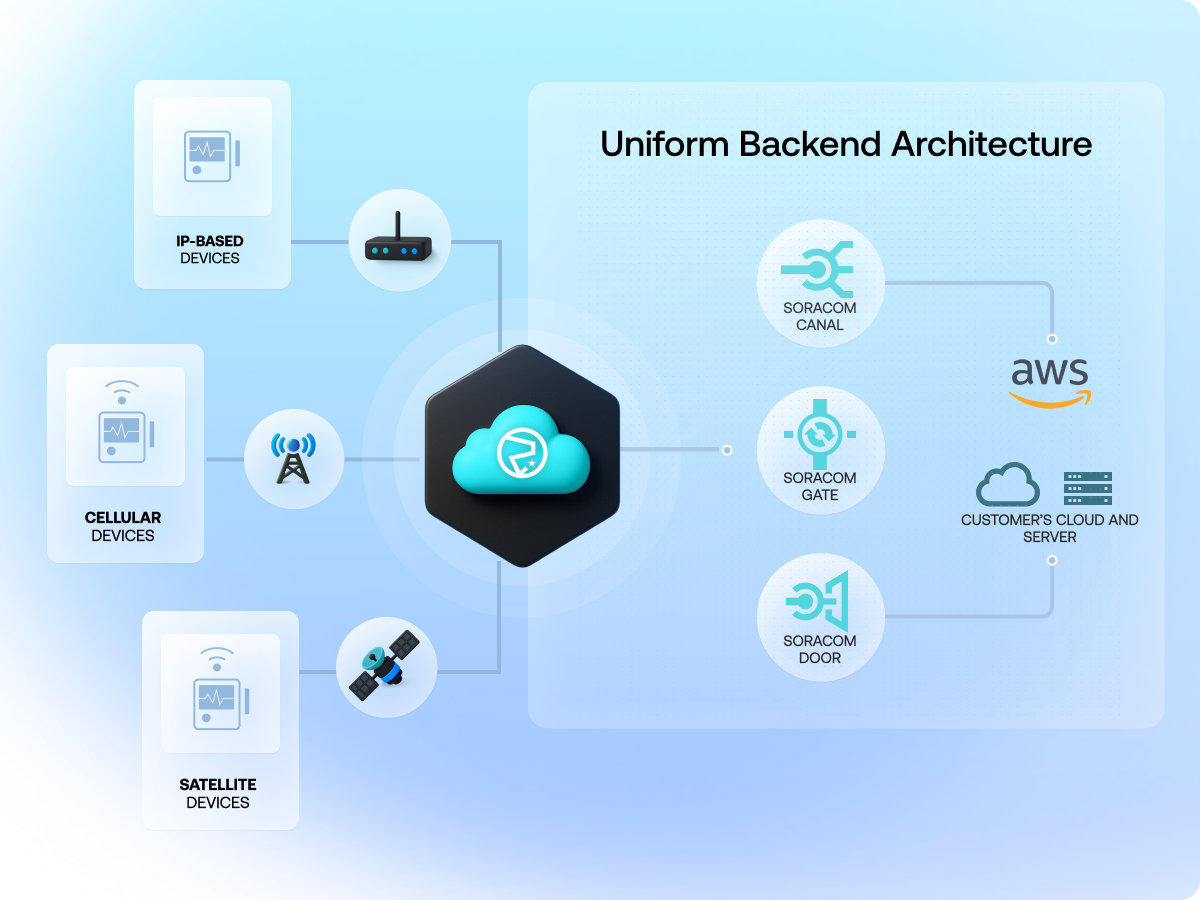
Seamless architecture across connectivity types
Unify fleets comprising Wi-Fi, Ethernet and cellular devices under a single architecture—switch between connection types transparently without re-configuration.
Architecture and implementation
Soracom Arc is designed for teams that want to use Soracom’s platform and networking features even when devices don’t have cellular modules. Instead of managing separate paths and tools for Wi-Fi, Ethernet, or satellite, you bring everything through the same secure entry point and treat all devices like part of one fleet.
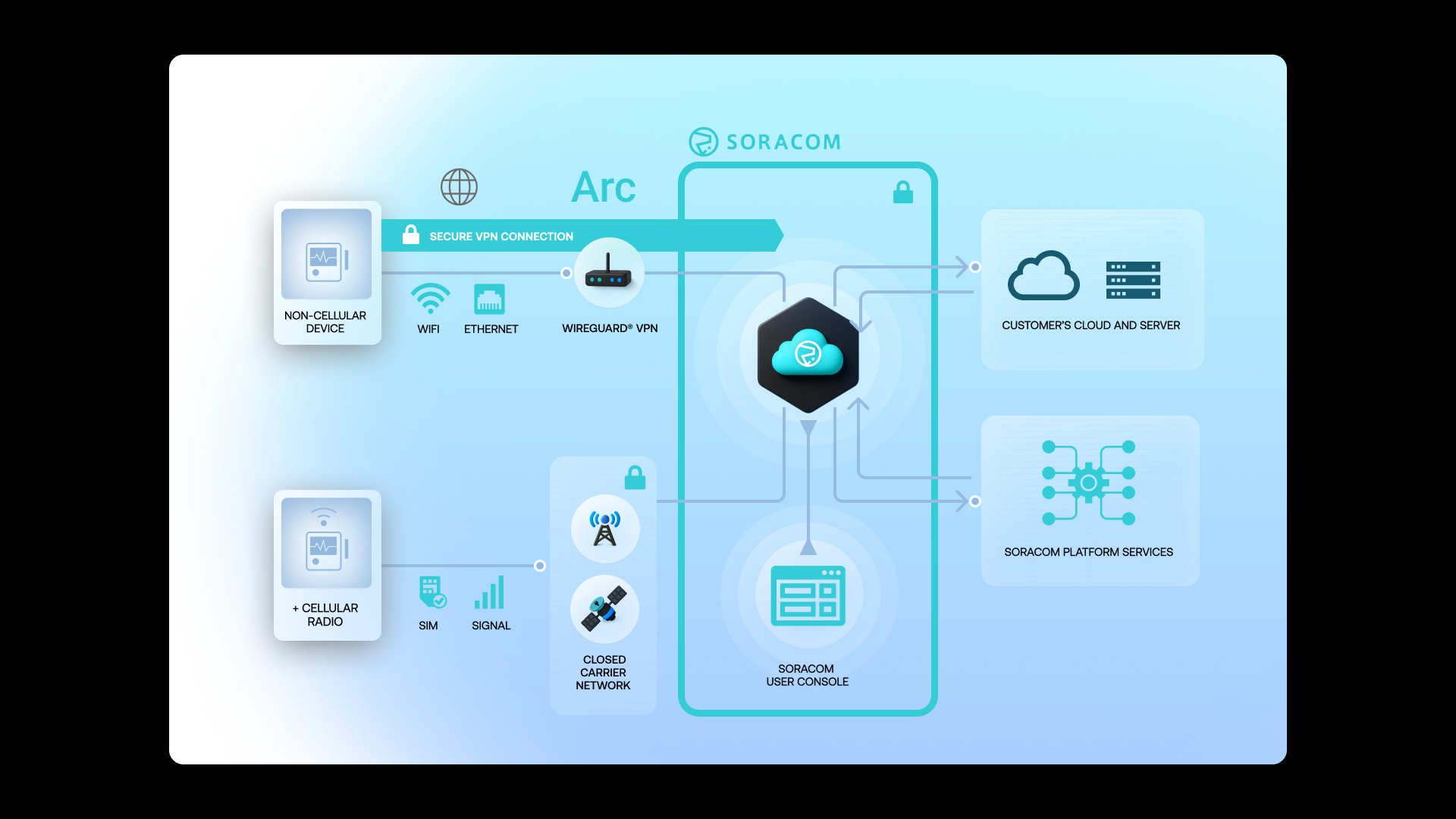
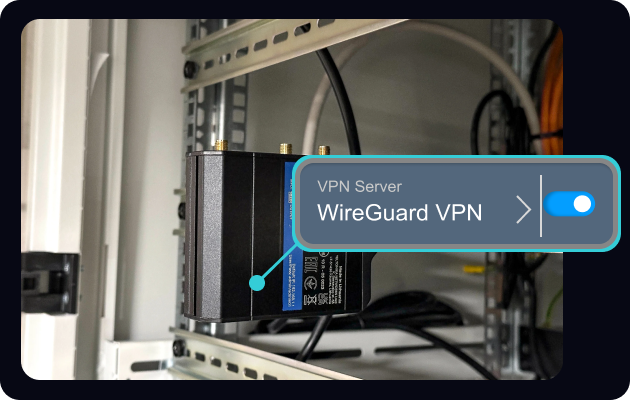
Install and configure Soracom Arc to establish a secure client-to-cloud tunnel
Download and install the Soracom Arc client (Soratun) or set up a WireGuard® client on your device or gateway.
Obtain your device’s Virtual SIM (vSIM) credentials from the Soracom User Console and configure them in your client settings to authenticate with Soracom securely.
Once configured, Arc creates an encrypted tunnel that lets non-cellular devices connect to the Soracom platform just like Soracom Air devices.
Setup instructions are available in the Soracom Arc documentation.
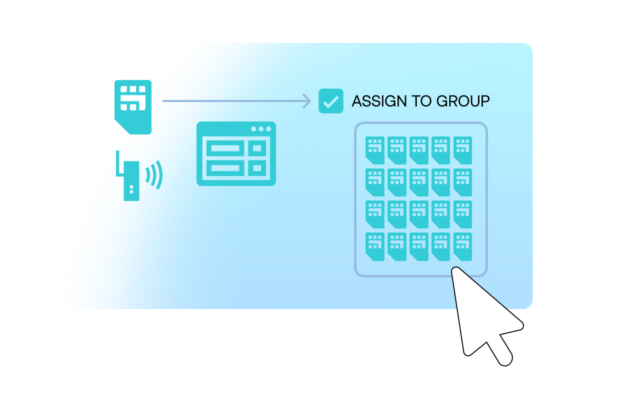
Connect your device through Arc and join it to your Soracom SIM group
Start the Arc (Soratun or WireGuard) client to establish a secure tunnel between your device and the Soracom platform.
Once connected, the device appears in the Soracom User Console as if it were using a physical SIM, allowing you to apply group settings, routing rules, and integrations.
This enables mixed fleets—Wi-Fi, Ethernet, or cellular—to operate under the same identity and policy framework.
Learn more about device registration in the Arc device integration guide.
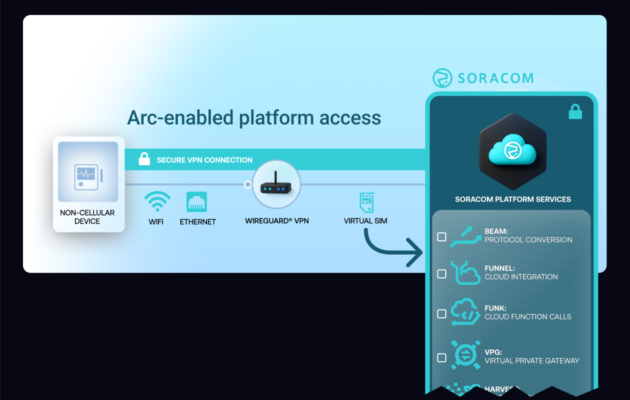
Apply Soracom services to Arc-connected devices just like cellular devices
With Arc active, configure services such as Beam, Funnel, Funk, Gate, Canal, or VPG for your device’s SIM group.
Arc ensures that all policies, routing rules, and integrations apply automatically, without modifying your device firmware or cloud settings.
This allows you to standardize connectivity, security, and cloud integration across your entire fleet—even when devices connect over existing Wi-Fi or Ethernet networks.
Service compatibility details are listed in the Arc feature compatibility guide.
How Arc works with other Soracom services |
Use Arc + Virtual Private Gateway for private routing Use Arc + Beam/Funnel/Funk for cloud integration Use Arc + Harvest and Lagoon for monitoring |
Impact on your business and operations

Consistent security posture
By treating all devices—cellular and non-cellular—the same way from an identity and routing perspective, Arc helps you apply consistent security policies and reduce the chances of misconfigured exceptions.

Simpler fleet management
You configure Groups, alerts, and integrations once and apply them across the fleet. As devices move between connection types over their lifecycle, they keep the same logical identity and operational model.

Faster experimentation and rollout
You can start projects on Wi-Fi or Ethernet for speed and cost, then add cellular or satellite where needed without rethinking how devices connect to Soracom or your cloud. This makes it easier to prototype, learn, and scale in stages.
Articles about Soracom Arc




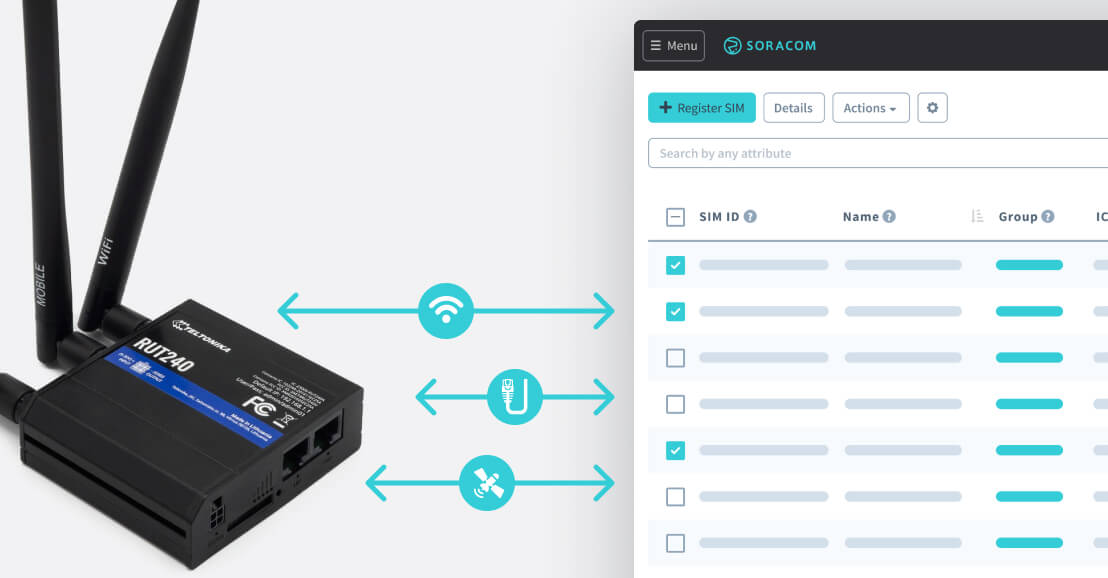

Start using Soracom Arc with your existing devices
Create a free Soracom account, set up a virtual SIM, and start bringing Wi-Fi, Ethernet, and other IP-connected devices into the Soracom platform alongside your cellular fleet.