Healthcare — Connected medical devices
Restrict each device to your EHR and management plane. Supports your HIPAA destination-control requirements, with no endpoint agent on the device.

Set the destinations each device is allowed to reach and enforced in the network, not on the device. No software or separate appliance to buy.
Most IoT hardware can't run a firewall. Traffic Filtering enforces your rules in the network, so the device doesn't have to.

Point a rule at api.example.com. We keep the underlying IPs current as cloud providers change them. Your allowlist stops breaking.

Rules are defined by API and saved per VPG. Show an auditor the exact policy, for the exact device group, at any point in time.
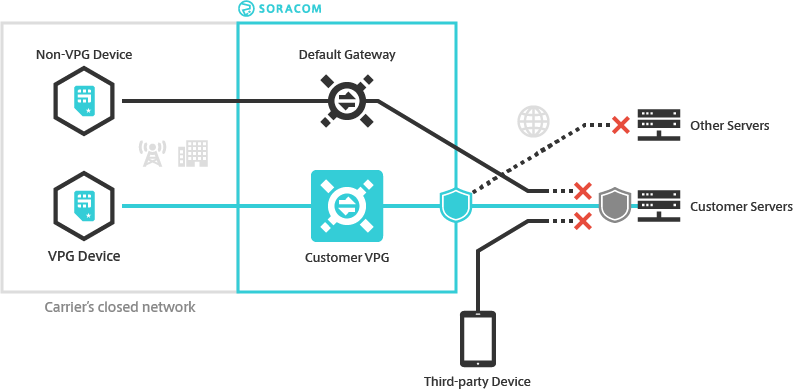
Sensors, trackers, and meters can’t run firewall agents. With Traffic Filtering, every connection is checked at the Virtual Private Gateway (VPG) — the private gateway your device traffic already passes through. The policy travels with the SIM, so a device only needs to do one thing: connect.
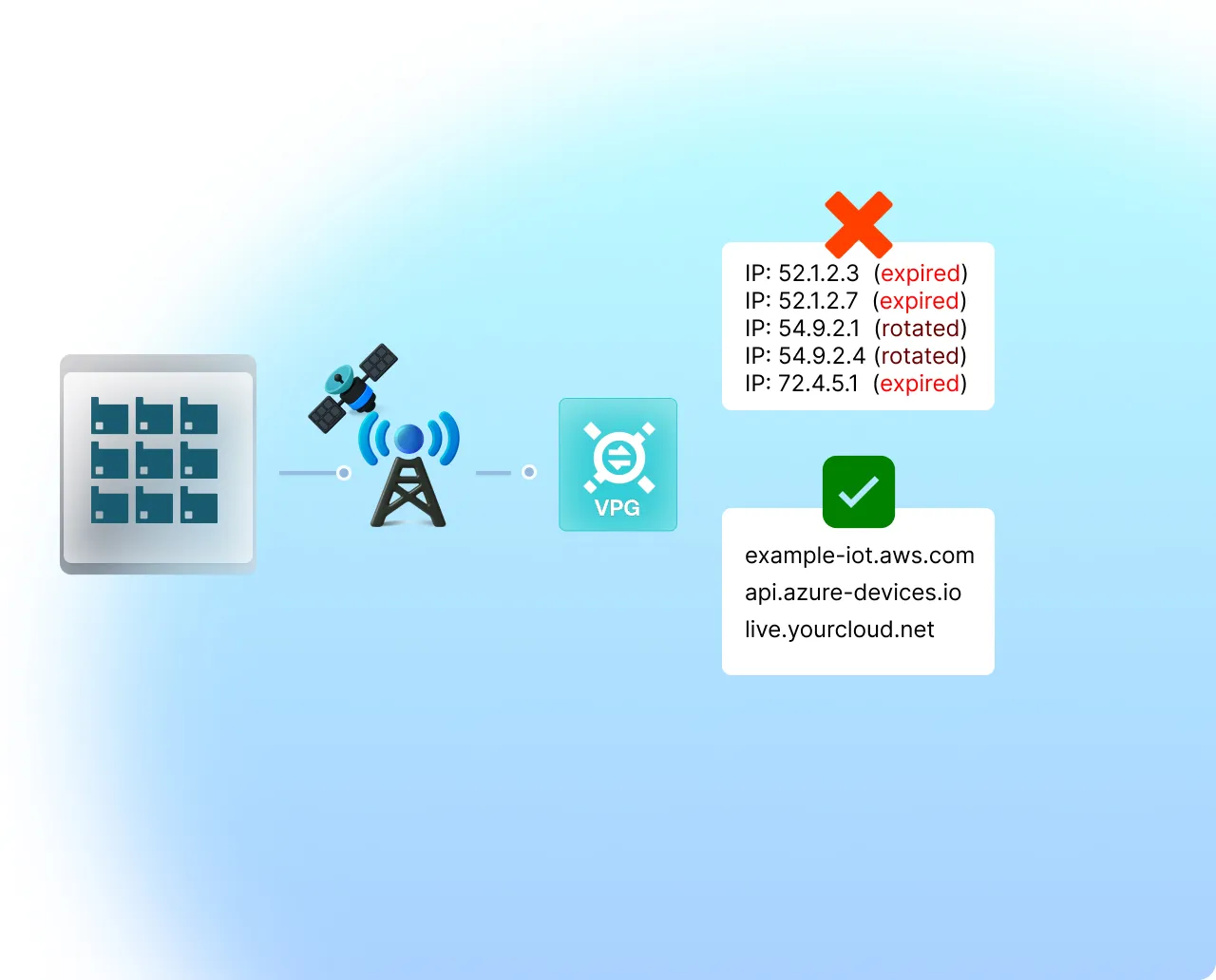
Cloud endpoints rotate their IP addresses constantly. A static CIDR allowlist for AWS IoT or Azure needs constant upkeep — and breaks the moment someone forgets. Write your rules against domain names instead. Soracom resolves them and keeps the IP rules current for you.
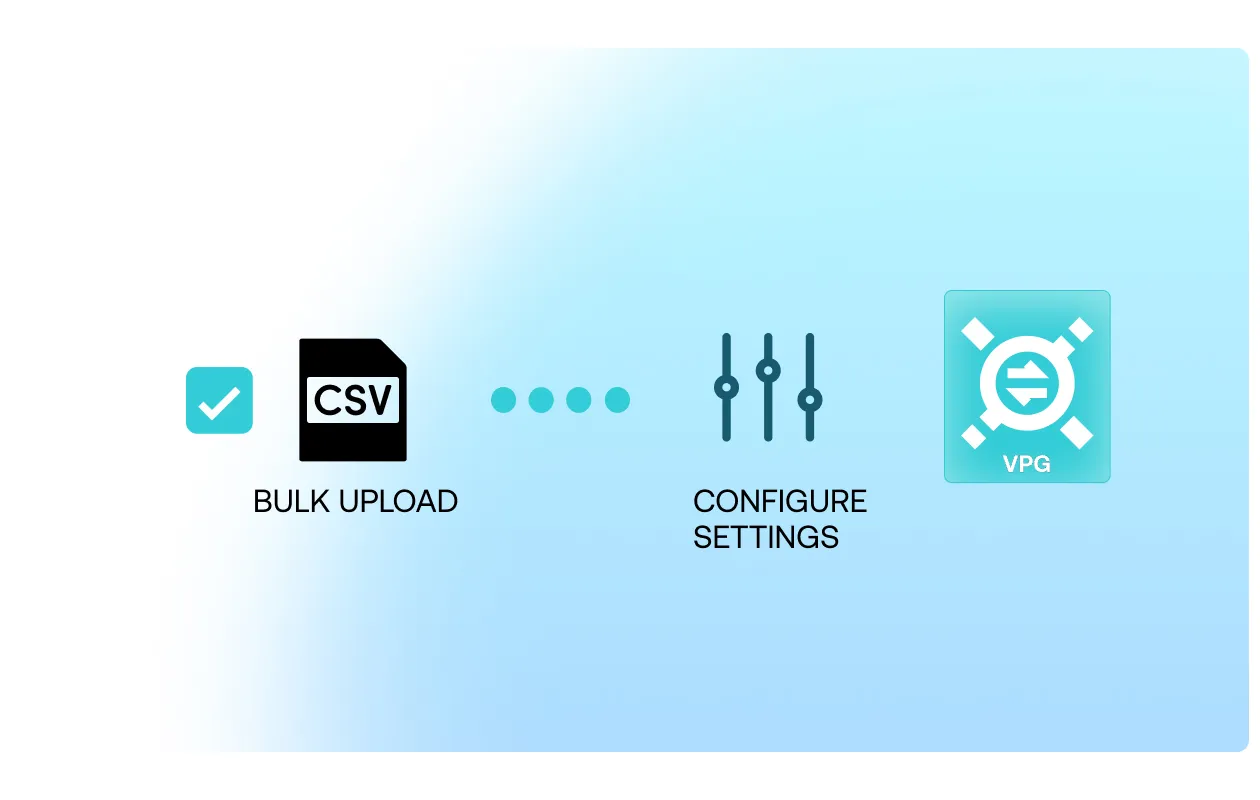
Define rules by API or bulk-edit them with CSV — no clicking through a UI one device at a time.
Restrict each device to your EHR and management plane. Supports your HIPAA destination-control requirements, with no endpoint agent on the device.
Lock RTUs and sensors to their SCADA endpoint. Any unexpected connection is blocked and visible.
Hold multi-vendor in-cab units to approved TMS, ELD, and OTA servers — even when you don’t control the firmware.
Define allowed destinations per production zone. Zero-trust segmentation without redesigning the network.
Isolate tenant and building systems with per-VPG policy. Multi-tenant IoT without physical separation.
Restrict each terminal to your payment processor and nothing else. Supports your PCI-DSS scoping, with no security agent on the device.
Hold each charger to its management backend and payment endpoint — even across operators and physically exposed sites.
Lock cameras and environmental sensors to your video management system. A compromised camera can’t pivot to the rest of the network.

Talk to our team about turning on Traffic Filtering for your VPG.